EasyManua.ls Logo

idp SOLID-510S - User Manual

idp SOLID-510S
94 pages
Print Icon
To Next Page IconTo Next Page
Loading...
1
User Manual
SOLID Series
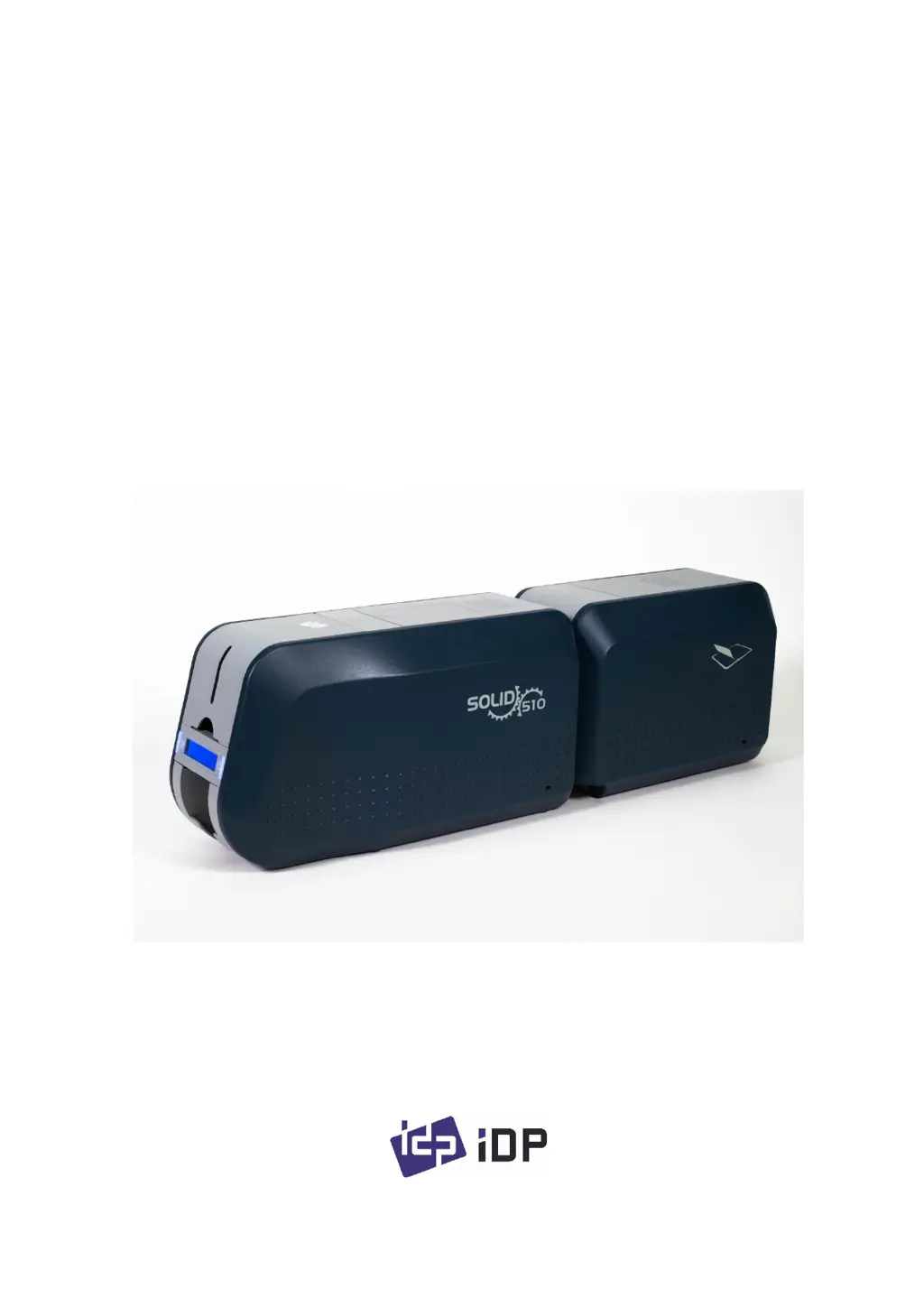
SOLID-510S, SOLID-510D, SOLID-510L

Table of Contents

Questions and Answers

Summary

Introduction

Printer Outside Features

Details external features and connectivity of the SOLID-510 printer.

SOLID-510 Printer Models

Overview of SOLID-510S, SOLID-510D, and SOLID-510L models.

Printer Inside Features

Explains internal components like output hopper, input hopper, ribbon cartridge, and print head.

Thermal Print Head

Describes the function and caution for the thermal print head.

Ribbon Cartridge Features

Details the ribbon cartridge, take-up parts, supply parts, and cleaning roller.

Display and Buttons

Explains the printer's LCD display and control buttons and their functions.

Printer Installation

Connecting Power and USB Cable

Instructions for connecting power and USB cables for all SOLID-510 models.

Fitting the Ribbon

Step-by-step guide on how to install the ribbon cartridge and cleaning roller.

Fitting a Laminating Film

Instructions on how to install a laminating film cartridge.

Loading the Cards

Steps for loading plastic cards into the input hopper, including thickness adjustment and preparation.

Withdrawing Printed Cards

How to remove printed cards from the output stacker.

Rear Stacker Installation (Optional)

Instructions for installing the optional rear stacker for different SOLID-510 models.

Driver Installation (Windows 7;8;10)

Step-by-step guide for installing the printer driver on Windows OS, covering all phases from insertion to test page.

Driver Configuration

Printer Properties

Accessing and configuring printer properties, printing preferences, layout, input/output, and printing settings.

Printer Properties

Configuring magnetic stripe encoding and advanced encoding options.

Printer Properties

Options for loading/saving driver settings and advanced print quality settings.

Advanced Options

Print Quality and Reset Defaults

Setting print quality (DPI) and resetting default values.

Advanced Options

Details color correction, position processing, and resin black processing settings.

Advanced Options

Explains extra controls like fast alignment, rewritable density, and wait options.

Other Settings

Printer Sharing

Configuring network sharing for the printer.

Printer Ports

Explains port configuration, including USB virtual printer port.

Advanced Settings

Configuring working time, priority, and spool print settings.

Color Management

Setting color management profiles for optimal color expression.

Security Settings

Setting permissions for printer usage and user access.

Service Functions

Accessing printer information, running cleaning, and printing technical sheets.

Utilities

Card Printer Configuration Utility

Overview of the CardPrinterConfig utility for adjusting printer settings.

Card Printer Basic Setup

Explains basic setup options like device selection, password settings, and print area configuration.

Card Printer Basic Setup

Printing calibration cards and managing configuration values (load/save).

Card Printer Advanced Setup

Configuring printer ID, PC serial, print head, and magnetic encryption.

Flipper Setup

Configuration options for the flipper accessory, including speed and attribute settings.

Laminator Basic Setup

Basic setup for the laminator, showing film type, code, and heater temperature.

Laminator Advanced Setup

Advanced configuration for the laminator, including motor torque and speed settings.

Network Configuration

Connecting Network Port

Instructions for connecting the printer to a network using the network port.

Network Configuration

Using NetAdmin to manage network settings, status, and printer discovery.

Network Configuration

Connecting via USB for network setup and logging into NetAdmin.

Network Configuration

Resetting to default and upgrading firmware for the network module.

Network Configuration

Setting dynamic or static IP addresses for network configuration.

Card Printer Test

Card Printer Test Utility

Introduction to the CardPrinterTest utility for testing printer functions.

Printer Control

Selecting printers and controlling operations via SBS, Card, Move, and Rotate.

Print and Batch Functions

Printing cards using CSD files and performing batch tests.

Magnetic Stripe Encoding Test

Testing magnetic stripe read/write functionality and batch processes.

Contact Smartcard Encoding Test

Testing contact smartcard reader functions like Get ATR, Read, Write.

Contactless Smartcard Encoding Test

Testing contactless smartcard functions like Get UID, Read, Write.

Printer Status Monitoring

Getting printer temperature and status information.

Firmware Update

Card Printer Firmware Menu

Overview of the firmware downloader menu and update process.

Firmware Update Process

Performing automatic or manual firmware updates for the printer.

Optional Device Driver Installation

Contact Smartcard Reader Driver

Instructions for installing drivers for contact smartcard readers.

Contactless Smartcard Reader Driver

Connecting the printer and initiating the Found New Hardware Wizard.

Troubleshooting

Error Messages and Countermeasures

Lists common error messages and their solutions.

Cleaning the Printer

Instructions for cleaning the printer using a long cleaning card.

Thermal Print Head (TPH) Replacement

Steps to check, configure, and replace the thermal print head.

Laminator Head Replacement

Steps to disassemble the laminator head.

Card Movement Issues

Troubleshooting cards not entering the printer or transfer errors.

Printing Quality Issues

Addressing problems like missed prints, color spots, and horizontal lines.

Magnetic Stripe Encoding Errors

Troubleshooting common errors during magnetic stripe encoding.

General Operation Issues

Resolving issues like ribbon errors, printer power, and driver status.

Printer Specifications

idp SOLID-510S Specifications

General IconGeneral
Brandidp
ModelSOLID-510S
CategoryPrinter
LanguageEnglish

Related product manuals