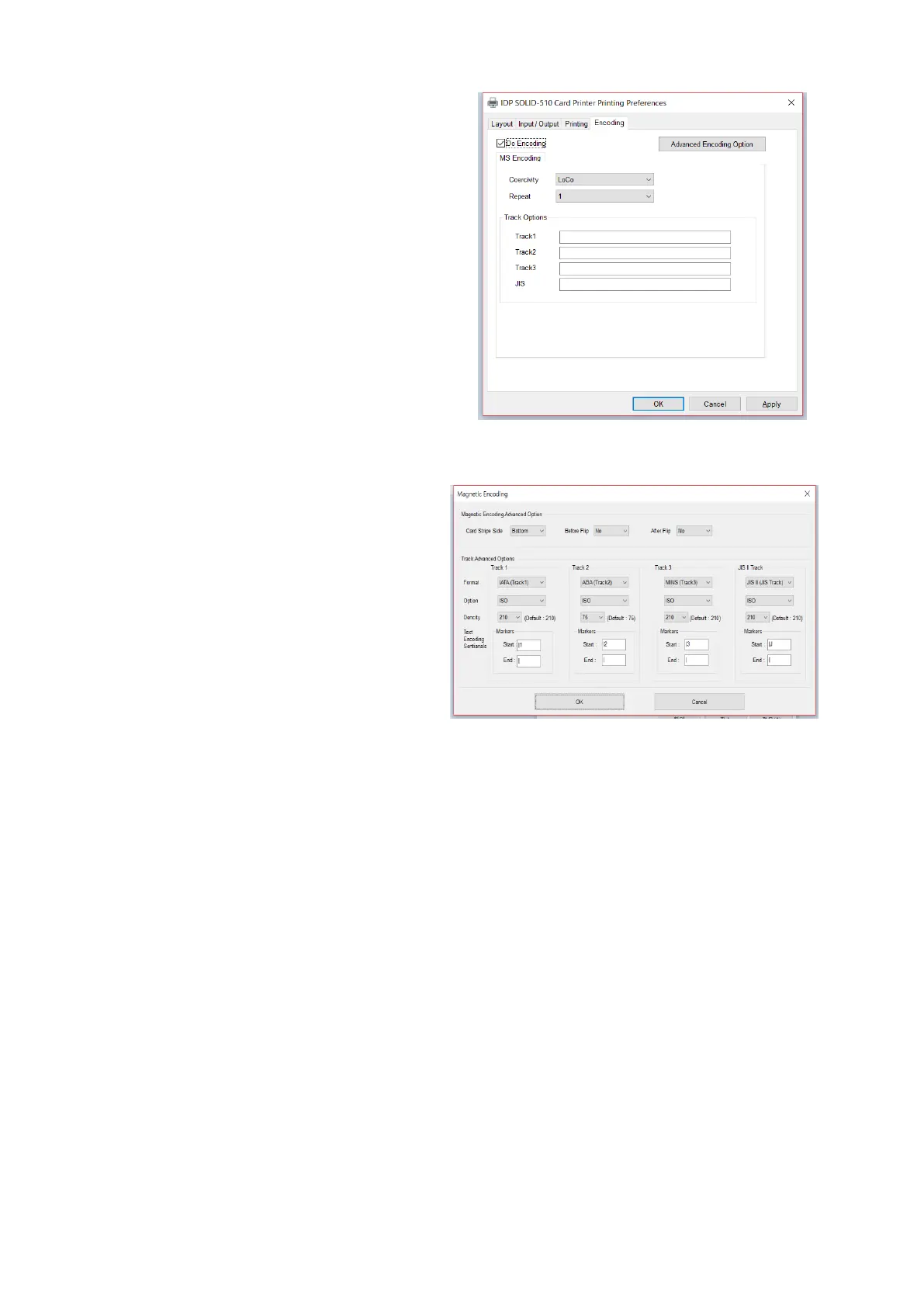
(6) Encoding
This tap will be shown only when
Magnetic encoder is installed.
Do Encoding : You can select encoding or
not
Coercivity : You can select the coercivity
to encode
Loco : 300, 600 Oe.
HiCo : 2760 Oe.
SpCo : 4000 Oe.
Auto : Defined automatically
Repeat Count : You can select the retry
count to encoding when encoding is failed
(7) Encoding Advanced Option
Card Stripe Side : The location of
magnetic stripe [Bottom / Top]
Before Flip : Do flipping before encoding
[No / Yes]
After Flip : Do flipping after encoding [No /
Yes]
Track Advanced Options :
Format : Encoding format (IATA, ABA,
MINS, JISII, Bits Mode)
Track 1 : (default) IATA
Track 2 : (default) ABA
Track 3 : (default) MINS
JIS II Track : (default) JIS II
Density: MS encoding density (210, 75)
Text Encoding Sentinels : Start, End
Marker for text magnetic encoding
Start : Start Marker
End : End Marker



 To Next Page