87
6.4. Laminator Head Replacement
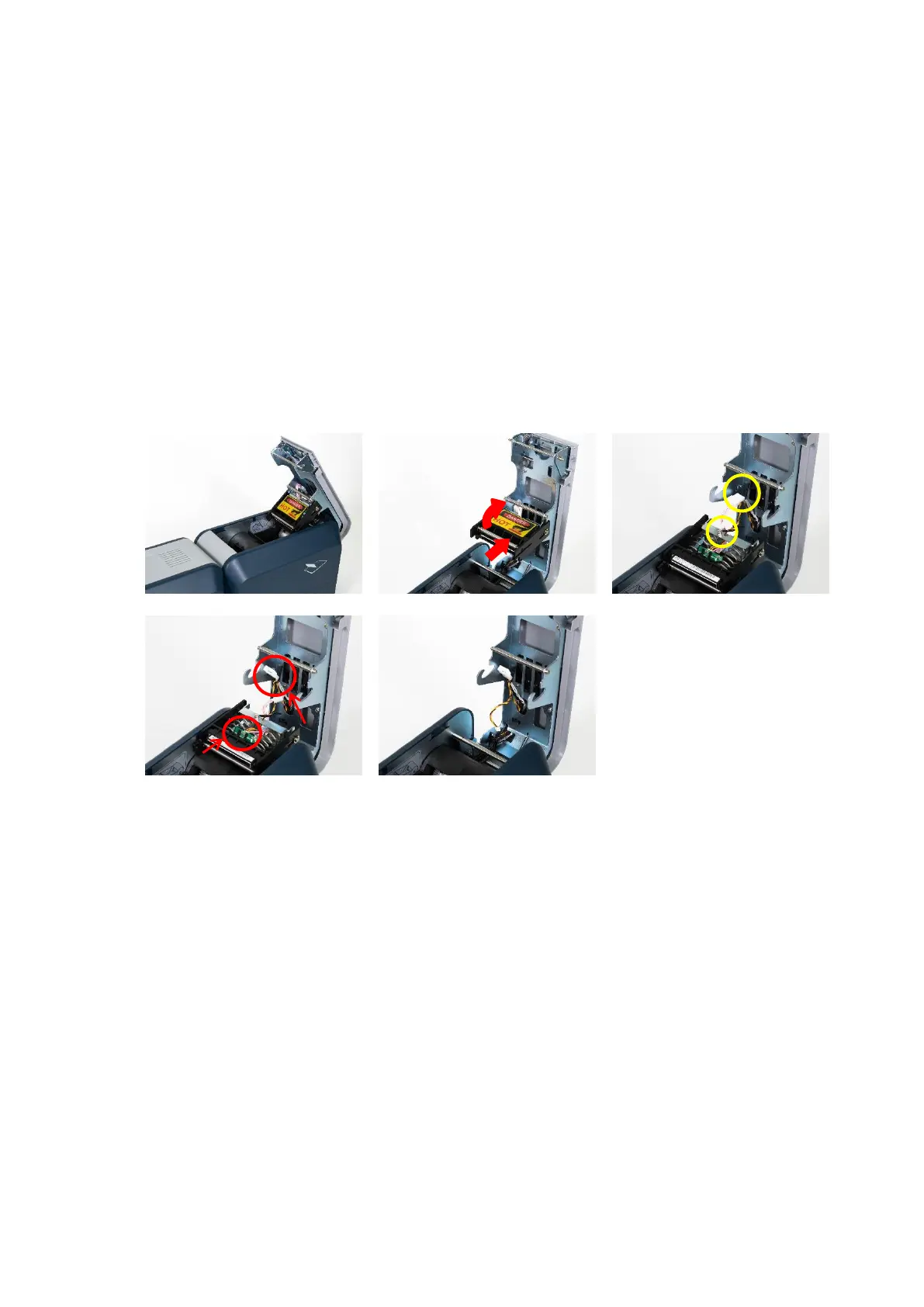
1. Disassemble the Laminator Head
1. Open Top Cover. (Step. 1)
2. Push the Head Ass'y in the direction of the arrow and separate it from Top Cover.
(Be Careful of burns from high-temperature) (Step. 2)
3. Turn the Head Ass'y and unbind cable fixing. (Step. 3)
4. Disconnect sensor wire(Con.1) and Laminator Head wire(Con.2) from disassembled Head
Ass'y. (Step. 4)
5. Completely separate the Head Ass'y from main body. (Step. 5)
<Step. 1> <Step. 2> <Step. 3>
<Step. 4> <Step. 5>
Figure 116
Disassemble the Laminator Head



 To Next Page