52
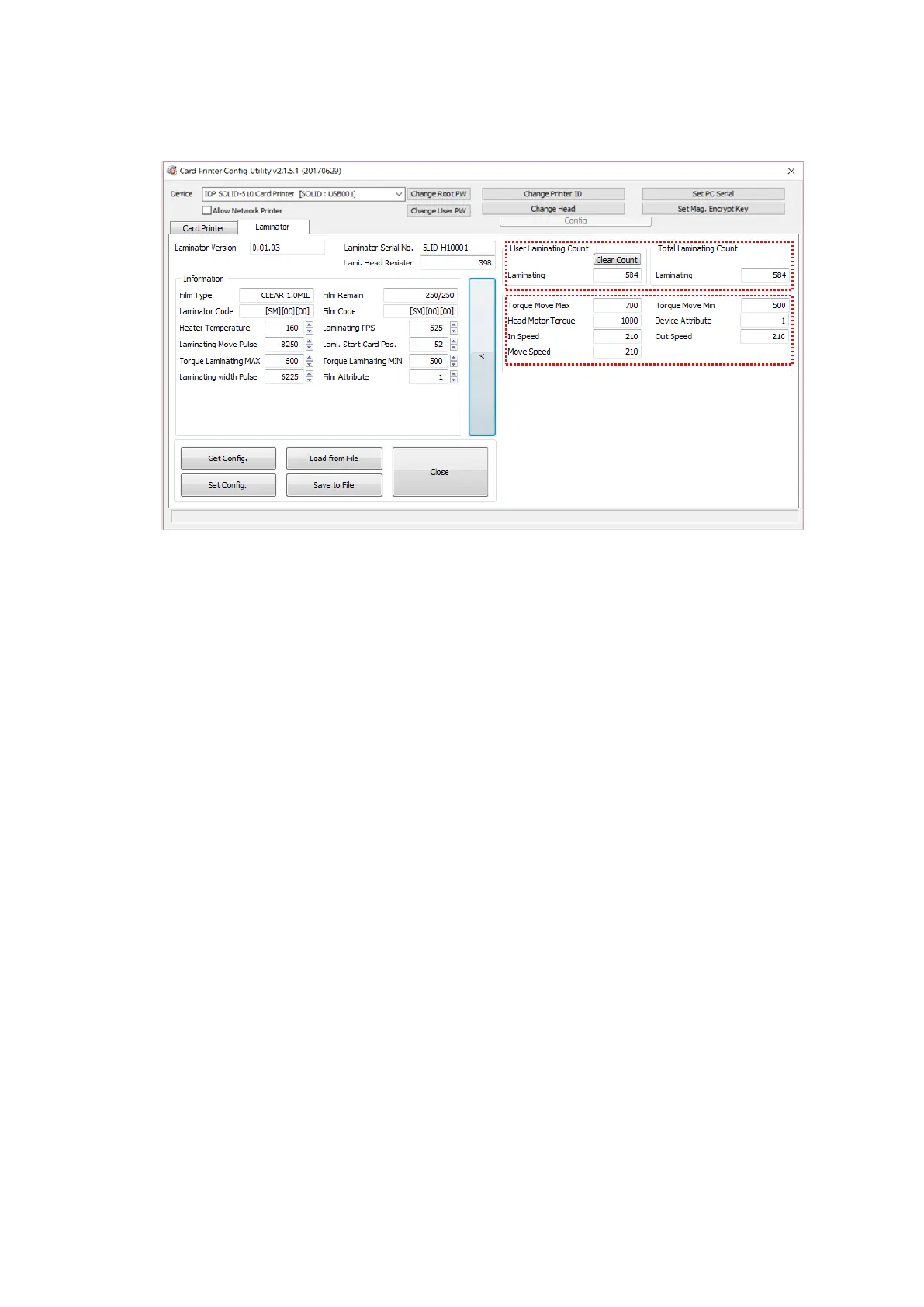
(6) Laminator Advanced Setup
Figure 71 CardPrinterConfig – Laminator Advanced Setup
① It shows total laminating count.
② You can change other configurations of laminator
Torque Move Max: Change Maximum motor torque
Torque Move Min: Change Minimum motor torque
Head Motor Torque: Change head motor torque
Device Attribute: The attribute value of laminator
In Speed: Set the speed of inputting a card into a laminator
Out Speed: Set the speed of ejecting a card from the laminator
Move Speed: Set the speed of moving a card in the laminator



 To Next Page