29
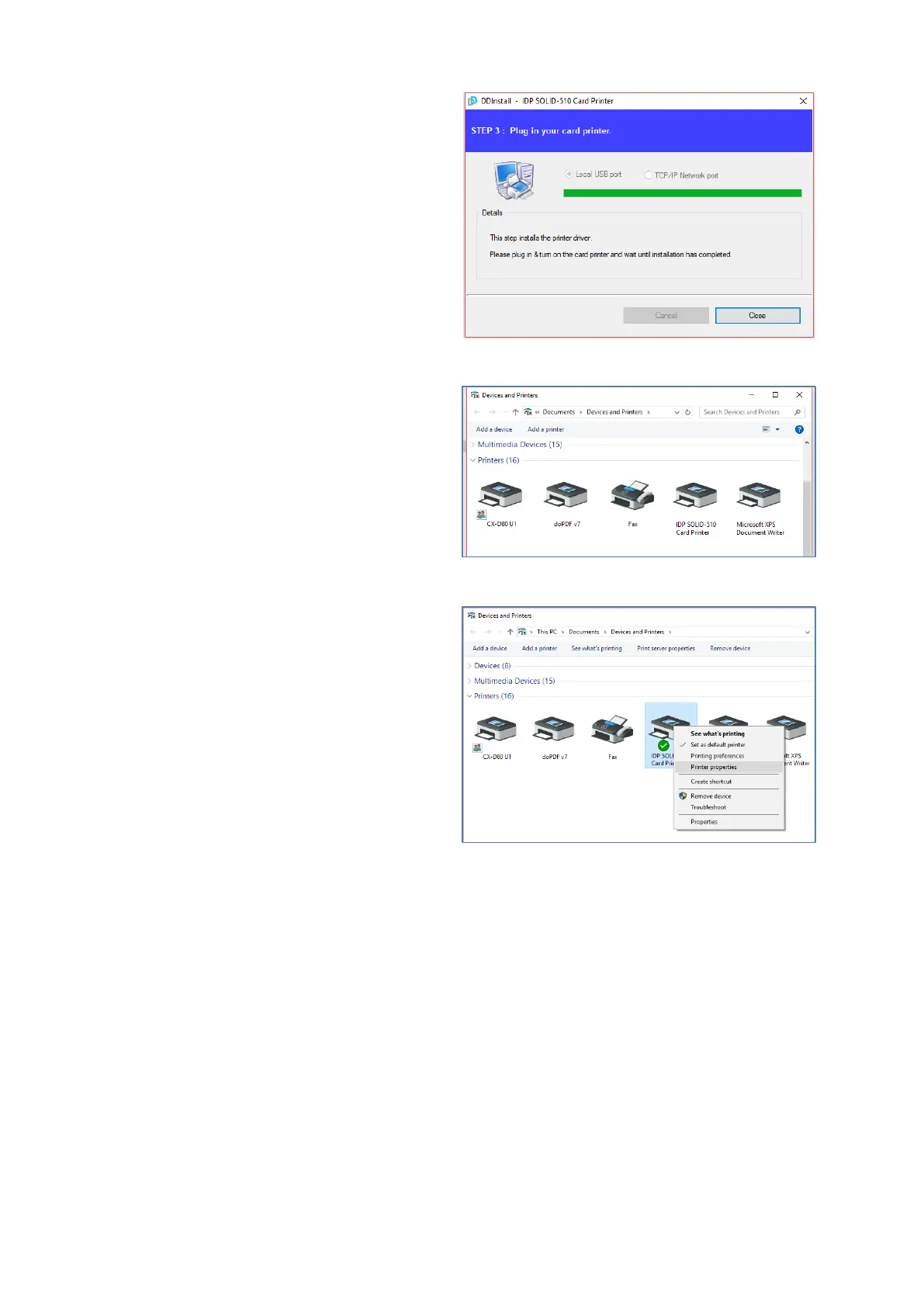
(8) When driver installation is
completed, please click “Close”
Figure 43 Install Win7 driver 11
(9) Please open “Devices and
Printers” from “Hardware and
Sound”. Please check if “IDP SOLID-
510 Card Printer” is created.
Figure 44 Install Win7 driver 12
(10) Please click the right mouse
button after cursor is placed on “IDP
SOLID-510 Card Printer” icon. Click
“Printer properties”.
Figure 45 Install Win7 driver 13



 To Next Page