75
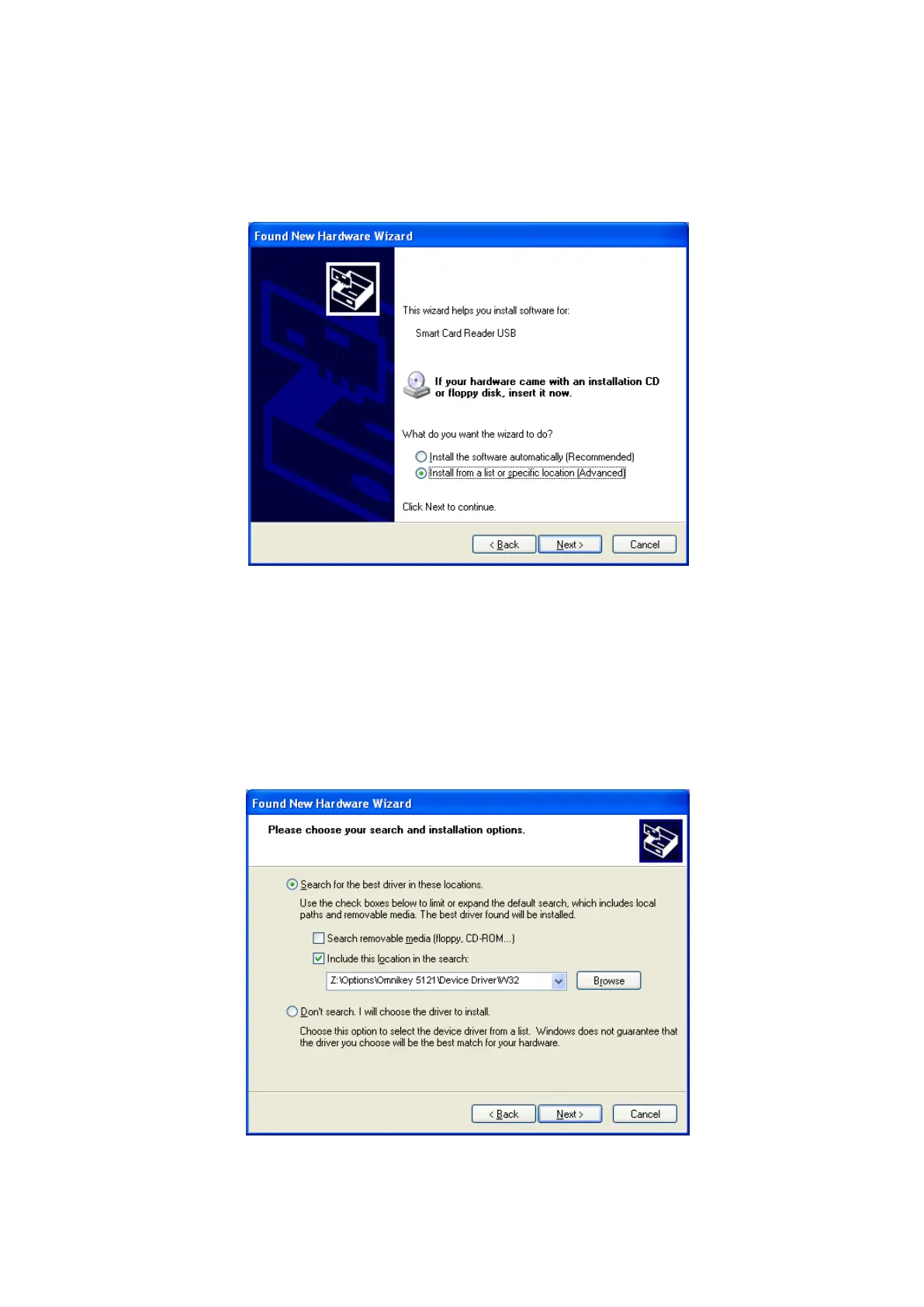
(2) Choose the installation method
At the window as the picture, select “Install from a list or specific location” and click
“Next”.
Figure 101 Installation method selection
(3) Driver location
Insert the smartcard installation CD and find “\Options\ Omnikey 5121” directory on
your CD. Find the right directory which is installed OS version on your PC, and
select the directory as the picture, and click “Next”.
Figure 102 Driver location



 To Next Page