46
(3) Card Printer Advanced Setup
You can set more values.
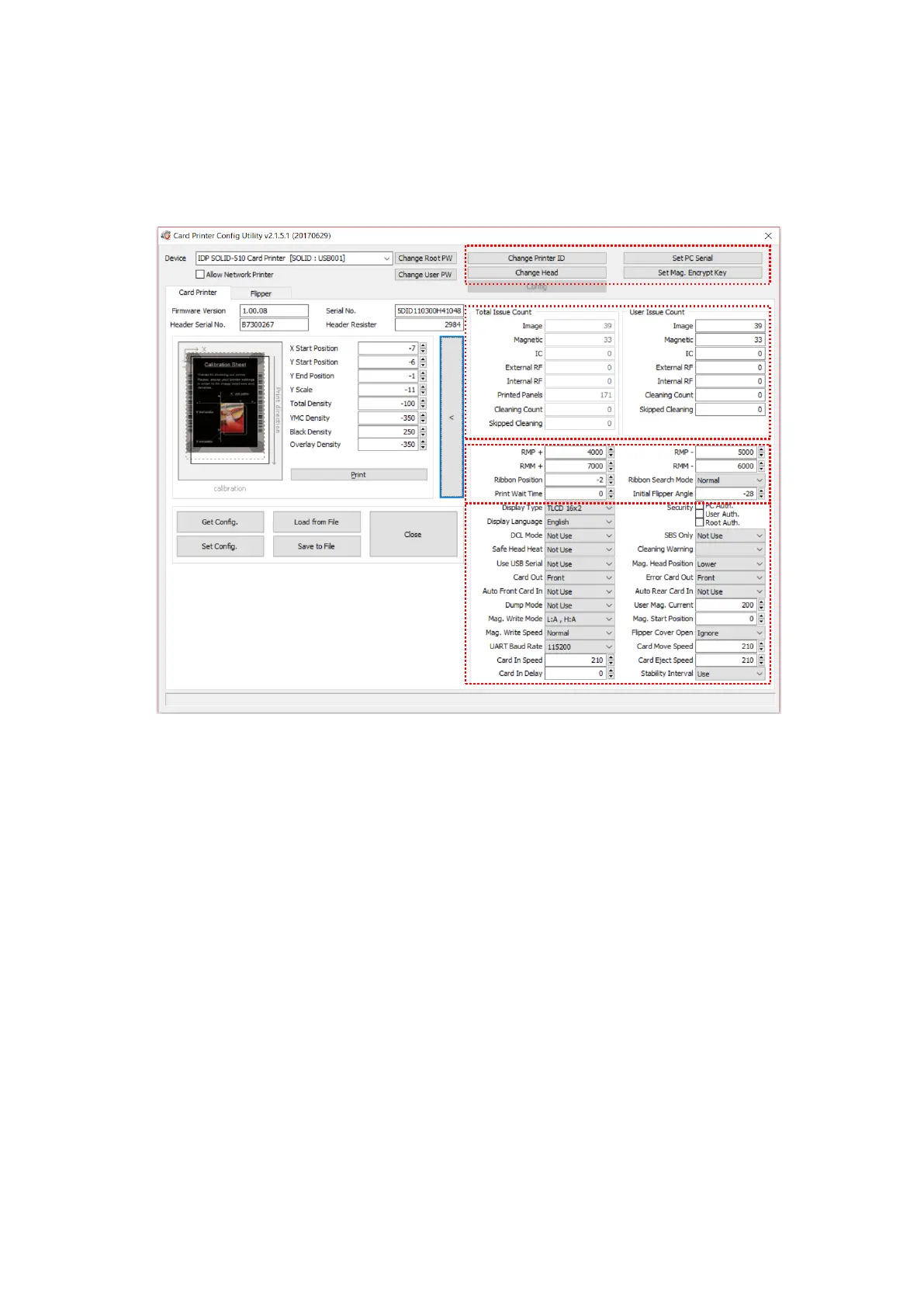
Figure 68 CardPrinterConfig – Card Printer Advanced Setup
① You can set Printer ID, PC serial, Print head and Magnetic encryption key.
Change Printer ID: When SOLID-510 is used by SDK, you can set unique ID for
SOLID-510 printer regardless of whether it is connected by USB or what IP address is.
It is useful to connect and use several printers. Default is “SOLID”.
Set PC Serial: One of security function. You can use a printer with specific PC.
It is activated when you click “Set PC Serial” after “PC Auth.” of ④ is checked and
rebooted. At that time, the specific information of used PC is saved to SOLID-510
printer.
Change Head: When you replace thermal print head, you must change head
information for optimal quality. Please change head serial number, resistor and type of
head in the Change Head Dialog window after click “Change Head”.



 To Next Page