37
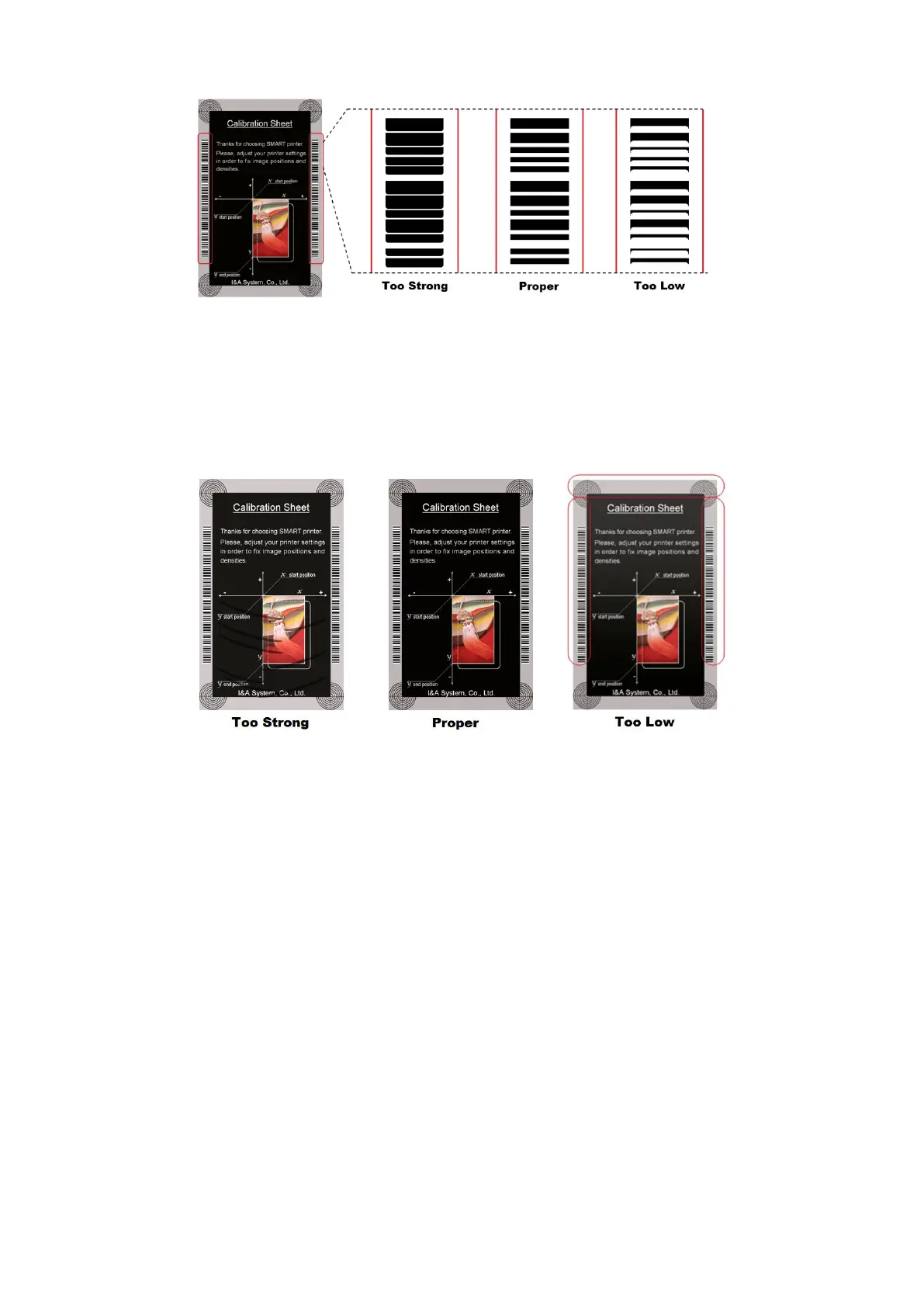
Figure 51 Resin Black density
Overlay Density: To set overlay density. Please set it when overlay is printed on
surface regularly. If it is too strong, it is hazy and marks are appeared. If it is too weak,
overlay panel is not printed edge areas. You can check it with printed card under the
light.
Figure 52 Overlay density
⑦ To print calibration card.
⑧ To show advanced Setup.
(It is recommended not to set advanced setup.)
⑨ To load or save values.
Get Config.: to get values from current printer
Set Config. : to set values to current printer
Load from File: to load values from file
Save to File : to save values to file
Close : to close CardPrinterConfig



 To Next Page