Installation of Productp.22
2 System Initialization
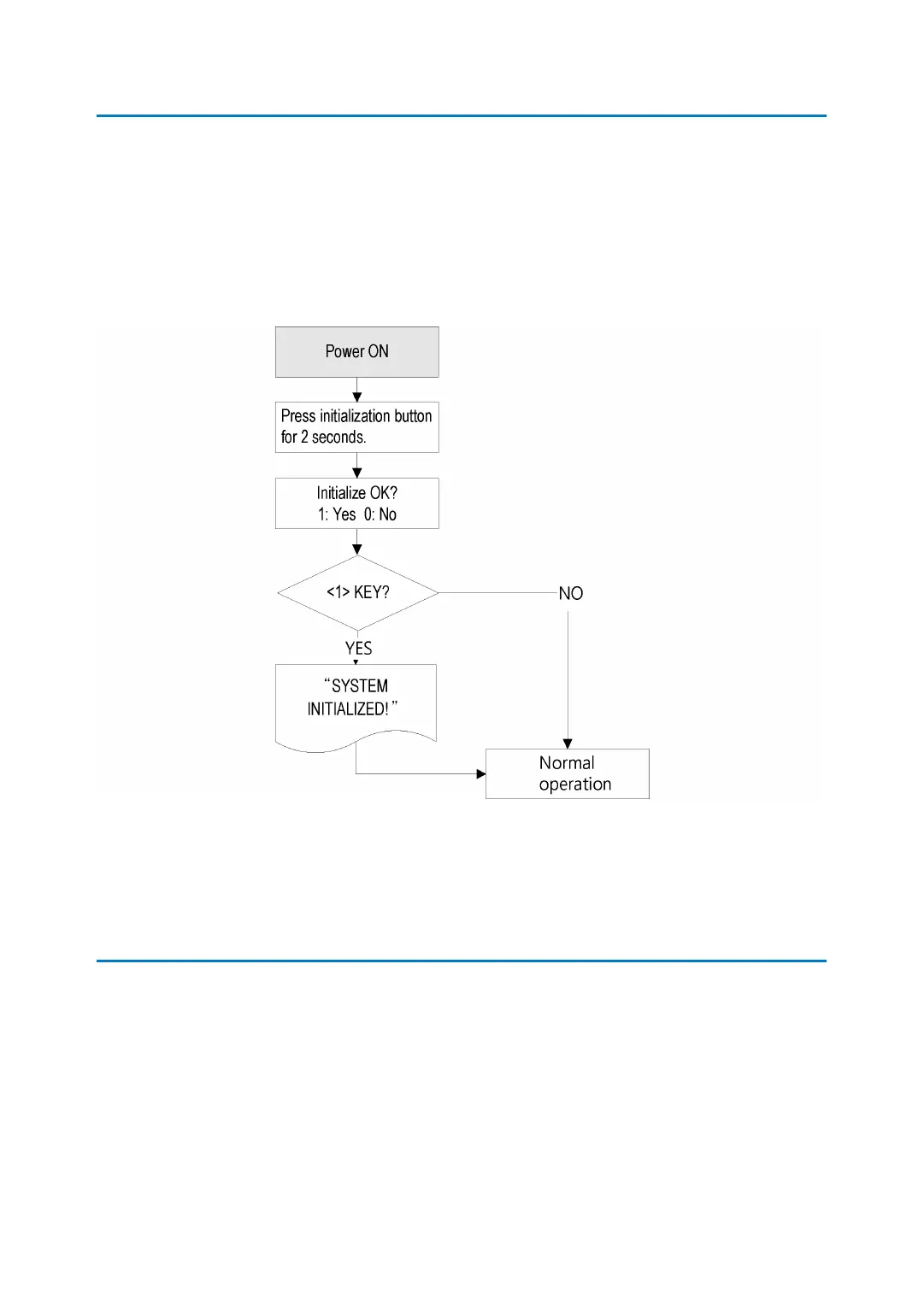
After the installation and connections are completed, apply power (DC12V) to the LX007 wi
th the initialization button held down. (The initialization button can be found on the back of
the LX007.) Then, the LCD will first display “Initialize OK? 1:Yes 0:No”. Press <1> key if you w
ant to initialize the system. After all the initialization process is completed, the system will be
operating in the normal mode and the LCD will display “, LX007 [F1], Date Time”.
3 Wall mount installation
1. Position the Wall Mount to the location at which you want to install the unit and mark
4 x drilling positions. Drill 6-32 holes for at least 4 mounting points.
2. Drill a 1/2” hole on the center of the Wall Mount.
3. Using 4 screws, install the Wall Mount to the proper location.
4. Take out the cable through the center hole.
5. After the wiring is done as explained in the next section, put the Main Unit on the Wall



 To Next Page