Setting Changesp.42
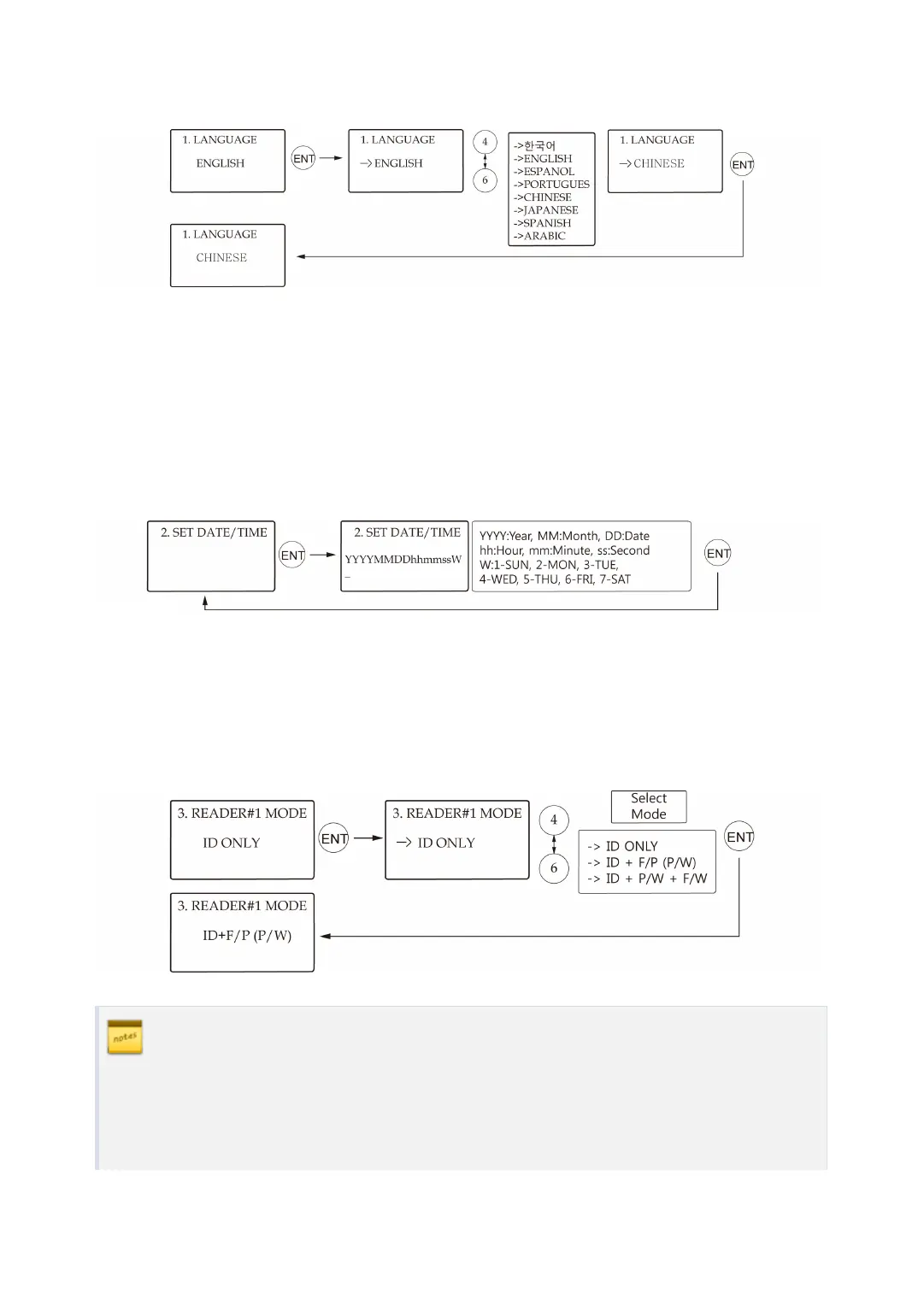
1.1 Language
●
The default language is English.
●
Supported languages are English, Spanish and Portuguese.
●
One optional language of choice(Korean, Chinese, Japanese or Arabic) can be added.
●
For addition of an optional language, please contact IDTECK.
1.2 Date and Time Setting
e.g.
200802101330152 = Feb. 10, 2008, 13:30:15, Monday
1.3 Reader #1 Mode
READER#1 refers to the built-in proximity reader in the unit.
ID(PIN) ONLY
In this mode, users can access the door by simply presenting their card or entering
their ID number.



 To Next Page