Setting Changesp.56
4.1 Time Schedule
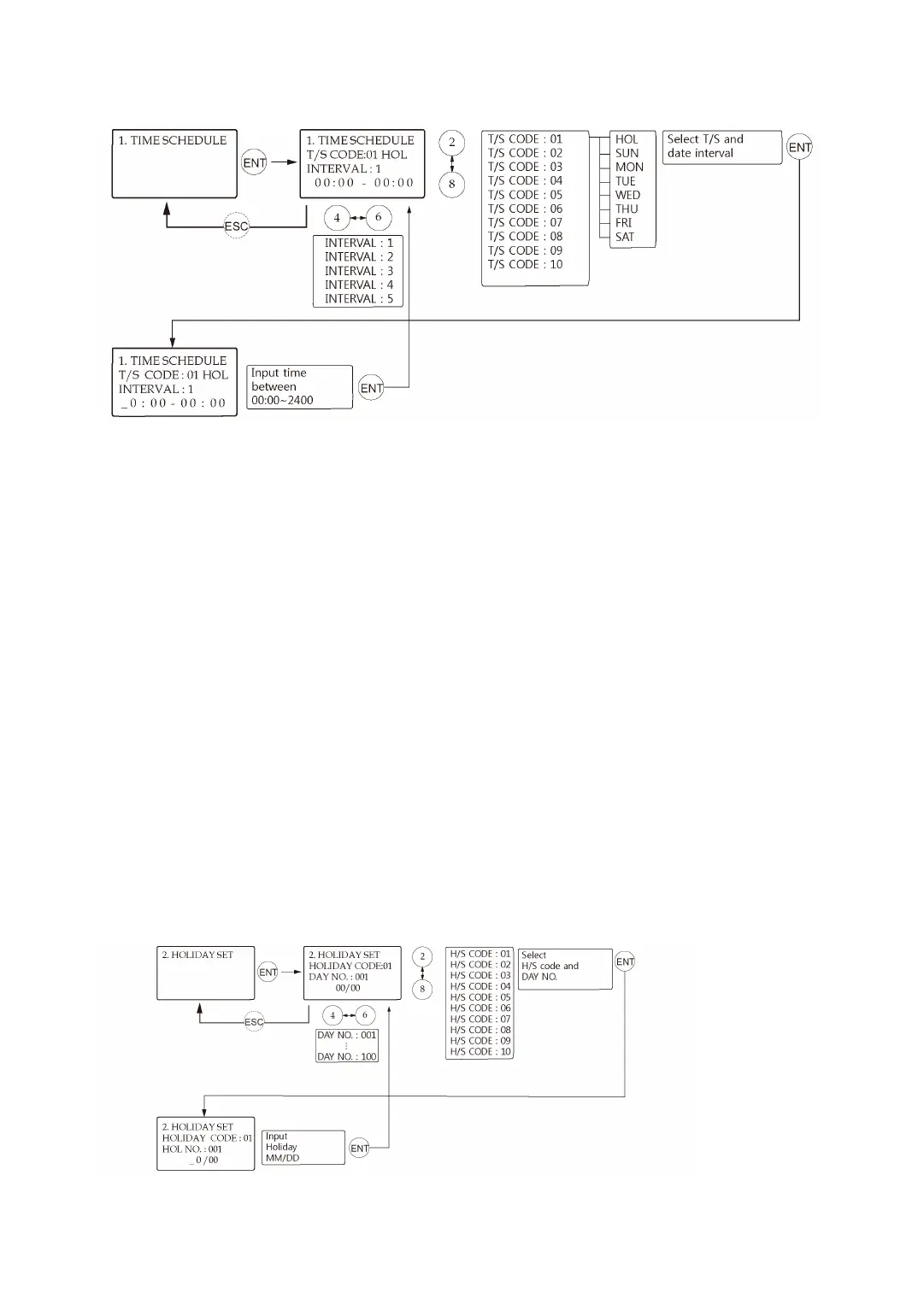
There are 10 Time Schedule Codes available for users. Time Schedule Code “00” is the defaul
t setting that allows access to all users at any time. The user can program the Time Schedule
Codes 01 to 10. Each Time Schedule Code has 8 programmable days (i.e. Sun, Mon, Tue, W
ed, Thu, Fri, Sat and Holiday) and each day has 5 Time Intervals (i.e. Shift Time or Accessible
Time Zone.)
The LCD will show the current Time Schedule settings such as T/S Code, Day, Time Interval a
nd time period. Use <2> or <8> key to scroll up and down the Time Schedule Code (01~10)
and a day of the week. (Mon - Sun and Holiday). Use <4> or <6> key to select Time Interval b
etween 1 and 5. The Holiday in this Time Schedule will be linked to the Holiday Schedule Co
de. Select one of the Time Schedule Code, Day and Interval, and then press <ENT> key. This
system is based on 24-hour system and therefore the time 00:00 and 24:00 refer to the sam
e time and 12:00 refers to 12 O’clock afternoon. Enter the hour and minute of the start time
and hour and minutes for end time of the Time Interval then press <ENT> key to store T/S to
the memory. Press <ESC> key to return to the menu.
4.2 Holiday Setting



 To Next Page