p.79F9 SETUP MENU
The LCD will display all the keys on the keypad. Press each key one by one and the depresse
d key will disappear from the screen. Note that ENT key is represented as “#” and ESC key as
“*” on the LCD.
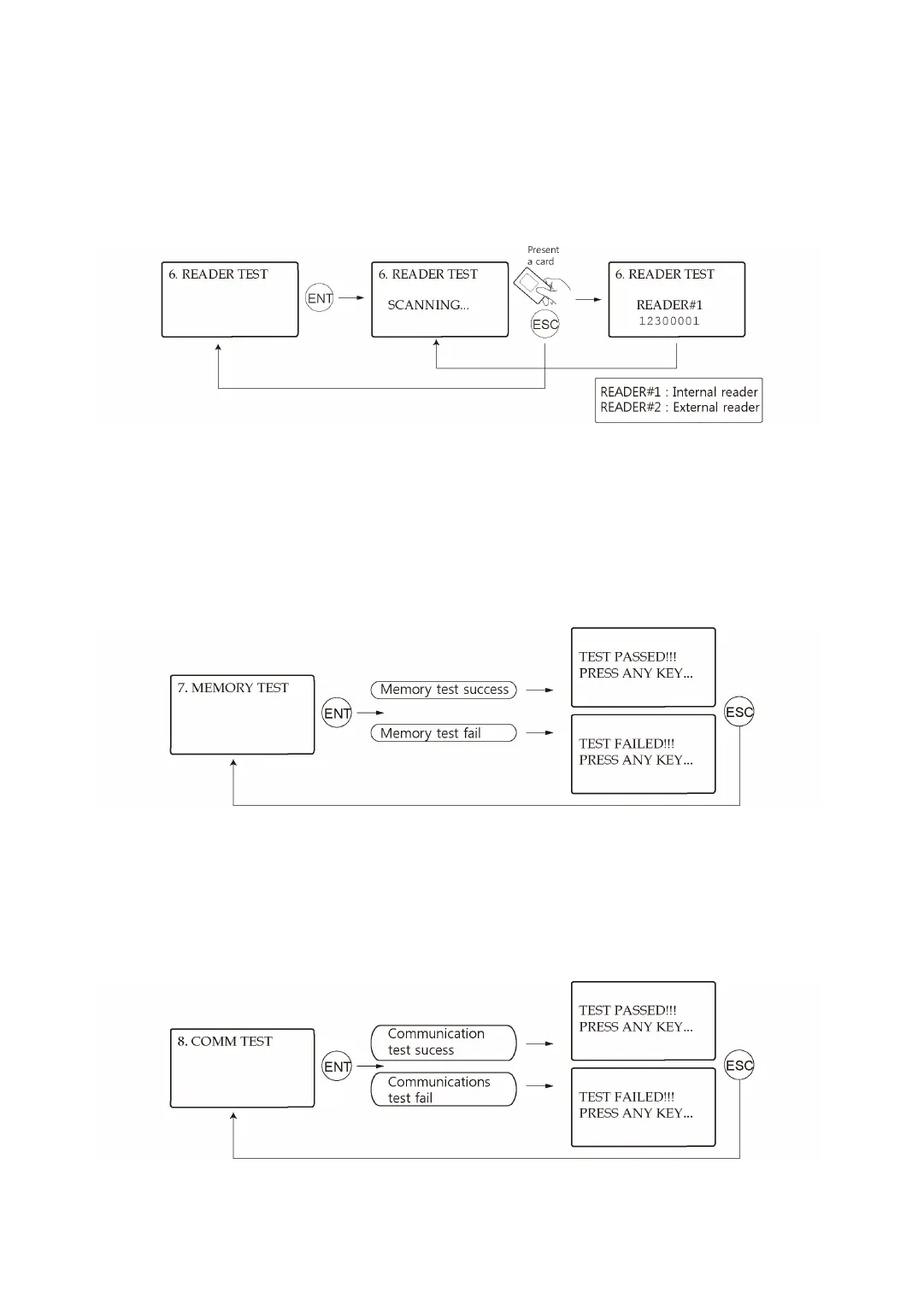
9.6 Reader Test
The LCD will display “Scanning…”, which means the LX007 is waiting for a card to be presen
ted. Present a card to one of the readers. When the reader successfully reads the card, the L
CD displays the Reader number and the 8-digit (or 10-digit for LX007SR) card number.
9.7 Memory Test
After Memory Test, If the Data Memory has a problem, the LCD will show the “TEST FAILED”
message. If this is the case, contact IDTECK or a nearby distributor for technical supports.
9.8 Communication Test



 To Next Page