6 - USE AND OPERATION MASTER 880MP E-volution
GB
6 - Pag. 3 / 17
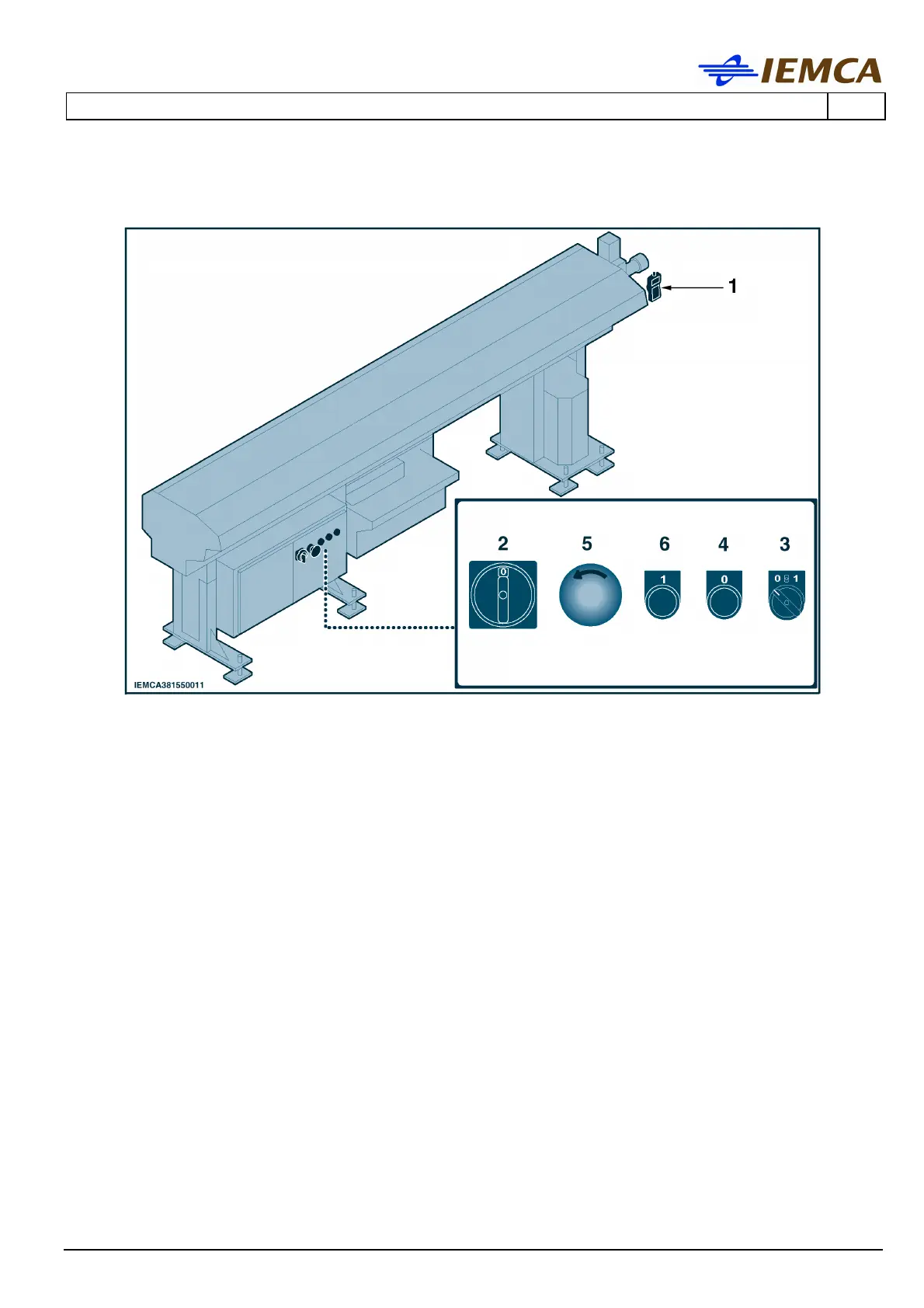
The illustration shows the positions of both the electrical controls and hand-held keyboard "1".
2 MAIN SWITCH: turns the power supply on and off.
- Position 0 (OFF) the machine has no power supply.
- Position I (ON) the machine has power supply.
3 HALF-BUSHING OPENING AND CLOSING SELECTOR (green light)
- In “Manual” mode; if turned to 1, provided that the bar feeder is in proper working
condition and the oil pump is on, the half-bushings close (the selector is lit). When
turned to 0, the half-bushings open (the selector is not lit).
- In “Automatic” mode; if turned to 1 the half-bushings close (the selector is lit) and open
according to a preset sequence. If turned to 0, the half-bushings remain open during the
whole working cycle (the selector is not lit).
4 BAR FEEDER STOP BUTTON (red): to stop the bar feeder and to reset "Errors".
5 EMERGENCY STOP BUTTON: this button stops the bar feeder in an emergency situation. To
restart, first you must manually unlock the button
6 BAR FEEDER START BUTTON AND DISABLING THE BAR REMNANT DETECTION PROCEDURE
(green light): to start the bar feeder, hold down the button until the button itself lights up.
Holding down the pushbutton, disable the remnant and new bar controls during the bar
changeover procedure.






 To Next Page