9
UK
8 Parameter setting
During the parameter setting process the unit remains in the operating mode� It
continues its monitoring function with the existing parameters until parameter set-
ting has been terminated�
8.1 Parameter setting general
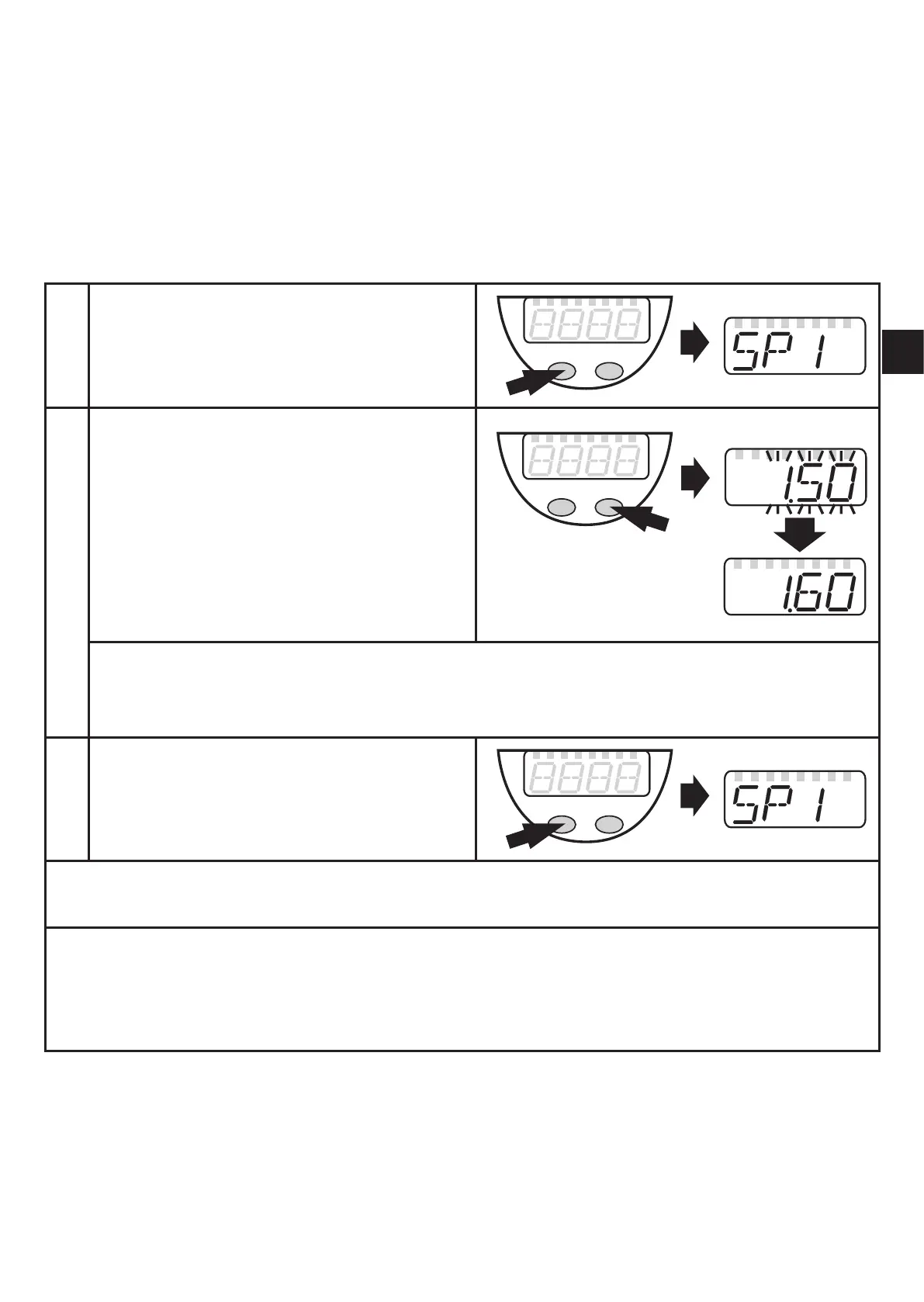
Each parameter setting requires 3 steps:
1
Selecting parameter
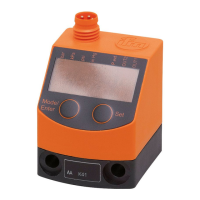
Press [Mode/Enter] until the re- ►
quested parameter is displayed�
2
Setting the parameter value
Press[Set]andkeepthebuton ►
pressed�
Currentsettingvalueoftheparam- >
eter bit flashes for 5 s�
After 5 s: Setting value is changed: >
incremental by pressing briefly or
scrolling by holding pressed�
The numerical values are incremented continuously� If the value is to be reduced: Let
the display move to the maximum setting value� Then the cycle starts again at the
minimum setting value�
3
Acknowledge parameter value
Press [Mode/Enter] briefly� ►
The parameter is displayed again� >
The new setting value is stored�
Set more parameters:
Start again with step 1� ►
Finishing parameter setting:
Press [Mode/Enter] several times until the current measured value is displayed ►
or wait for 15 s� The unit returns to the operating mode if no button is pressed for
over15safteracknowledgementofthenewparametervalue.



 To Next Page