UNO Synth
4 – Front panel interface
15
ThePitchandFiltercontrolssettheamountthattheLFOmodulatesthemasterpitchandthefiltercutoff.
TheLFOmodulationisalsoroutedtothePulseWithModulationandWaveshaperofbothoftheVCOs,andto
theperformancebuttonscalledTremolo,WahandVibrato.
TherelativeamountsofmodulationareeditableviaMIDIcontinuouscontrollers(MIDICC).
SeetheUNOSynthMIDIImplementationChartforthespecificCCnumbers.
4.2–MasterSection
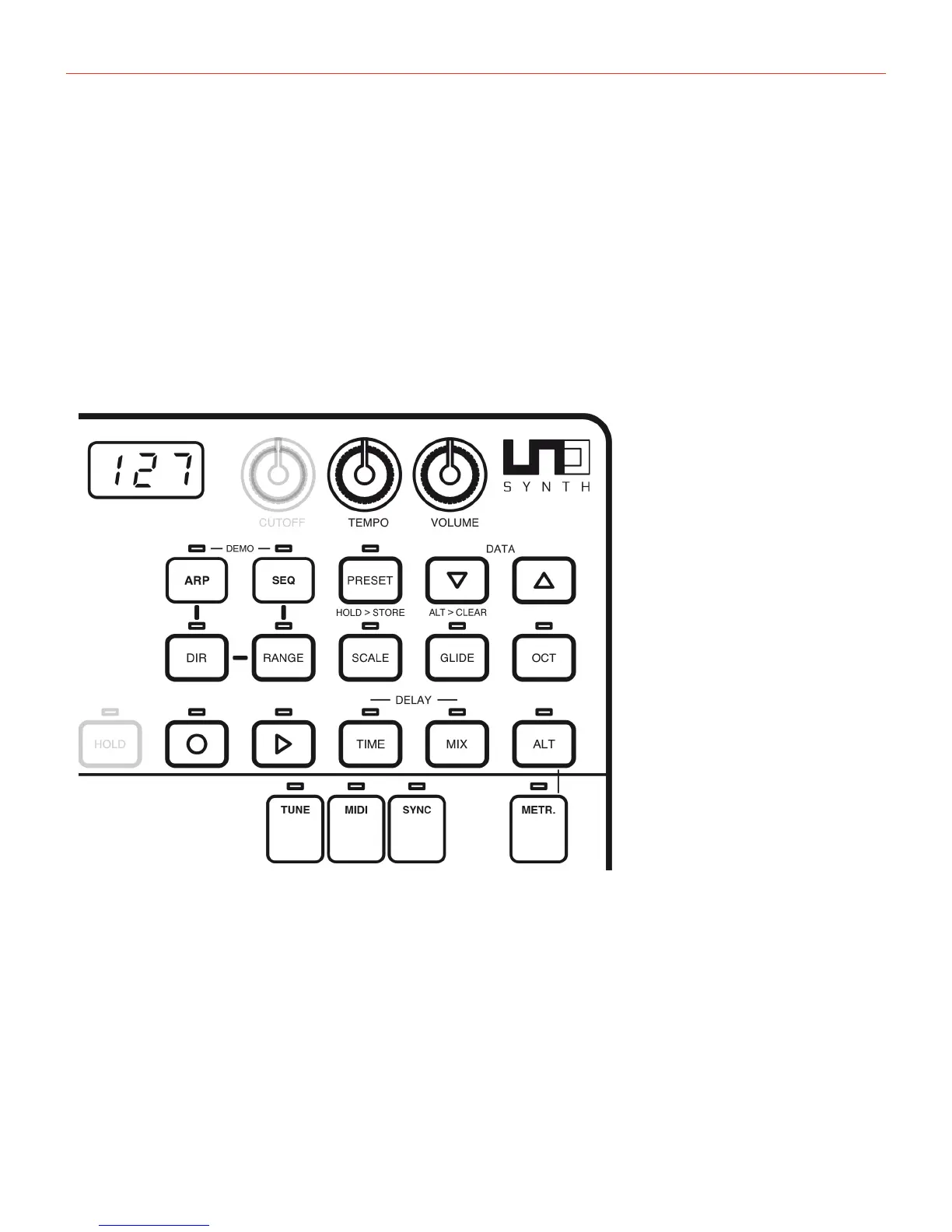
TheMastersectioniswhereyouaccessmoregloabalparametersthatareidentifiedbybuttonswiththered
outline,thedisplaywhichshowstheparametervalues,andtheTEMPOandVOLUMEknobs.
4.2.1–Display
Thisdisplaysthevaluesforparametersselectedbyusingtheknobsandbuttons.


 To Next Page