UNO Synth
2- Turning the unit ON/OFF - Calibration process
9
2 – Turning the unit ON/OFF - Calibration process
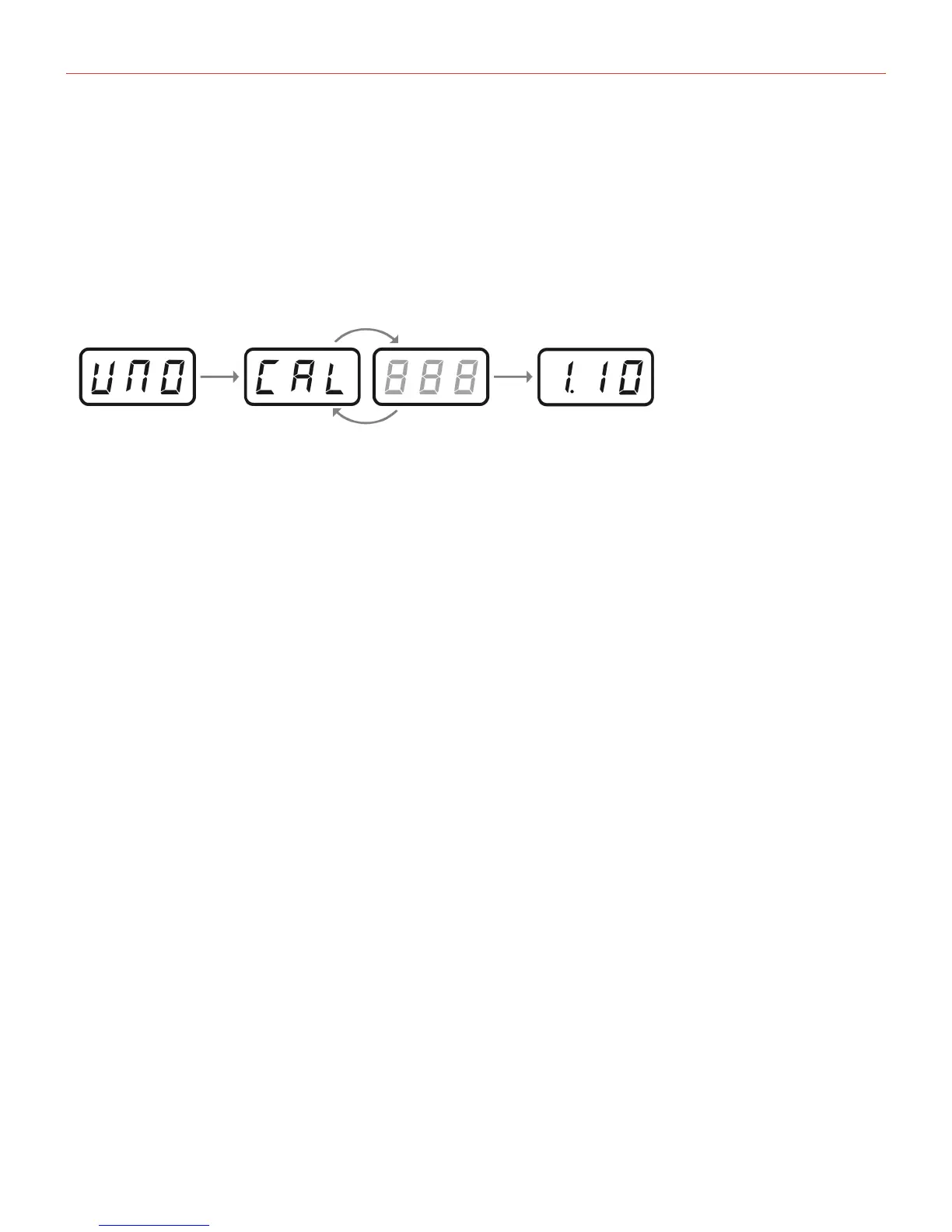
WhentheunitispoweredON,itautomaticallystartsthefirsttuningandcapacitancesensingcalibration.During
thecalibrationthedisplaywillfirstshowastatic“UNO,”thenblink“CAL.”Attheendofthecalibration,itwill
displaythefirmwareversion.Theunitwillthenbereadyforuseandthelastusedpresetwillbeloadedand
indicatedonthedisplay.
Donotpressbuttonsorputobjectsontheunitduringthecalibrationasthiswillincorrectlycalibratethe
capacitnancesensingsystem.Incaseofincorrectcalibrationofthecapacitancesensingsystem,pleasepower
offtheunit,andthenturnitonagaintorepeattheprocess.
Variousnoisesandcalibrationsoundsmightbeaudibleduringthestartupoftheunit,sowerecommendturning
thevolumedownwhilestartingup.


 To Next Page