UNO Synth
7 – The Sequencer
29
7.4–Deletingasequence
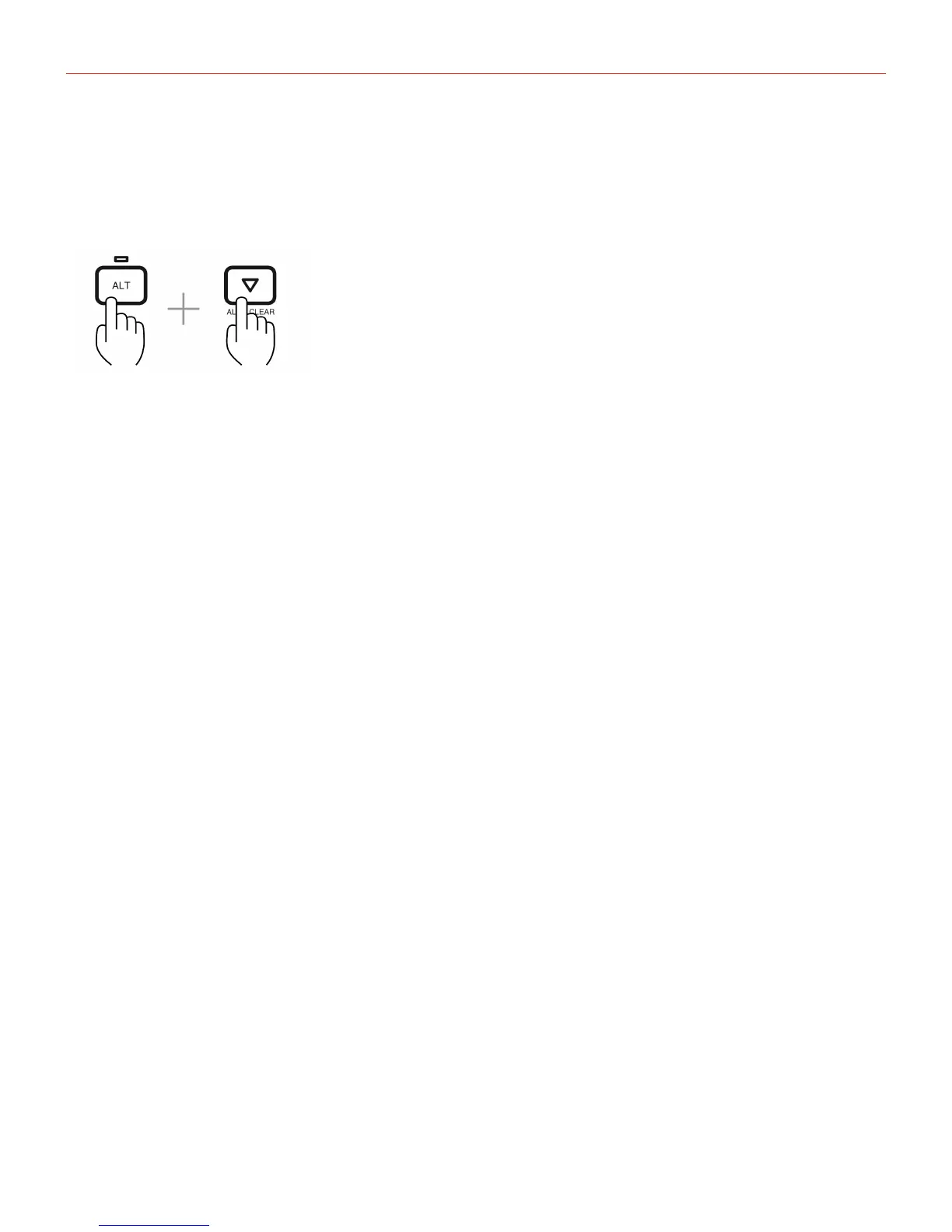
Todeleteasequence,pressALT+DOWNwhenthesequencerisactive.Pleasenotethatafterdeletinga
sequence,itisnotpossibletorestoreitunlessitwaspreviouslysavedwiththepreset.
Pleasenotethatafterdeletingasequenceisnotpossibletorestoreit,unlessitwaspreviouslysavedonthe
preset.
7.5–SequencerLengthandDirection
TheUNO’ssequencercanhaveadefaultlengthof16steps,butitcanbeshortenedbypressingRANGEwhen
thesequencerisactiveandthenselectingthedesiredlengthwiththedatabuttons.Thisfeatureisavailablealso
whilethesequencerisplaying.
ItisalsopossibletochangethedirectionbetweenForward,BackwardandBackandForthbypressingtheDIR
buttonwhenthesequencerisactive.Selectthedesireddirectionwiththedatabuttons.Thisfeatureisavailable
alsowhilethesequencerisplaying.
7.6–KeyboardPriority
Thekeyboardhasalwaysthepriorityontherecordednotesonthesequence,meaningthatwhenasequencer
isplayingasequencewithbothnotesandparametersrecorded,pressingakeywillplaythedesirednote
overridingthenotesrecordedinthesequence.Howevertheparametersrecordedwillcontinuetochange
accordingtothesequence.


 To Next Page