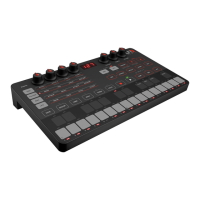
UNO Synth
Introduction
5
RegisteryourUNOSynth
Byregistering,youcanaccesstechnicalsupport,activateyourwarrantyandreceivefreeJamPoints™whichwill
beaddedtoyouraccount.JamPoints™allowyoutoobtaindiscountsonfutureIKpurchases!Registeringalso
keepsyouinformedofallthelatestsoftwareupdatesandIKproducts.
Registerat:www.ikmultimedia.com/registration
Precautions
Locations
Usingtheunitinthefollowinglocationscanresultinamalfunction.
• Indirectsunlight
• Locationofextremetemperatureorhumidity
• Excessivelydustyordirtylocations
• Locationsofexcessivevibration
• Closetomagneticfields
Power Supply
PleaseuseonlytheUSBcableprovidedwiththeunit,andconnectthesamecabletoacorrectUSBportinthe
deviceorpoweradapter.
UNOsynthworkswithbothNi-MHandAlkaline.Ni-MHbatteriesaretestedtolastabout4hoursofcontinuous
use,whileAlkalinebatterieslastabout3hoursofcontinuoususe.
Interference with other electrical devices
Radiosandtelevisionsplacednearbymayexperiencereceptioninterference.Operatetheunitatasuitable
distancefromradiosandtelevisions.
Handling
Toavoidbreakage,donotapplyexcessiveforcetotheknobsandcapacitivecontrols.
Care
Iftheexteriorbecomesdirty,wipeitwithacleananddrycloth.Donotuseliquidcleanerssuchasbenzeneor
thinner,orcleaningcompoundsofflammablepolishes.
Keep this manual
Afterread,pleasekeepthismanualforlaterreference.
Keep foreign matter out of your unit
Neversetanycontainerwithliquidinitnearthisunit.Ifliquidgetsintotheunit,itcouldcauseabreakdown,fire,
orelectricalshock.


 To Next Page