3. SWITCHING ON AND OFF THE X-RAY DEVICE
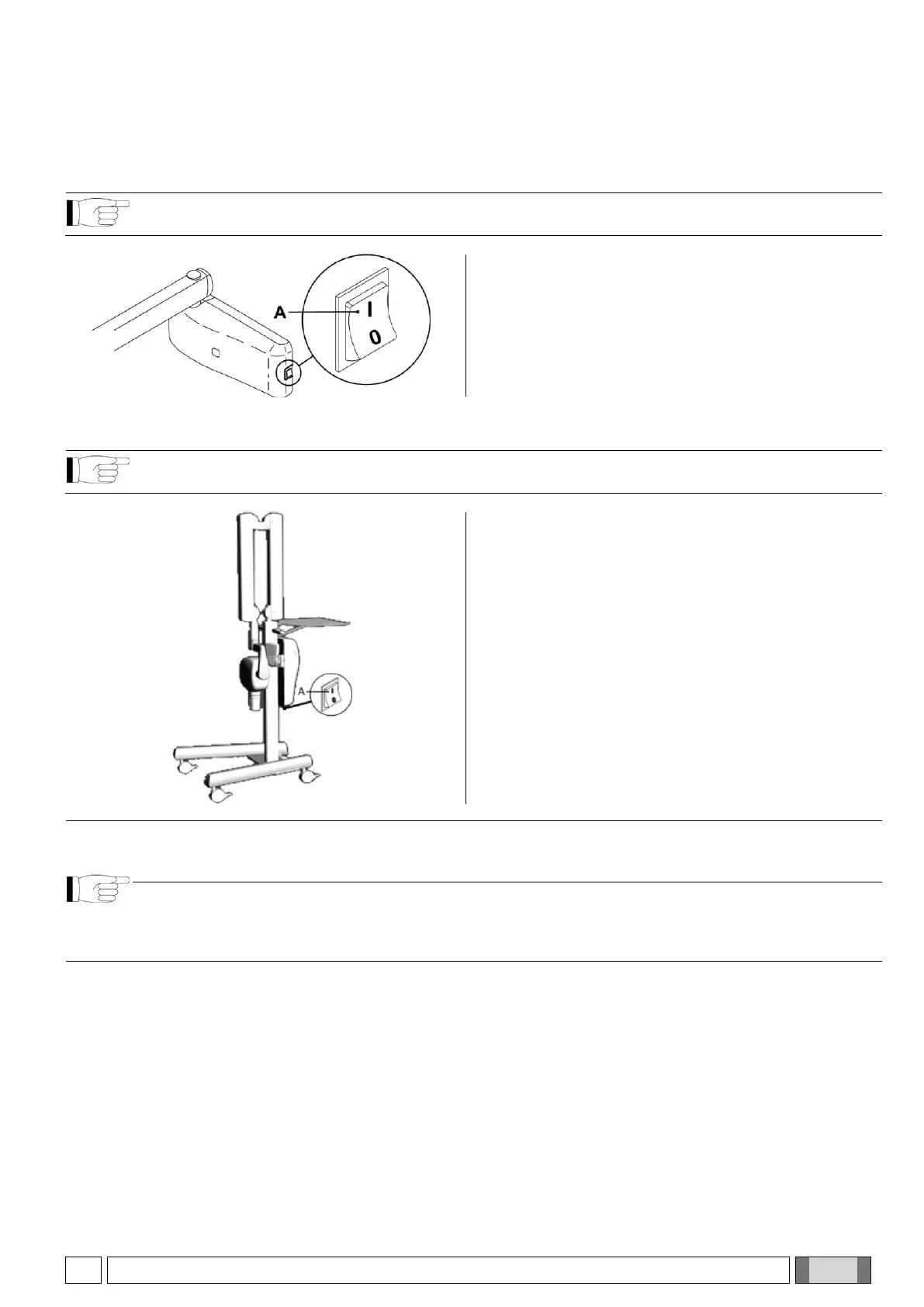
TURNING ON THE WALL-MOUNTED X-RAY UNIT
NOTE: This section applies only to models RX DC REF: I3PV****S
(Character * can be any alphanumeric value)
The control unit is turned on and off from the main switch
(A).
The switch lights up to indicate that the control unit is
powered.
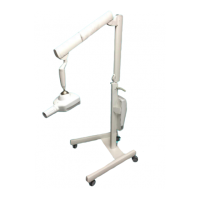
TURNING ON THE MOBILE STAND X-RAY UNIT
NOTE: This section applies only to models RX DC REF: I3PV****M
(Character * can be any alphanumeric value)
The control unit is turned on and off from the main switch
(A).
The switch lights up to indicate that the control unit is
powered.
NOTE: The technical specifications of the switch are outlined in paragraph 1.5.
Whenever turned on, the equipment performs an operational test that takes a few seconds. A beep is
emitted at the end of the test.
NOTE: The exposure time and the parameters displayed on the handheld when the unit is turned on are the
last ones set before the control unit was turned off.
If the control unit is left untouched for a few minutes, it will go into standby mode. Simply press any key on
the control panel to reactivate it.



 To Next Page