4.2. USE OF HANDHELD
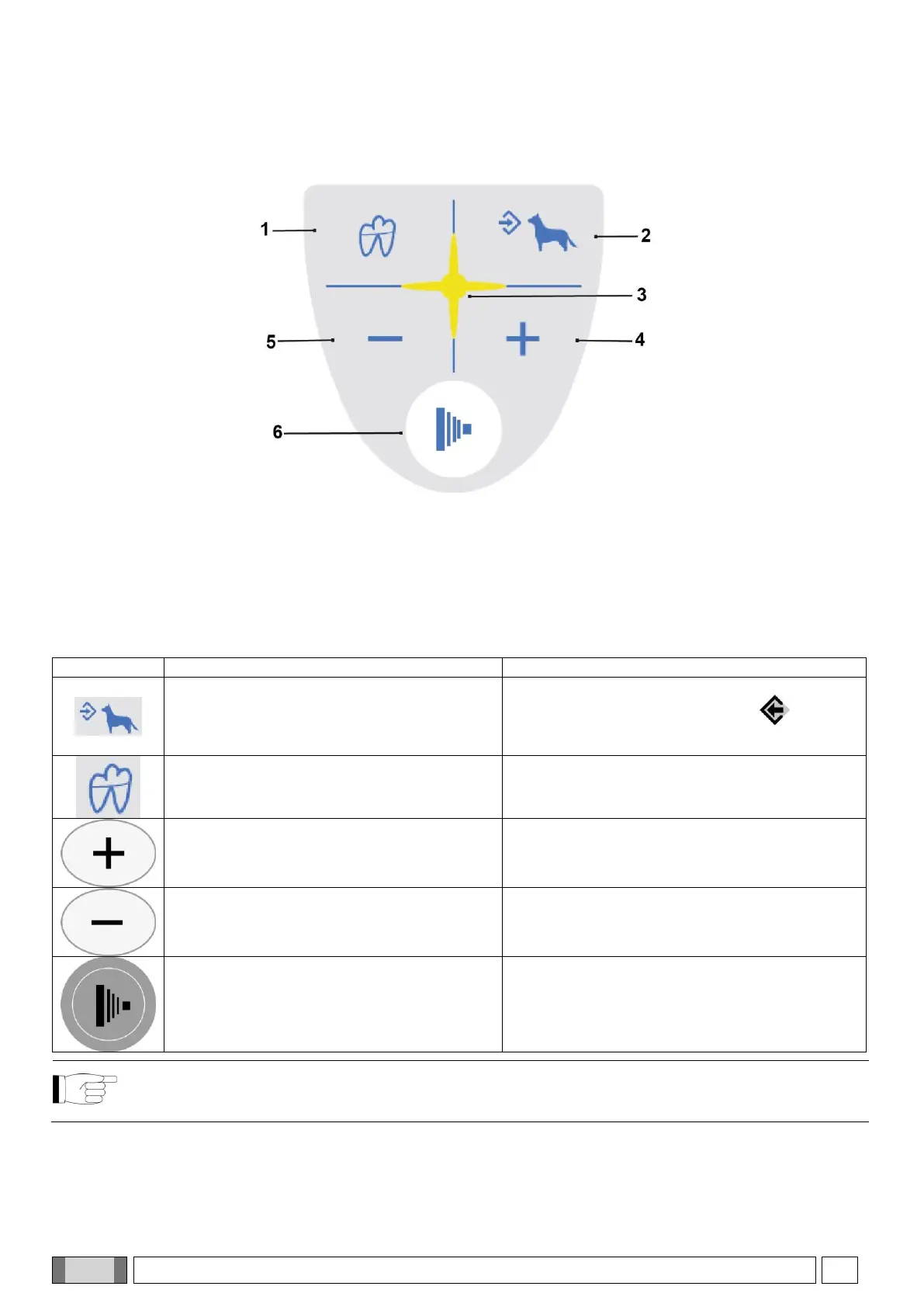
As illustrated in the figure below, the handheld has four function keys and a single x-ray emission key.
“Dentition area selection” key
“Body size selection” key
The main functions of the keys on the handheld, depending on how they are pressed, are:
BRIEFLY PRESSED (less than 3 sec.).
PRESSED LONGER (more than 3 sec.).
Changes over from LARGE to SMALL and
vice versa (takes place when key is released).
Saves the selected setting (exposure time,
sensitivity, etc…). The memo icon ( ) lights up
when the data item can be saved.
Selects the various types of teeth to choose
the area to be examined.
Displays the values corresponding to the tooth
exposure times in mGy and in mGy*cm
2
if
pressed again.
Increases the exposure times in steps
according to the set scale.
Increases the scroll speed of the values in
increasing order.
Decreases the exposure times in steps
according to the set scale.
Increases the scroll speed of the values in
decreasing order.
NO EFFECTS ARE OBTAINED IF THE KEY
IS PRESSED FOR LESS THAN A SECOND.
Starts x-ray exposure (the button has to be held
down throughout the x-rays emission, “dead man”
function).
NOTE: “Dead man” function: the system that starts x-ray exposure with the dedicated key on the wireless
handheld allows x-rays to be emitted only when the user presses and holds down the exposure key. X-ray
emission will stop if the key is released ahead of time.



 To Next Page