5. USE OF THE X-RAY DEVICE
5.1. PATIENT POSITIONING
A positioner or alignment device specific for the selected image receiver should always be used to assure the x-rays
are correctly aligned regardless of the position the patient’s head is in.
5.2. POSITIONING THE X-RAY HEAD
Position the x-ray head so that the cone is aligned with the image receiver.
BALL JOINT TECHNOLOGY
NOTE: This section applies only to models RX DC REF: I3PV*****
(Character * can be any alphanumeric value)
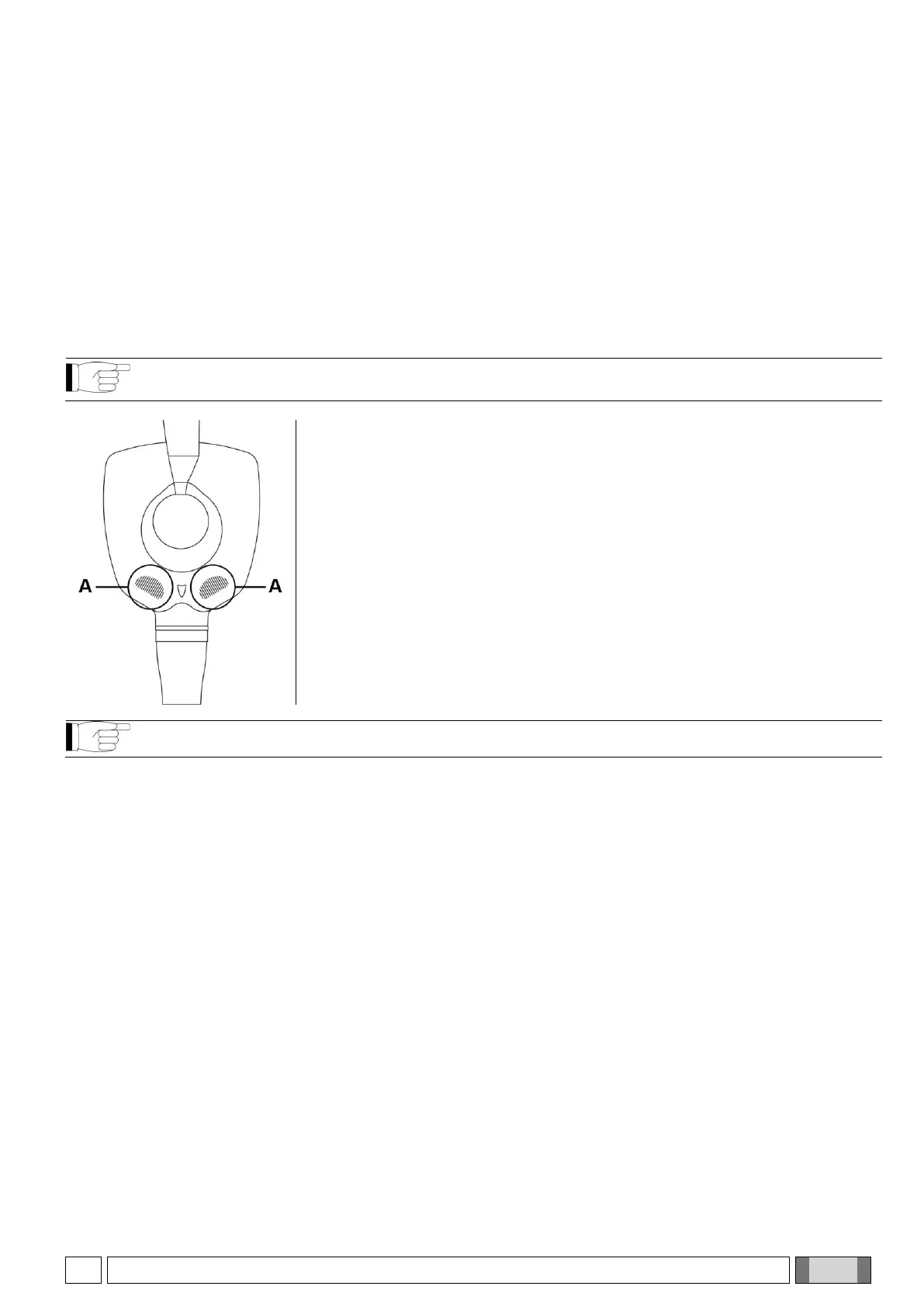
In the versions equipped with ball joint, the x-ray head can freely rotate on both its
horizontal and vertical axis.
An electromechanical brake initially locks the x-ray head. To release the head
and let it rotate on the positioning ball, work on the touch sensitive unlocking
areas located on it (see points A in the figure on the side).
Touching the unlocking areas allows positioning the x-ray head at the desired
angle to perform the exposure. To lock it again, simply release the unlocking
areas.
NOTE: Firmly hold the x-ray head with both hands when putting it in place.
It is possible to set a safety unlocking mode that allows the head to be turned only by pressing both unlocking
buttons. This prevents the head from unlocking unexpectedly after one of the two unlocking buttons has been
accidentally pressed. To activate this mode, refer to section 5 “Advanced options”.



 To Next Page