30 Image Vault
®
PRO Command
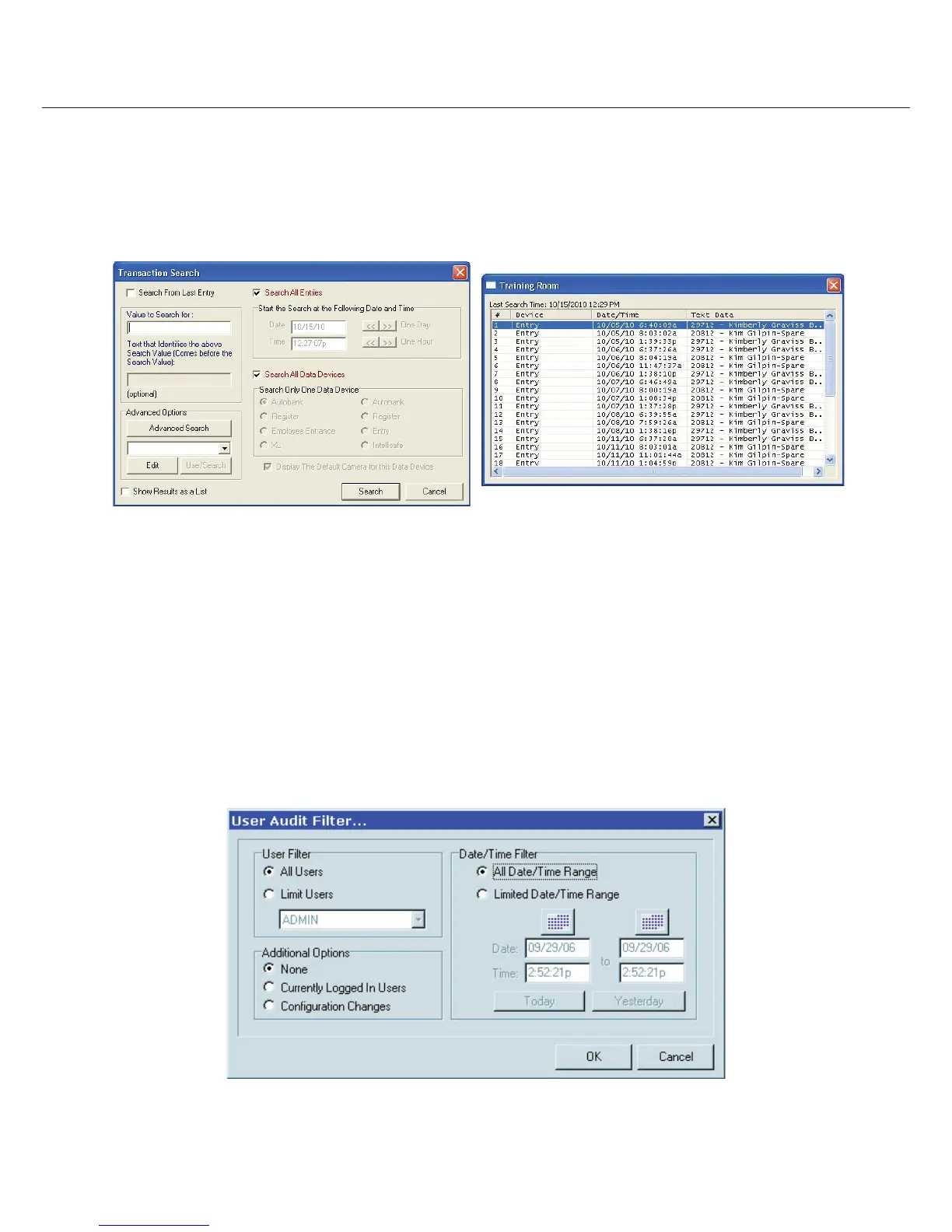
POS Search: Captured data is stored in a database. Every line of data is time stamped and easily synchronized to any camera. You
may search this database directly at any time to nd video associated with speci c data (Item S or E in the above picture). When
searching Transaction Data you have a number of options. Enter the desired search text string, choose the starting point for the search
and you may also restrict the data sources to search. Advanced Search options allow you even more exibility when de ning your
search. Options include saving searches that are frequently used and return search results in list form for easier viewing. The requested
searched text will be displayed in red.
4.4 Audit Data
Image Vault PRO Command features three distinct audit logs. The System Audit keeps a record of system events ranging from log-in
activity to camera signal detection to power loss. The User Audit speci cally tracks user activity; it provides the data for the Viewing
Performance indicator calculation. The External Event Audit is a running record of recording triggers de ned by the user when
con guring motion detection, data rules, and external inputs.
System Audit: To view the System Audit log, select “View System Audit Entries” from the Status menu. The entire log is presented.
Scroll as needed to view entries. Depending on the nature of the entry, you may double-click a row to display an associated image.
User Audit: To view the User Audit select “View User Audit” from the Status menu. You may view data for an individual or all users for
a speci ed period. From the list generated you may view details pertaining to the list itself, or any speci c entry on the list.



 To Next Page