32 Image Vault
®
PRO Command
4.6 Skins
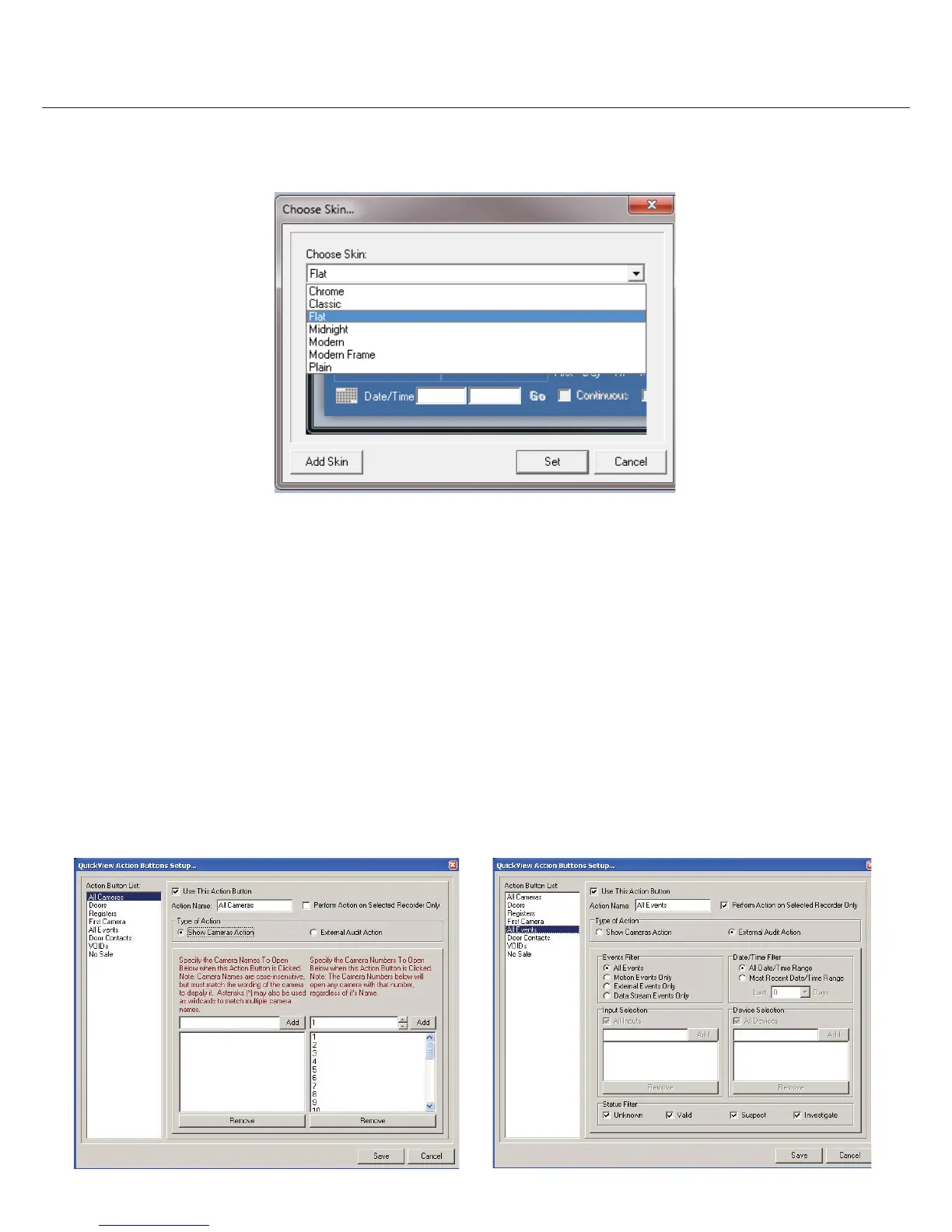
One way to dress up your software is to change its skin. The “skin” is the overall graphic appearance of the playback software including
color and button styles. To change your software skin select Choose Skin from the Playback Options menu.
4.7 QuickView Action Buttons
These short-cut buttons are user con gurable with custom labels and functions. Eight buttons are provided. A button may be setup to
open cameras or perform a speci c type of audit search.
Show/Hide: To show the QuickView Action buttons enable “Show QuickView Buttons” in the Playback Options menu. Disable to
hide the buttons.
Camera Actions: To con gure a QuickView Action Button to open certain cameras by name or number, choose “QuickView Action
Buttons Setup” from the Playback Options menu. Select the desired button, enable it, name it and indicate if the action should be applied
to all DVRs or only the selected DVR by choosing or not choosing “Preform Action on Selected Recorder Only”. Choose “Show Cameras
Action” as the Type of Action. You may then specify either camera numbers to open without regard to names, or enter camera names
to open without regard to numbers.
Audit Actions: To con gure a QuickView Action Button to perform a speci c audit search select “QuickView Action Buttons Setup” from
the Playback Options menu. Select desired button. Enable it, name it and indicate if the action should be applied to all DVRs or only the
selected DVR by choosing or not choosing “Preform Action on Selected Recorder Only”. Choose “External Audit Action” as the Type of
Action. You then may specify the details of the search including event type, source, period, and status.



 To Next Page