41 Image Vault
®
PRO Command
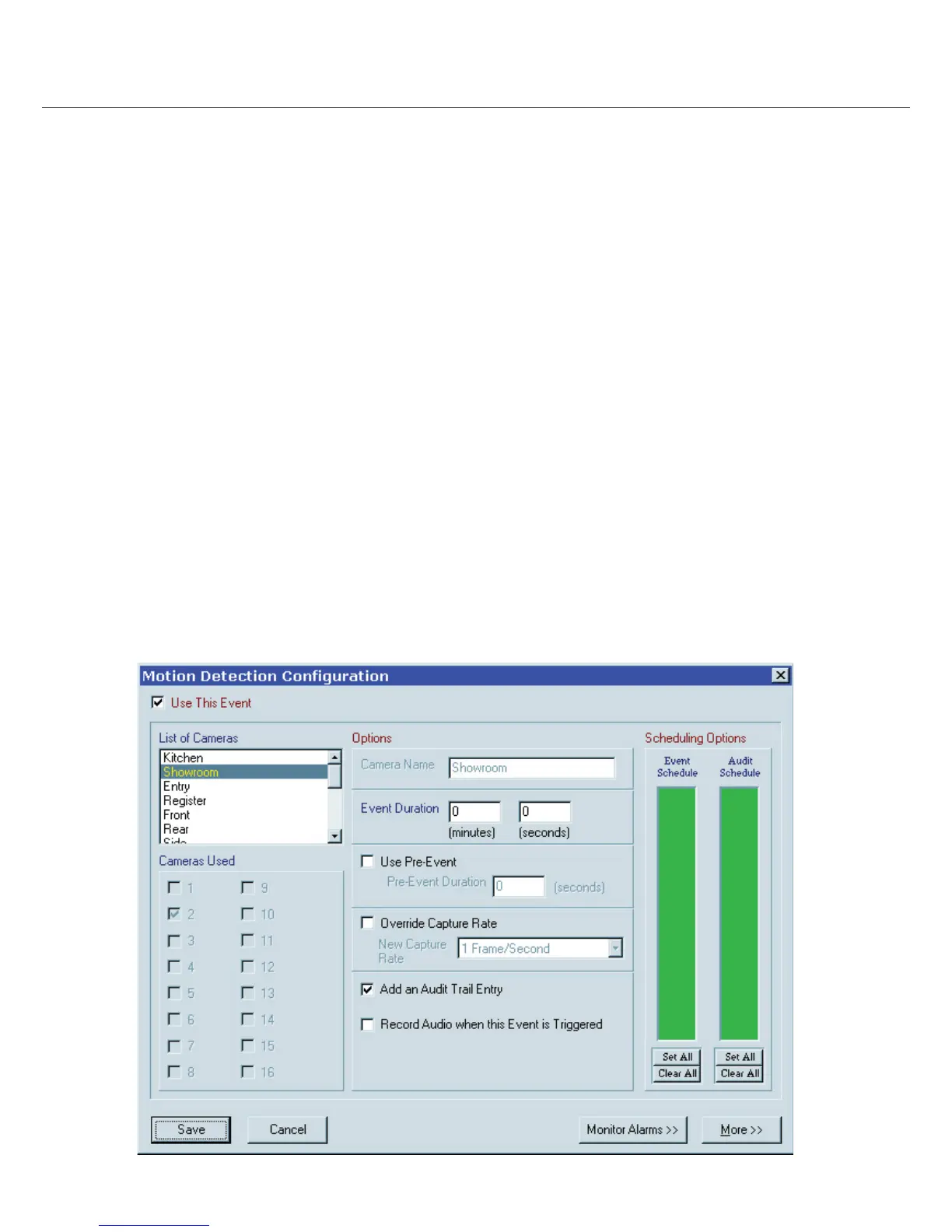
7.3 Motion Detection Triggered Recording
Internal motion detection allows a camera to record when there is activity in the eld of view of the camera. Each camera is
con gured independently. By factory default motion detection is enabled on all cameras. Factory default settings are acceptable for
most applications. To con gure motion detection select “Motion Detection Setup” from the Status menu. To adjust motion detection
behavior select the camera to adjust and modify settings as desired.
Using Motion Detection: Enable “Use This Event” for the selected camera. Use the “Event Schedule” to de ne the hours during
which motion detection is used.
Pre/Post Recording Time: “Event Duration” is how long after motion ends until the DVR stops recording the camera. Enable “Use
Pre-Event” recording and enter a time to record images captured immediately before each motion event.
Capture Rate: Use the “Override Capture Rate” to cause faster than normal recording during a motion event.
Audit Entries: Every time motion is detected an audit entry will be generated if you enable “Add an Audit Trail Entry.” Use the “Audit
Schedule” to limit audit entries to only those hours when you want to track activity, such as after business hours.
Audio Recording: You may enable audio recording when the motion is detected.
Monitor Alarm: The “Monitor Alarm” feature will cause the local VGA monitor to go full screen on the selected camera (Live Monitor
Mode only) whenever a new motion event is sensed. You may enable and set duration for each camera desired.
Sensitivity & Masking: Use the “More” button to access sensitivity and masking options. Sensitivity determines the number of
pixels that must change content in any unmasked square in order for the image to be considered having motion. Sensitivity may need
adjustment depending on the environment and camera. Masking allows you to ignore parts of the image as a source of motion trig-
gering.



 To Next Page