38 Image Vault
®
PRO Command
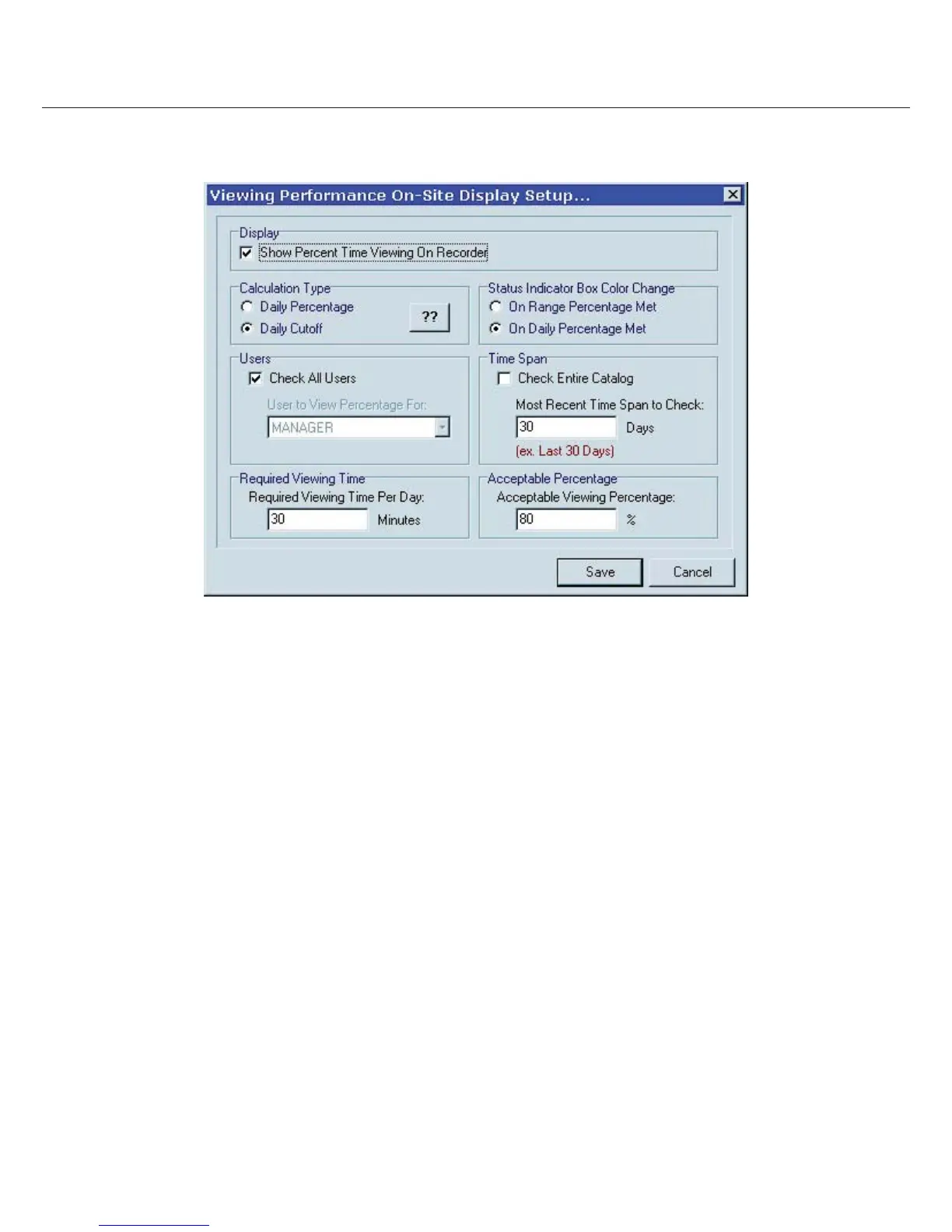
Time Span is always relative to the current day.
User Performance Skip Days Feature: If the User Performance Indicator is enabled there may be days you want to ignore for indi-
cator calculation purposes. Use the User Performance Skip Days feature to skip days you do not want included for calculation purposes.
7 Recording Setup
Your Image Vault DVR has numerous options allowing you to “ ne-tune” how it records video and data. Nearly all features discussed in
this section require logging in at the Service permission level. Most features, once con gured and “tweaked” for optimum
performance, will rarely ever be changed again unless something changes in your system.
Your recorder may be set up to record continuously, continuously during scheduled periods, or on demand. On demand recording
means that recording is triggered by internal motion detection, dry contact closure, or captured data.
7.1 Global Recording Settings
Parameters considered to be “global” are those parameters which a ect the entire DVR’s operation. Select “Record Setup” from the Edit
Params submenu of the Status menu.
Automatic Range Locks: Enabling this feature causes the DVR to automatically create a Range Lock (Section 5.2) whenever the
“Copy Video to CD” button or icon is pressed. You have the added option of deciding how the DVR should behave when all Range
Locks are already in use.



 To Next Page