16
NoteNote
NoteNote
Note: If your selected source is not available when the
alarm is activated the NP200 will use the last used FM or
AM radio station as the alarm source.
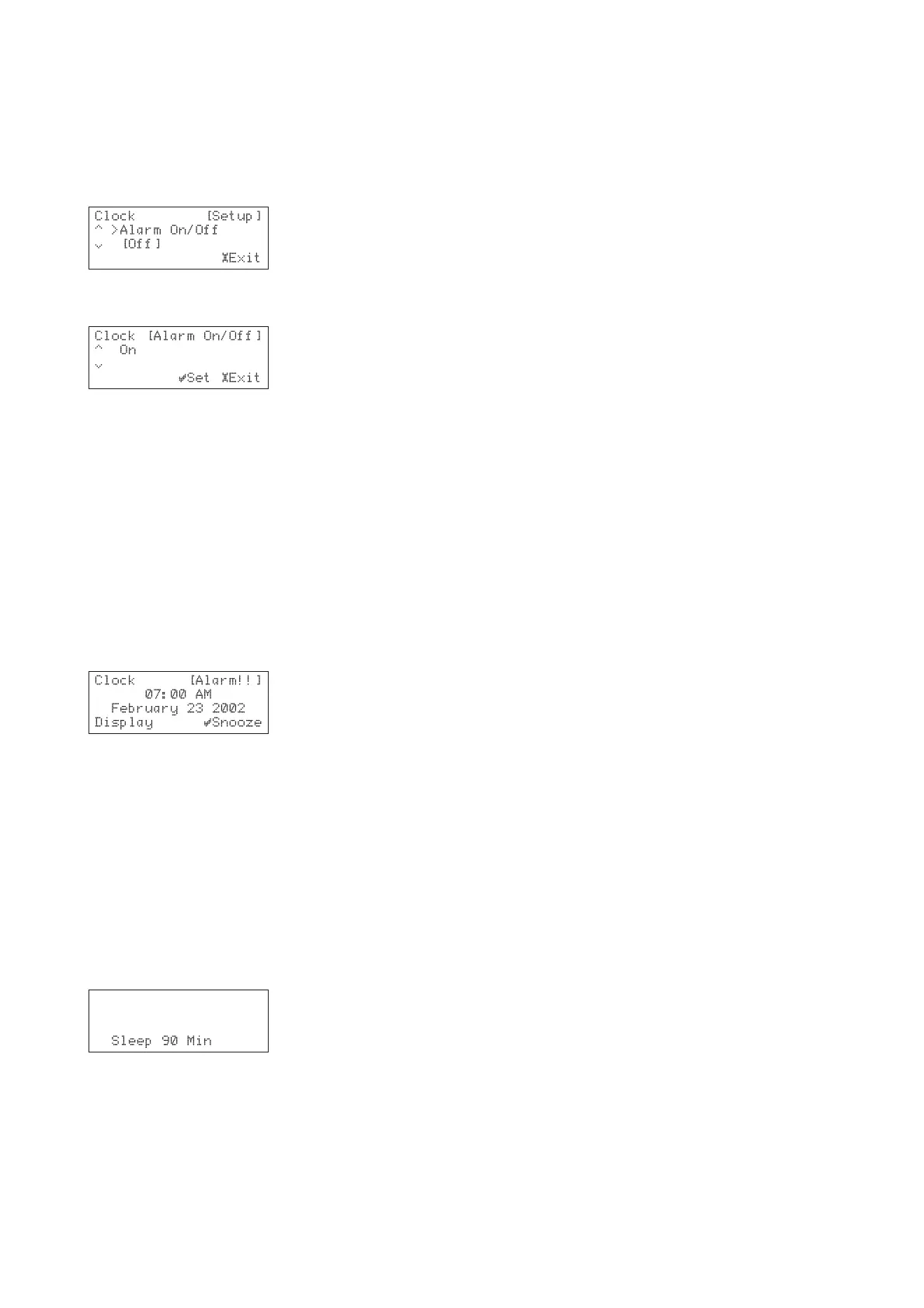
To turn on the alarm
• Use the a and v keys to display the
Alarm On/Alarm On/
Alarm On/Alarm On/
Alarm On/
Off Off
Off Off
Off option:
• Press the »
SELECT SELECT
SELECT SELECT
SELECT key to select it.
• Use the a and v keys to select
On On
On On
On or
OffOff
OffOff
Off:
• Press the »
SELECT SELECT
SELECT SELECT
SELECT key to save the change.
• Press the £
SETUPSETUP
SETUPSETUP
SETUP key to exit from the main setup
menus.
• Press the
STANDBYSTANDBY
STANDBYSTANDBY
STANDBY/
ON ON
ON ON
ON key on the NP200 to enter
Standby mode.
When the set time is reached the NP200 will be turned
on and start playing audio from the specified input
source.
If the NP200 is already switched on the alarm will not be
activated.
To select the snooze feature
When the alarm is active a snooze feature is available
which silences the alarm and sounds it again after 5
minutes:
• Press the »
SELECT SELECT
SELECT SELECT
SELECT key to activate the snooze
feature.
To cancel the alarm
• Press the
STANDBY STANDBY
STANDBY STANDBY
STANDBY key or
DISPLAY DISPLAY
DISPLAY DISPLAY
DISPLAY key on the
NP200 or remote control.
SLEEP TIMER
The sleep timer puts the NP200 into Standby mode when
the set time elapses.
• Press the
SLEEP SLEEP
SLEEP SLEEP
SLEEP key on the remote control to set
the time that must elapse before the NP200 is
put into Standby mode.
The display shows:
• Press the
SLEEP SLEEP
SLEEP SLEEP
SLEEP key to reduce the sleep time in
steps of 10 minutes.
You can also use the a and v keys to change the time
setting in minutes.
While the sleep timer function is set,
Sleep Sleep
Sleep Sleep
Sleep appears in
the display.
• To disable the sleep timer setting, press the
SLEEPSLEEP
SLEEPSLEEP
SLEEP
key repeatedly until the display
SLEEP SLEEP
SLEEP SLEEP
SLEEP disappears.


 To Next Page