17
ADVANCED SETTINGS
This chapter describes how to configure the NP200 for your network, and how to configure other options affecting its
operation.
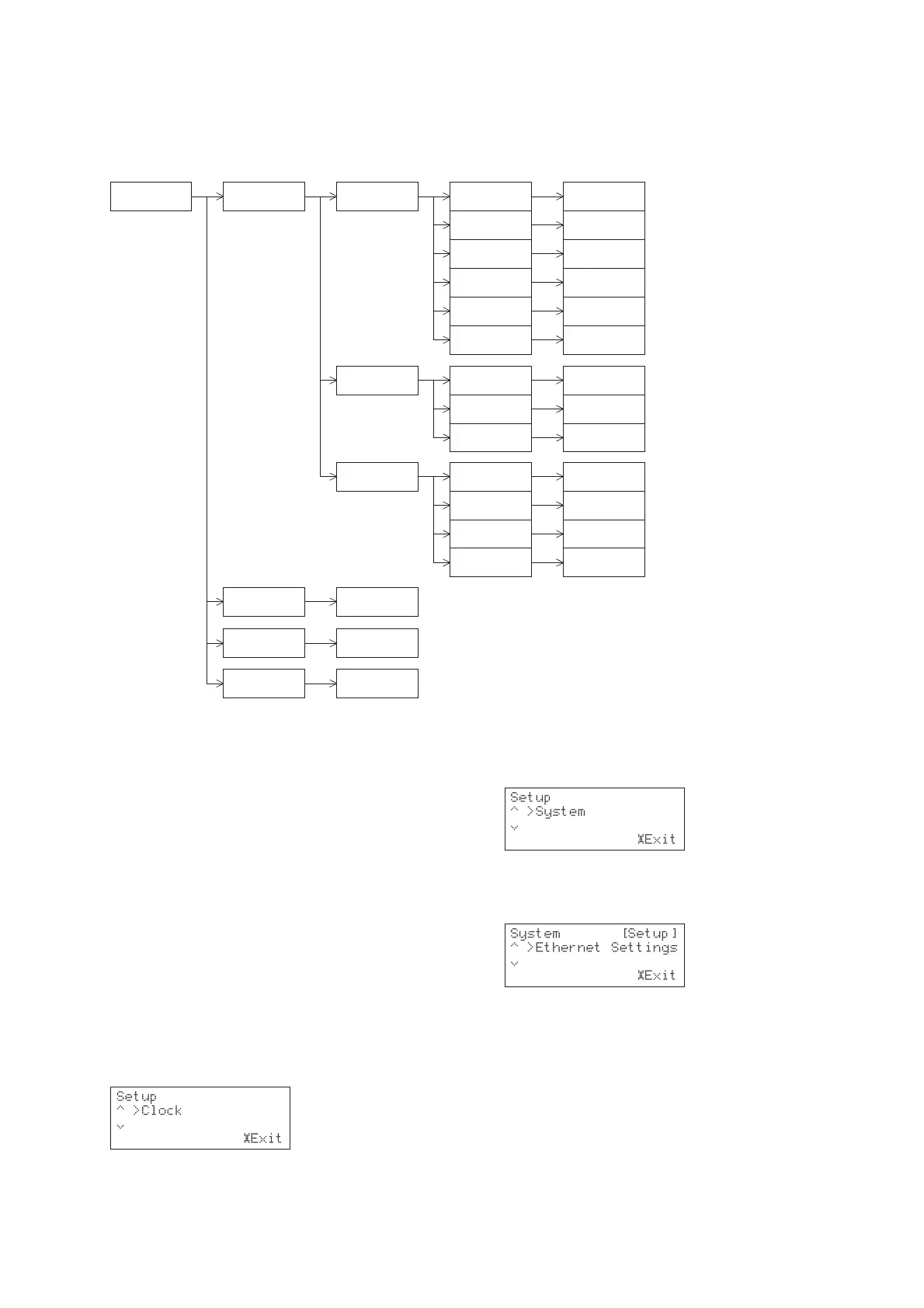
The following diagram shows a plan of the system menu options used to configure the NP200:
System Ethernet Setting IP Address
Remote ID Select Remote ID
Display Standby
FM/AM Freq Step
Proxy Setup
Client
DHCP
IP Address
IP Mask
Gateway
IP DNS 2
Proxy On/Off
Port No
Proxy Address
Client Name
Wakeup on LAN
MAC address
IP DNS 1
Tu rn ON/OFF DHCP
Specify IP Address
Specify Net mask
Specify Gateway
address
Specify IP DNS 1
address
Specify Standby
mode
Specify AM/FM
Freq Step
Specify IP DNS 2
address
Tu rn On/Off Proxy
Specify Port number
Specify Proxy
Address
Specify Client name
Enable/Disable
Wakeup on LAN
Check MAC address
Net-Tune port
Specify Net-Tune
port number
NETWORK SETTINGS
Before you can use the NP200 to play music contained in
the music library on the SoundServer or listen to Internet
radio, you must correctly configure the network settings
so that it can connect to your network and the Internet.
It is strongly recommended that you use a broadband
connection and a router. Before setting up the NP200,
make sure that you are already using a router that
provides Internet access and that the NP200 is correctly
connected with your router or hub via Ethernet. For
more information on Internet connectivity, consult your
ISP (Internet Service Provider) or refer to the
documentation with your router.
After changing any settings it will take about two
seconds to write the setting to the NP200.
If you turn off the NP200 before a new setting has been
written, the setting will be lost.
To display the Ethernet Settings menus
• Press the £
SETUPSETUP
SETUPSETUP
SETUP button to display the Setup
menus:
• Use the a and v keys to display the system
option:
• Press the »
SELECT SELECT
SELECT SELECT
SELECT key to select it.
• Use the a and v keys to display the
EthernetEthernet
EthernetEthernet
Ethernet
SettingsSettings
SettingsSettings
Settings option:
• Press the »
SELECTSELECT
SELECTSELECT
SELECT key to select it.
IP ADDRESS
To specify the IP address automatically
If you have a DHCP server, it can assign an IP address
automatically to your NP200, avoiding the need for any
other configuration.
• Display the
Ethernet SettingsEthernet Settings
Ethernet SettingsEthernet Settings
Ethernet Settings menu as previously
described.
• Use the a and v keys to highlight
IP AddressIP Address
IP AddressIP Address
IP Address and
press the »
SELECTSELECT
SELECTSELECT
SELECT key.


 To Next Page