11
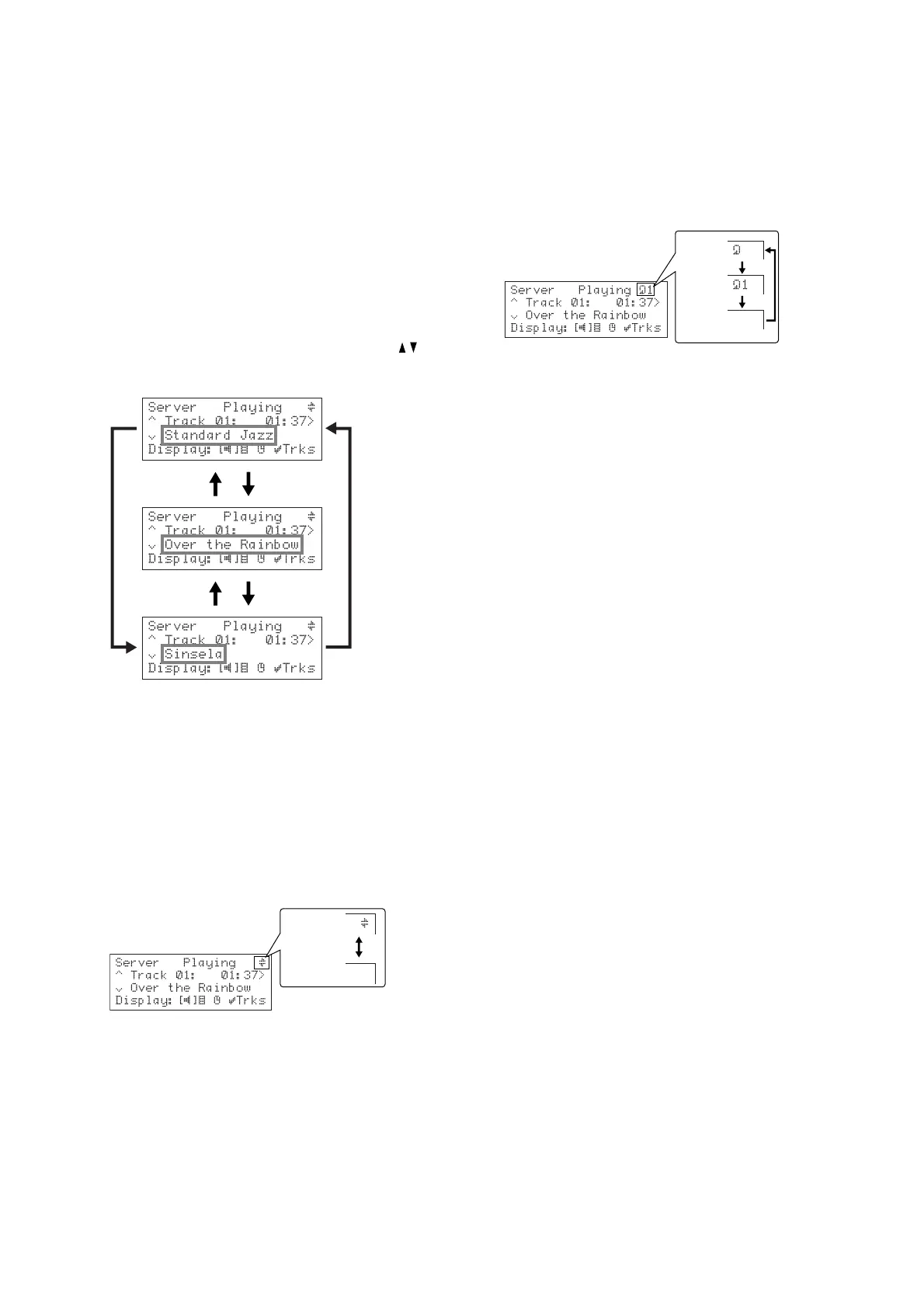
• Press the a or v keys to step between playlists,
or press the appropriate letter on your remote
control to jump directly to the item in the list
beginning with that letter.
• Press the »
SELECT SELECT
SELECT SELECT
SELECT key to display the tracks in the
currently selected playlist.
• Press the »
SELECT SELECT
SELECT SELECT
SELECT key to start playing from the
first track.
PLAYBACK INFORMATION
During playback the top line of the display shows
PlayingPlaying
PlayingPlaying
Playing,
StoppedStopped
StoppedStopped
Stopped,
PausedPaused
PausedPaused
Paused, or
SeekingSeeking
SeekingSeeking
Seeking to show the
playback status.
To change the displayed information
• While a track is playing, you can press the /
keys to change the display between showing
TitleTitle
TitleTitle
Title,
AlbumAlbum
AlbumAlbum
Album, or
ArtistArtist
ArtistArtist
Artist:
• Press the } key to toggle the display between
showing the elapsed time for the current track,
and the remaining time for the current track.
RANDOM AND REPEAT PLAYBACK
You can play albums, artists, genres or playlists in a
random order to add variety to your music. You can also
play a selection repeatedly.
To randomise the current selection
• Press the
RANDOM RANDOM
RANDOM RANDOM
RANDOM key on your remote control.
Press
RANDOM RANDOM
RANDOM RANDOM
RANDOM again to disable random playback.
Random On
Random Off
To repeat the current selection
• Press the
REPEAT REPEAT
REPEAT REPEAT
REPEAT key on the remote control.
Pressing the
REPEAT REPEAT
REPEAT REPEAT
REPEAT key once will repeat all the tracks in
the selected album or tracklist. Pressing the REPEAT key
again will repeat the current track.
To exit from Repeat mode press the
REPEAT REPEAT
REPEAT REPEAT
REPEAT key until
Repeat OffRepeat Off
Repeat OffRepeat Off
Repeat Off is diplayed:
Repeat
ALL tracks
Repeat
1 track
Repeat
OFF


 To Next Page