29 - IE
INSTALLERUSER
MAINTENANCE TECHNICIAN
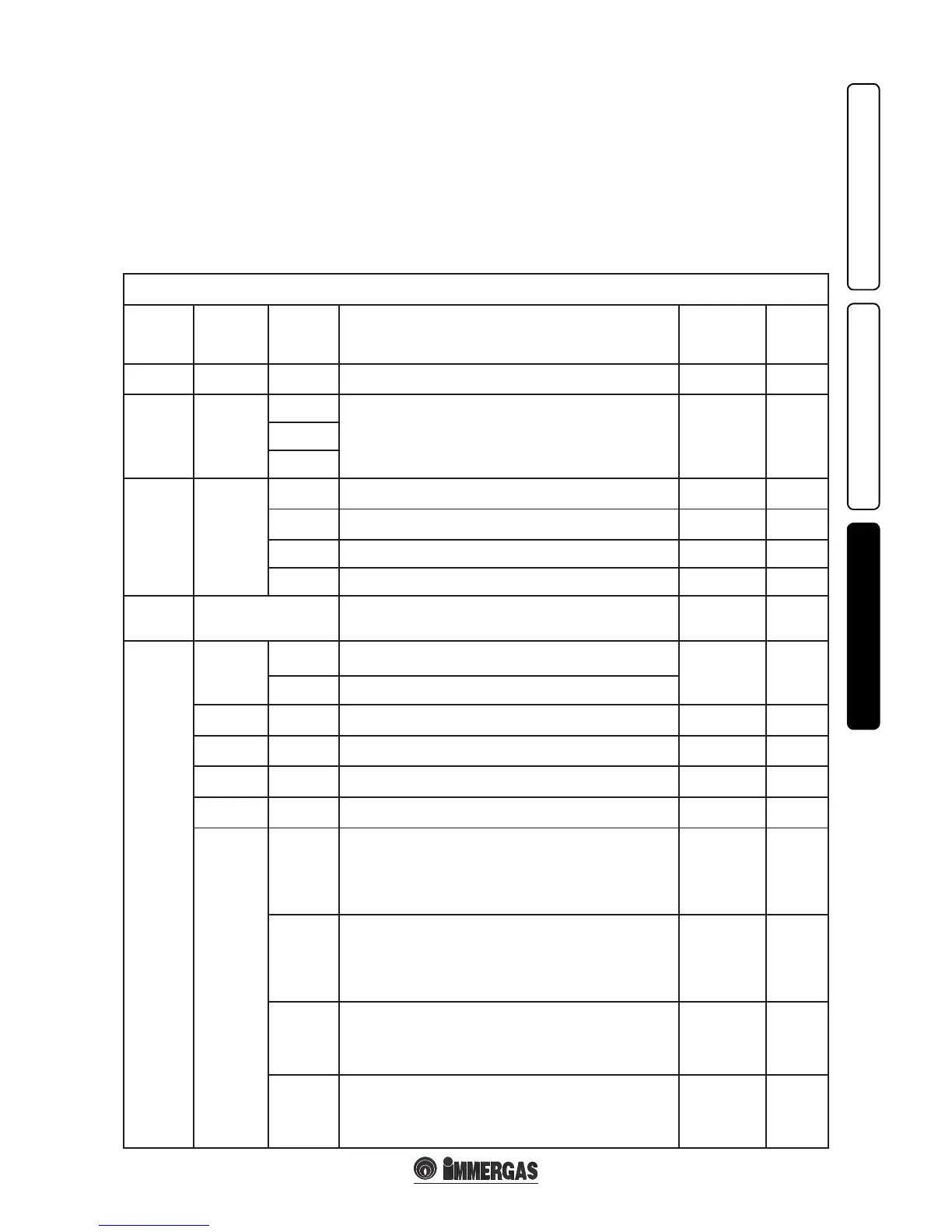
M5 menu
(password must be entered)
1
st
Level 2
nd
Level Options Description Default value
Value
set
by the
technician
P50 25 ÷ 50
Set the boiler heat output in ignition phase. e value is in percentage in
respect to the parameter P62.
(See par. 3.5)
P53
P53.1
Identies the output of the boiler on which the P.C.B. is installed
P53.
1 = Not used
P53.2 = 26 kW (Not used on this boiler model)
P53.3 = 32 kW.
Equal to boiler
power
Equal to
boiler
power
P53.2
P53.3
P54
P54.1
Displays the temperature read on the domestic hot water probe on entry
to the boiler.
--
P54.2
Displays the temperature read on the domestic hot water probe on exit
from the boiler.
--
P54.3
Displays the temperature read on the return probe. - -
P54.4
Not used on this boiler model. - -
P55
Displays the central heating ow temperature at which the boiler
functions, calculated by the controls active on the system heat adjustment.
--
SERVICE
P57
AUTO
- DT = 0: proportional prevalence (see par. 1.22).
- DT = 5 ÷ 25 K: ∆T constant (see par. 1.22).
AUTO
15 K
FIX
Fixed pump speed. (adjustable from 100% to 54%).
P62 4000 ÷ 5900
Set the maximum output depending on the domestic hot water, setting
the speed of the fan (in RPM).
(See par. 3.5)
P63 900 ÷ 1500
Set the minimum output depending on the domestic hot water, setting the
speed of the fan (in RPM).
(See par. 3.5)
P64 ≤ P62
Set the minimum output depending on room heating. e value must be
greater than or equal to the P62.
(See par. 3.5)
P65 ≥ P63
Set the minimum output depending on room heating. e value must be
greater than or equal to the P63.
(See par. 3.5)
P66
P66/A
Without the external probe (optional) it denes the minimum delivery
temperature. With the external probe present it denes the minimum
ow temperature corresponding to functioning with maximum external
temperature (see graphics Fig. 1-8) (can be set from 20°C to 50°C).
N.B.: to continue it is necessary to conrm the parameter (press “D” or
exit from “P66” adjustments by pressing “C”).
20°C
P66/B
Without the external probe (optional) it denes the maximum delivery
temperature. With the external probe present it denes the maximum
ow temperature corresponding to functioning with minimum external
temperature (see graphics Fig. 1-8) (can be set from 85°C to 50°C).
N.B.: to continue it is necessary to conrm the parameter (press “D” or
exit from “P66” adjustments by pressing “C”).
85°C
P66/C
With the external probe present it denes at which minimum external
temperature the boiler must function at maximum ow temperature (see
graphics Fig. 1-8) (can be set from -20°C to 0°C).
N.B.: to continue it is necessary to conrm the parameter (press “D” or
exit from “P66” adjustments by pressing “C”).
-5°C
P66/D
With the external probe present it denes at which maximum external
temperature the boiler must function at maximum ow temperature (see
graphics Fig. 1-8) (can be set from 5°C to +25°C).
N.B.: to continue it is necessary to conrm the parameter (press “D” or
exit from “P66” adjustments by pressing “C”).
25°C
3.8 PROGRAMMING THE P.C.B.
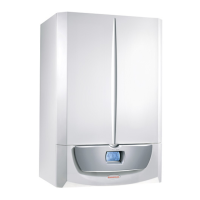
e Victrix Superior TOP boiler is prepared
for possible programming of several operation
parameters. By modifying these parameters
as described below, the boiler can be adapted
according to specic needs.
Attention: if the international language (A1) is
to be restored, see the indications described in
Para 2.13 (“M3” Customisations menu).
By pressing the button "D" it is possible to access
the main menu, divided into three main parts:
- Information “M1” (See “User” Chapter).
- Customisations “M3” (See “User” Chapter).
- “M5” configurations, menu reserved for
the technician and for which a password is
required.
To access programming, press button “D”, turn
the central heating temperature selector switch
(3) and scroll through the menu items until
reaching “M5”, press button “D”, introduce the
password and set the parameters according to
requirements.
Below find the items in the“M5” menu with
default parameters and possible options
indicated.
By turning the heating temperature selector
switch (3) scroll through the menu items. By
pressing button “D” access the various levels
of the menu and the choice of parameters is
conrmed. Press button “C” to go back one level.
(e rst item of the various options that appears
inside the parameter is that selected by default).







 To Next Page