IDS440 Users Manual version 4.2 Installation and Setup
6
Installation and Setup
This section provides information about unpacking, installing, and setup of the IDS440.
It also directs the installer to the appropriate sections of the manual for hardware and
setup installation.
Unpacking the IDS440
Installation begins with unpacking the IDS440. Observe any instructions or cautions,
which appear in the shipping container. Check the items in the shipping container against
the following item check list or the packing list. IDS, Inc. will not accept responsibility
for shortages against the packing list unless notified within 30 days. All equipment and
accessories are inspected and tested by IDS before shipment. Inspect the equipment
carefully. If shipping damage is evident, notify the carrier immediately. Take
photographs if necessary. You are responsible for final claim and negotiations with the
carrier. Save the packing and shipping container in case you need to store, return, or
transport the IDS440 for any reason.
Item check list
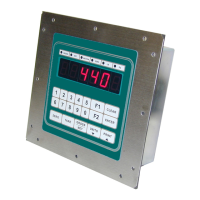
• IDS440 - Weight Scale Indicator
• Power cord
• This User's Manual
• Capacity labels
• A sheet that describes the capacity label placement
NOTE: The container may include additional items that have been purchased separately.


 To Next Page