Table of Contents
Introduction.........................................................................................................1
What’s In Each Section ..............................................................................................................2
WARRANTY INFORMATION ....................................................................................................3
General Description............................................................................................ 4
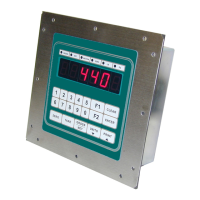
IDS440 Display and Keyboard Diagram ....................................................................................4
The IDS440 Display ...................................................................................................................5
The IDS440 Keyboard................................................................................................................5
Numeric Keypad ..................................................................................................................5
Function Keys......................................................................................................................5
Control Keys ........................................................................................................................5
Installation and Setup.........................................................................................6
Unpacking the IDS440 ...............................................................................................................6
Item check list ......................................................................................................................6
Installation Guide .......................................................................................................................7
Connect IDS440 to load cell ................................................................................................7
Connect IDS440 to the printer (optional)............................................................................7
Apply AC Power to the IDS440 ...........................................................................................7
Setup Guide ...............................................................................................................................9
Initialize to Factory Defaults ................................................................................................9
Setup & "Quick" Calibration Guide ......................................................................................9
Calibrate the Weight Indicator .............................................................................................9
Using the IDS440...............................................................................................10
Keyboard Layout ......................................................................................................................10
Operation of Function Keys .....................................................................................................10
Zero ...................................................................................................................................10
Tare ...................................................................................................................................11
Gross/Net...........................................................................................................................11
Print ...................................................................................................................................11
F1 and F2 ..........................................................................................................................11
Memory Register Entry......................................................................................................11
Execute a Scale Basic Function ........................................................................................11
Display Time/Date .............................................................................................................11
Built In Application Programs..........................................................................13
#1 Fill to Setpoint
...............................................................................................14
Installation ................................................................................................................................14
Setup Parameters: ...................................................................................................................14
Operators Functions.................................................................................................................14
Enter setpoint.....................................................................................................................14
Start fill operation...............................................................................................................14
Stop fill operations .............................................................................................................14
Print Results ......................................................................................................................14
Error Codes .......................................................................................................................14
# 2 Checkweigh: Under/Between/Over
..................................15


 To Next Page