iNetVu Troubleshooting Guide - 1201 Flyaway
Verifying the Upgrade Completed Successfully
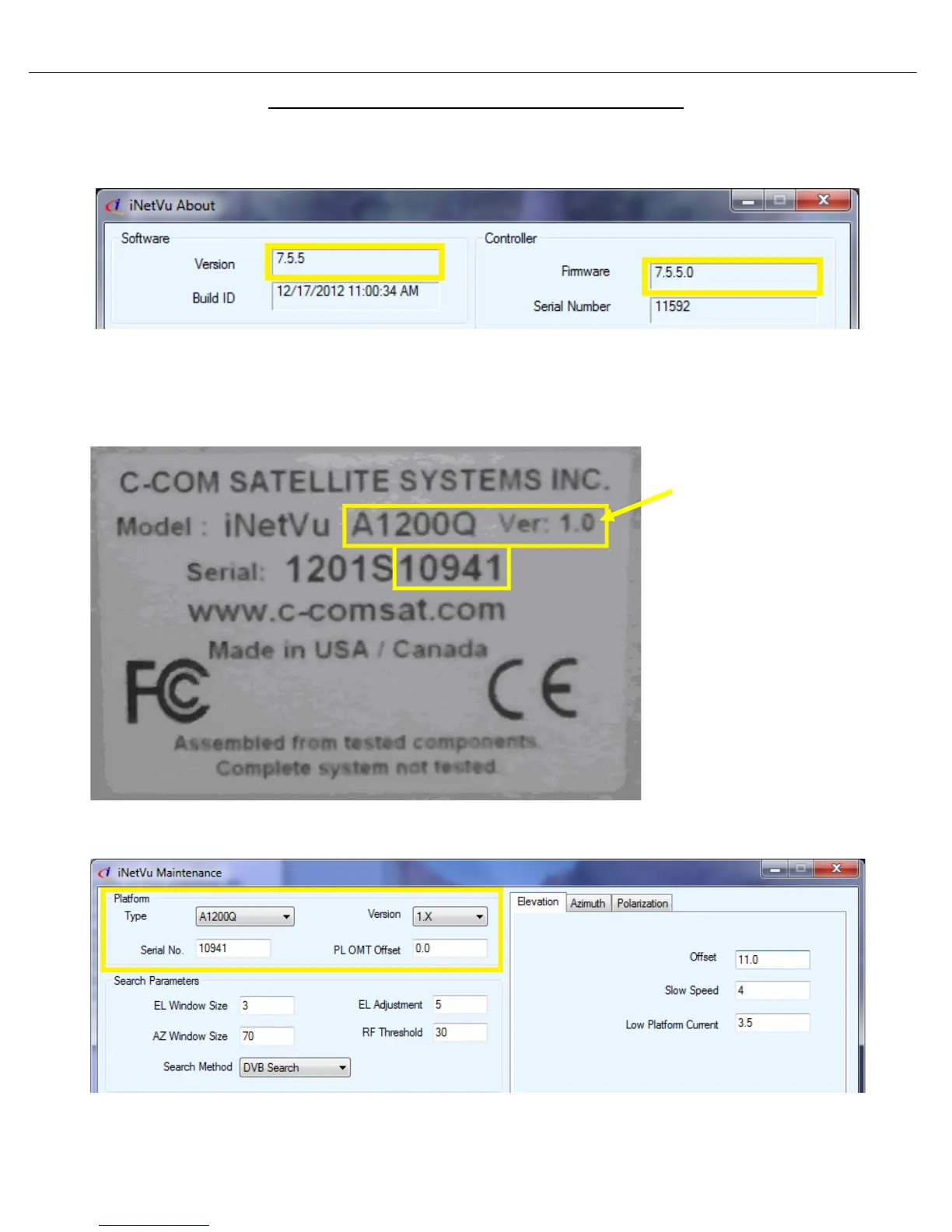
2. Right click on the current screen you are on, and select “About”. Verify both Software and
Firmware versions are identical.
3. After the firmware update has completed, proceed to the “Maintenance” screen and verify that the
platform type, Ver. and serial number match your platform. Make any necessary changes “Send
All” and wait for confirmation, then “Write EPROM” “.
Serial number is located on the azimuth base and reflector
The platform serial number,
type and Ver. are located
physically on the platform, on
the Azimuth Base and
Reflector. Looking at the
example below, we can see
the Model A1200Q, Ver. 1.0
and 10941 is the serial
number. The serial number
will be the last 4 or 5 digits.
Once we have obtained this
information, it must be
entered into the software.



 To Next Page