iNetVu Troubleshooting Guide - 1201 Flyaway
2. If the Mobile Platform physically moves but the angle doesn’t change
Possible Causes:
• 7000 Controller
• Flyaway Control Cable
• Internal Wiring
• Inclinometer (Tilt Sensor)
a. Please ensure the Flyaway Control Cable is securely connected to the 7000 Controller and
Platform. Reseat this cable at both ends and try again.
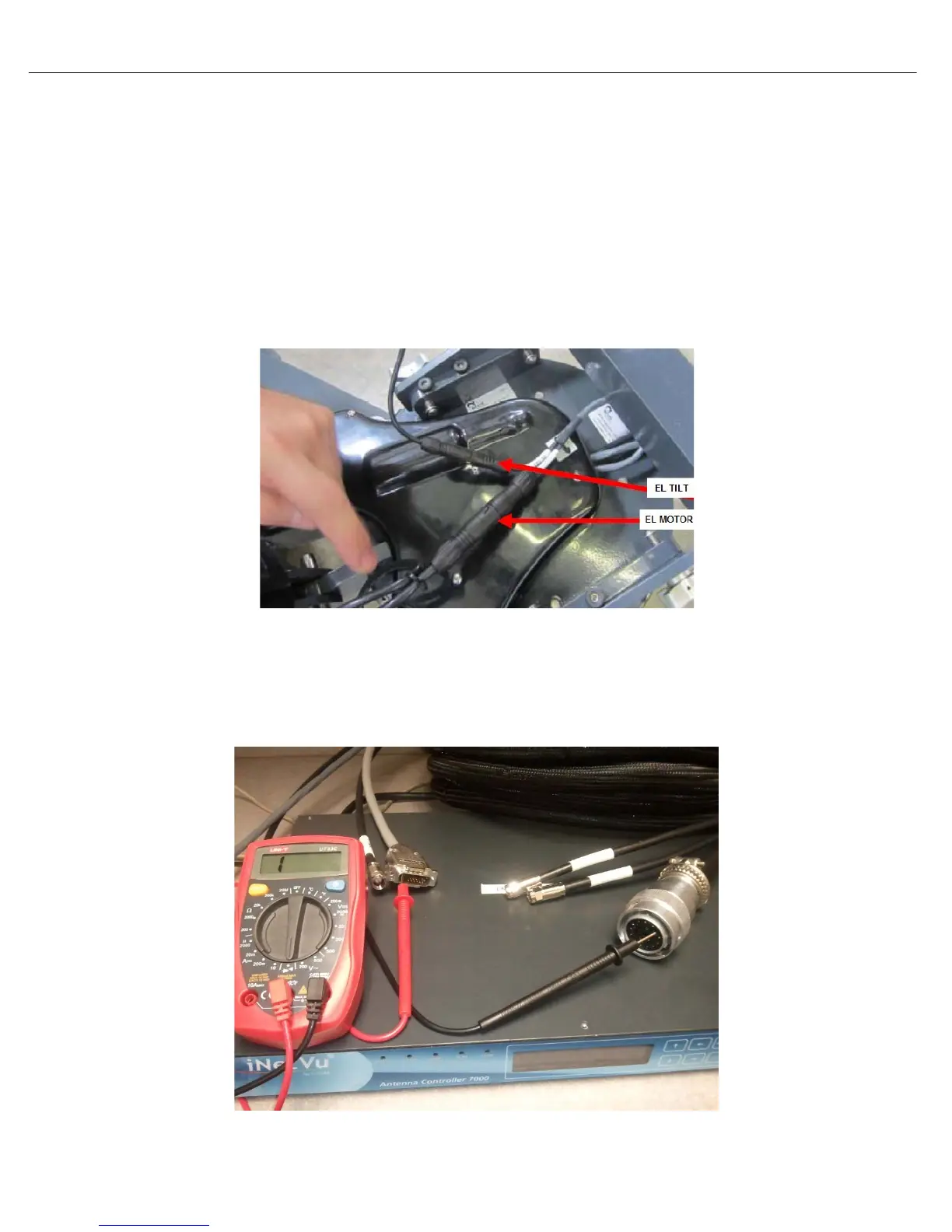
b. Try reseating the EL TILT cable as seen below.
Internal Elevation Tilt (Inclinometer) and Motor Cables
c. If the angle still does not change use the Sensor Circuit Diagram on the following page to
confirm continuity of the Control Cable. Set the voltmeter to beeper or continuity mode. If the
Control Cable passes continuity the inclinometer may have failed. Please Contact C-COM
Technical Support for further assistance.
Sensor Continuity Test



 To Next Page