iNetVu Troubleshooting Guide - 1201 Flyaway
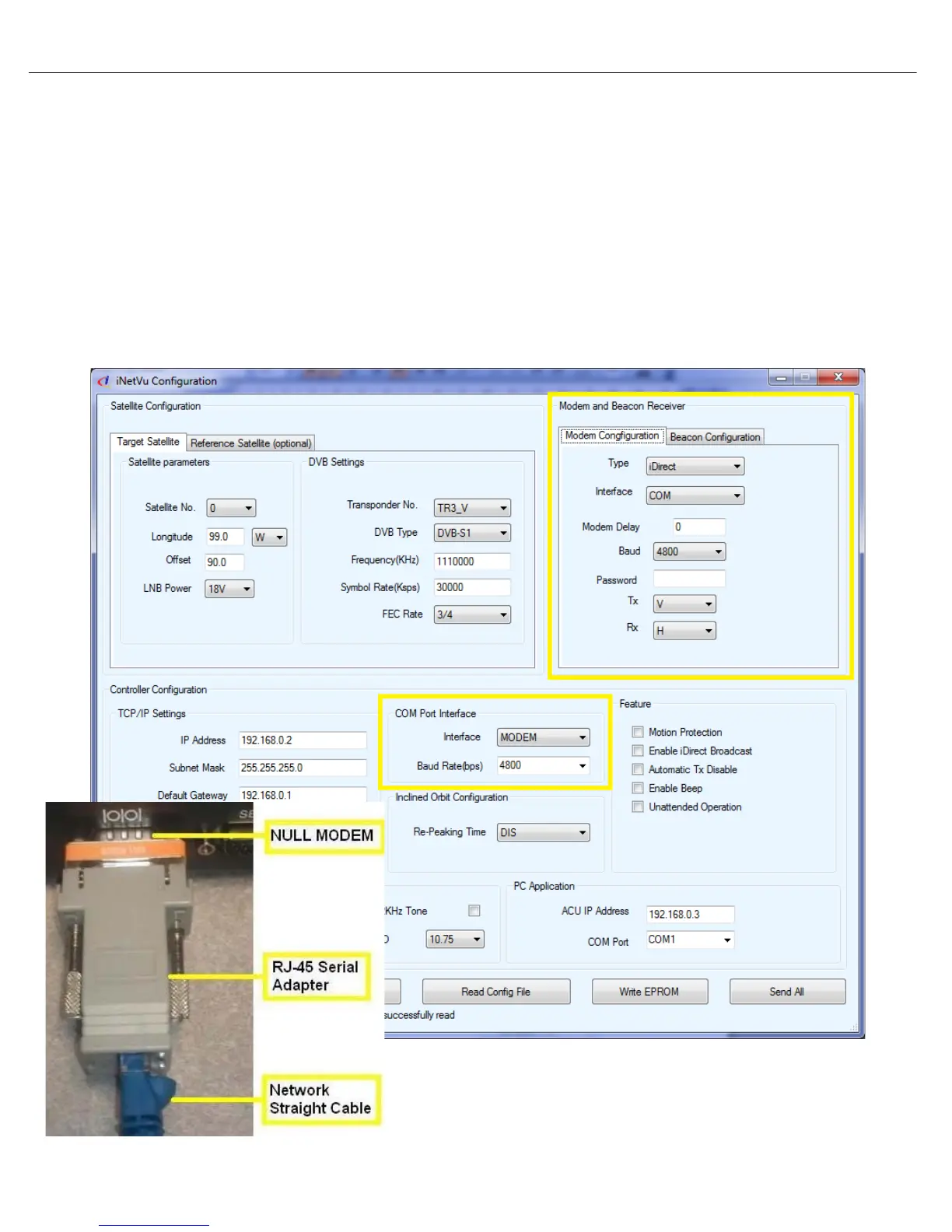
1. Ensure the Connection Type and iNetVu 7000 Software are configured correctly for your
service. Please refer to the iNetVu 7000 Cabling & Configuration Guides for more details.
2. To troubleshoot a COM configuration:
• Verify the modems BAUD rate and Password/CD-KEY if required is correct.
• Connect the modem directly to the computers serial port and attempt to communicate with
the modem via Terminal Session. This will verify the BAUD rate and Password.
• Try another cable.
• If you are unsuccessful in establishing a COM connection you can attempt to configure the
modem for a TCP/IP connection.
Serial Connection Software Configuration (COM )



 To Next Page