iNetVu Troubleshooting Guide - 1201 Flyaway
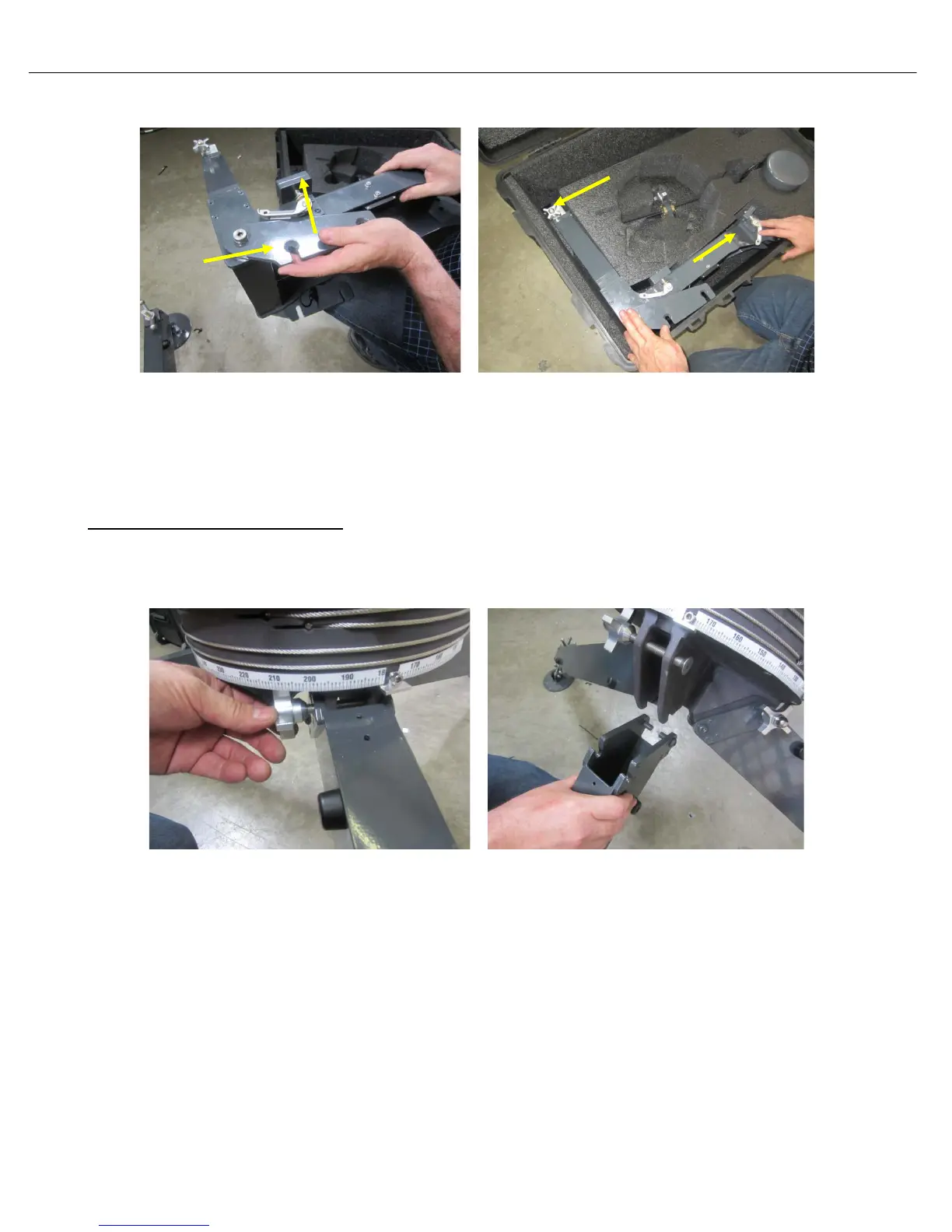
17) Fold brackets on the EL Support plate and place in protective case as shown.
18) Ensure the retaining nuts are retracted back and the reflector locking clamps are properly
tucked in (especially the bottom), for the EL Support plate to fit in the packing case; failing to
do so may prevent the case lid from closing.
AZ and Leg Assembly Removal
19) Loosen the retaining nuts on the (3) legs. Remove one leg at a time by tipping up the AZ
assembly and pushing down on the leg.



 To Next Page