DLP Projector – User’s Manual
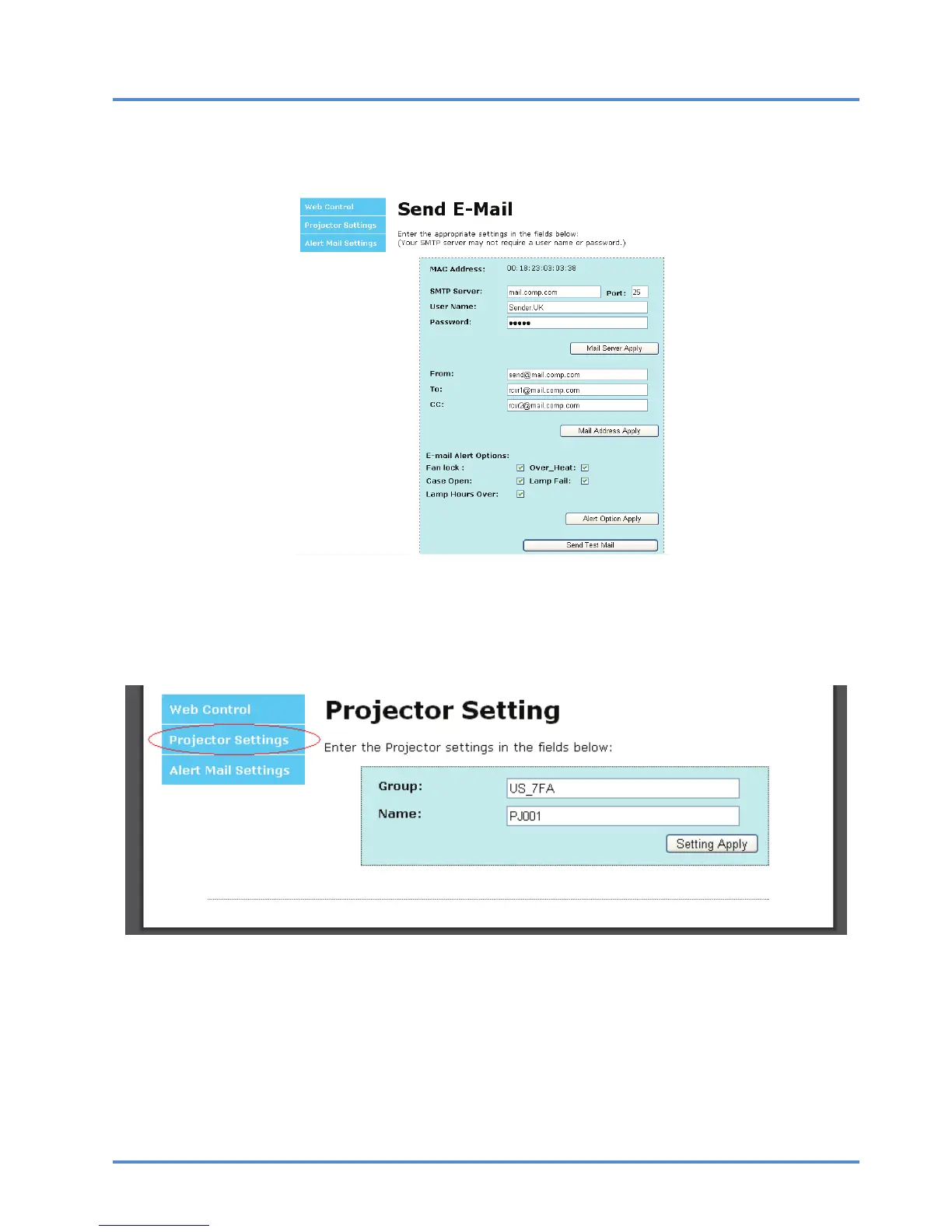
The From field is the sender’s email address (for example, the projector administrator). This
is a required field.
Select the alert conditions by checking the desired boxes.
Note: Fill in all fields as specified. Select the desired alert condition and click Submit to con-
duct an Email Alert Test. A successful test alerts the designated email accounts. To create
an email alert, you must select alert conditions and enter a correct email address.
Group and Name identify the alerting projector and are located at the button of the alert mail as shown be-
low:
– 27 –



 To Next Page