IN3118HD User’s Manual
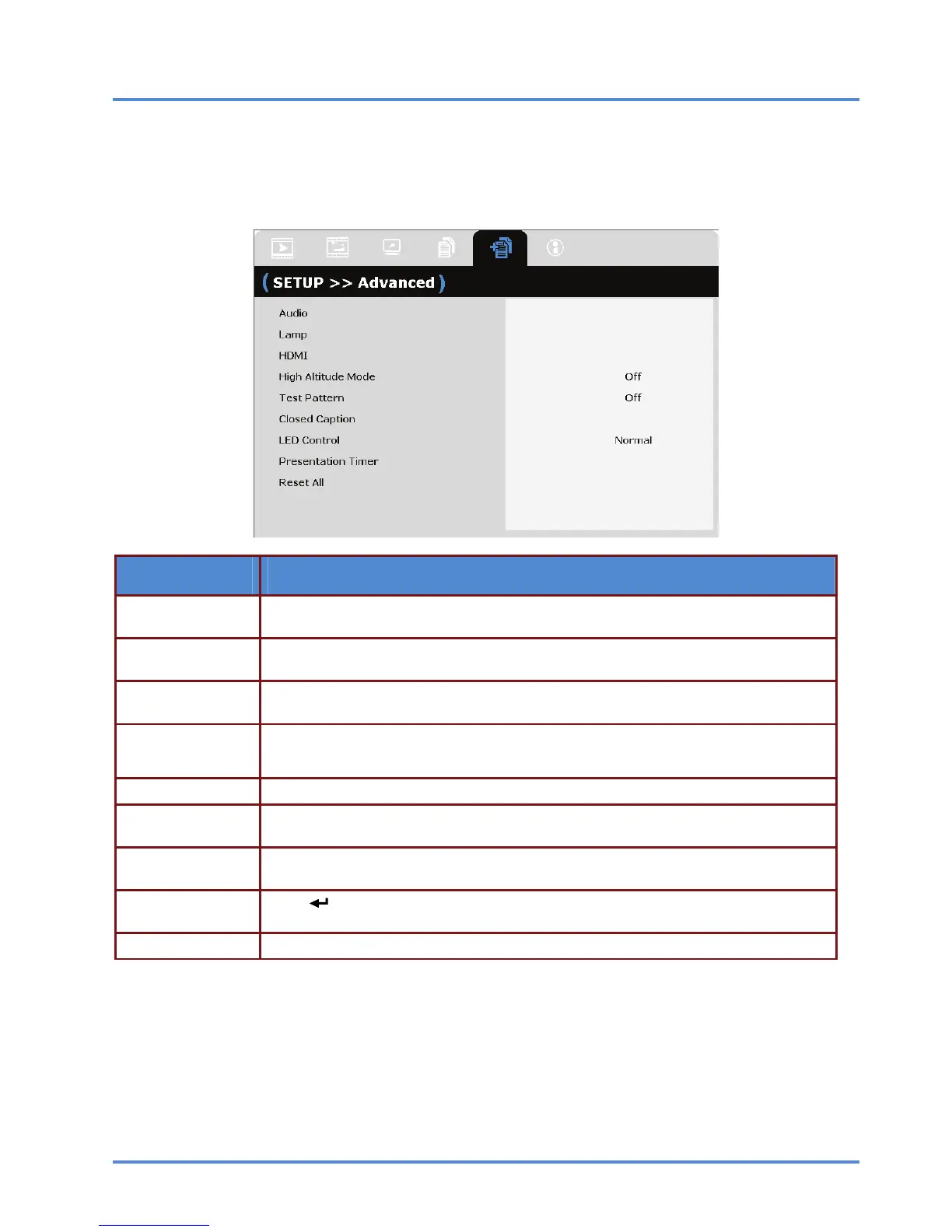
SETUP>>Advanced Menu
Press the MENU button to open the OSD menu. Press the cursor ◄► button to move to the
SETUP>>Advanced menu. Press the cursor ▲▼ button to move up and down in the SETUP>>Ad-
vanced menu.
ITEM DESCRIPTION
Audio
Press the ENTER/SELECT button to enter the Audio sub menu. See Audio on page
29.
Lamp
Press the ENTER/SELECT button to enter the Lamp sub menu. See Lamp on page
29.
HDMI
Press the ENTER/SELECT button to enter the HDMI sub menu. See HDMI on page
30.
High Altitude Mode
Press the cursor ◄► buttons to turn on or off High Altitude Mode when the altitude of
the environment is higher than 1500m ( 4921 ft. ).
Test Pattern Press the cursor ◄► buttons to turn on or off the grid test pattern.
Closed Caption
Press the ENTER/SELECT button to enter the Closed Caption sub menu.
See Closed Caption on page 30.
LED Control
Press the cursor ◄► buttons to turn the projector LED indicators on (Normal) and off
(Off).
Presentation Timer
Press
(ENTER/SELECT) / ► to the Presentation Timer menu. See Presentation
Timer on page 31.
Reset All Press the ENTER/SELECT button to enter reset all settings to default values.
– 28 –



 To Next Page