IN5312/IN5314 – User’s Manual
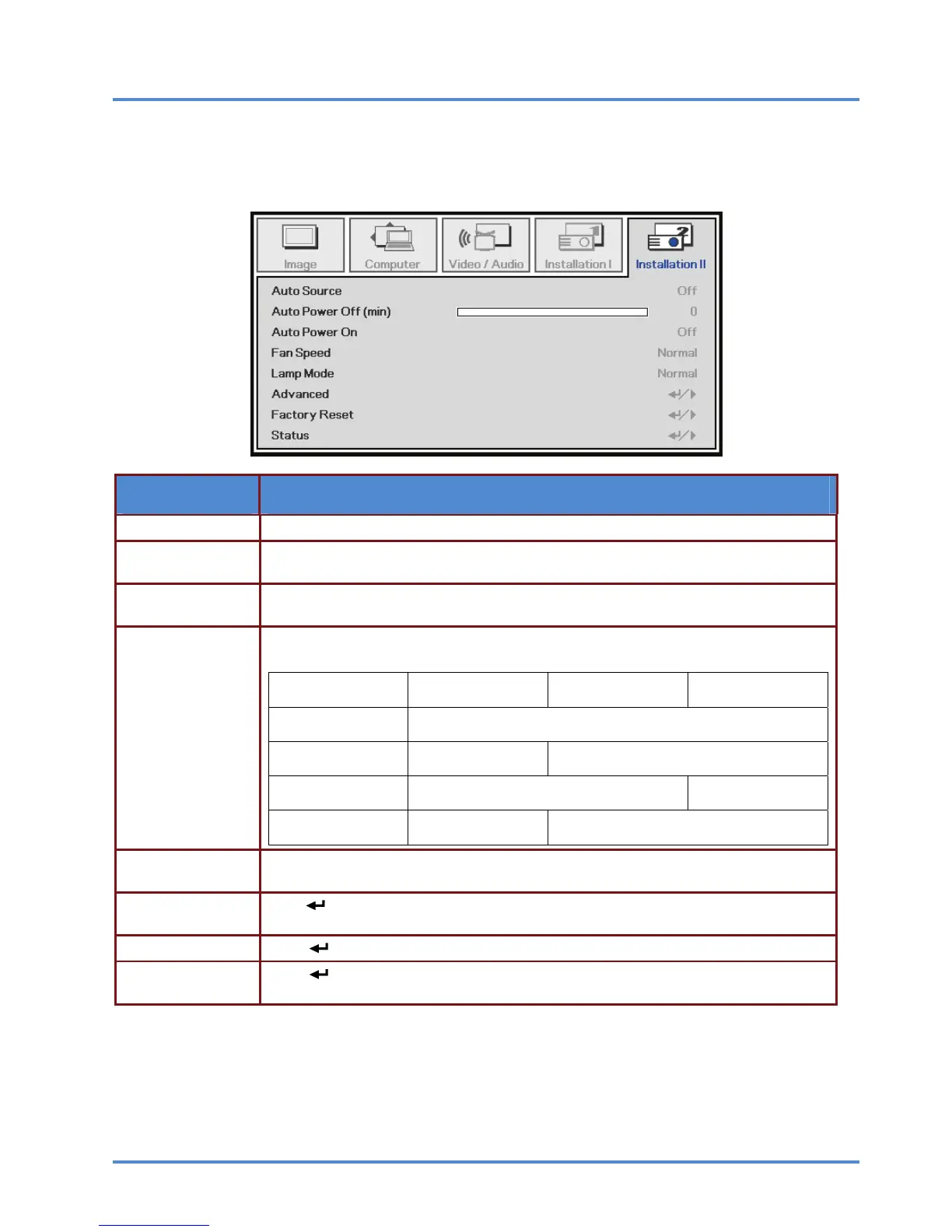
Installation II Menu
Press the MENU button to open the OSD menu. Press the cursor ◄► button to move to the Installa-
tion II menu. Press the cursor ▲▼ button to move up and down in the Installation II menu.
ITEM DESCRIPTION
Auto Source Press the cursor ◄► button to enable or disable automatic source detection.
Auto Power Off
(min.)
Press the cursor ◄► button to enable or disable automatic shutdown of lamp when
no signal.
Auto Power On
Press the cursor ◄► button to enable or disable Automatic Power On when AC power is
supplied.
Fan Speed
Press the cursor ◄► button to toggle between Normal and High fan speeds.
Note: We recommend selecting high speed in high temperatures, high altitude areas.
≦ 25°C
( 77°F )
26~30°C
( 78.8~86
°F )
31~35°C
( 87.8~95°F )
0~4,999ft
( 0~1523m )
Normal Mode
5,000 ft
( 1524m )
Normal Mode High Speed Mode
7,500 ft
( 2286m )
High Speed Mode ----------
10,000 ft
( 3048m )
High Speed Mode --------------------
Lamp Mode
Press the cursor ◄► button to select the lamp mode for higher brightness or lower
brightness to save lamp life.
Advanced
Press
(Enter) / ► to enter the Advanced menu. See Advanced Features on page
34.
Factory Reset Press (Enter) / ►
to reset all items to factory default settings.
Status
Press
(Enter) / ►
to enter the Status menu. See page 41 for more information on
Status.
– 33 –



 To Next Page