User’s Manual
Sensor Name
This field allows the administrator to set “Sensor Name”.
Power On Setting
This field allows administrator to set “Power On Setting” as “On” or “Off” or “None”.
This field shows the present status and allows administrator to set On or Off.
Sensor Information
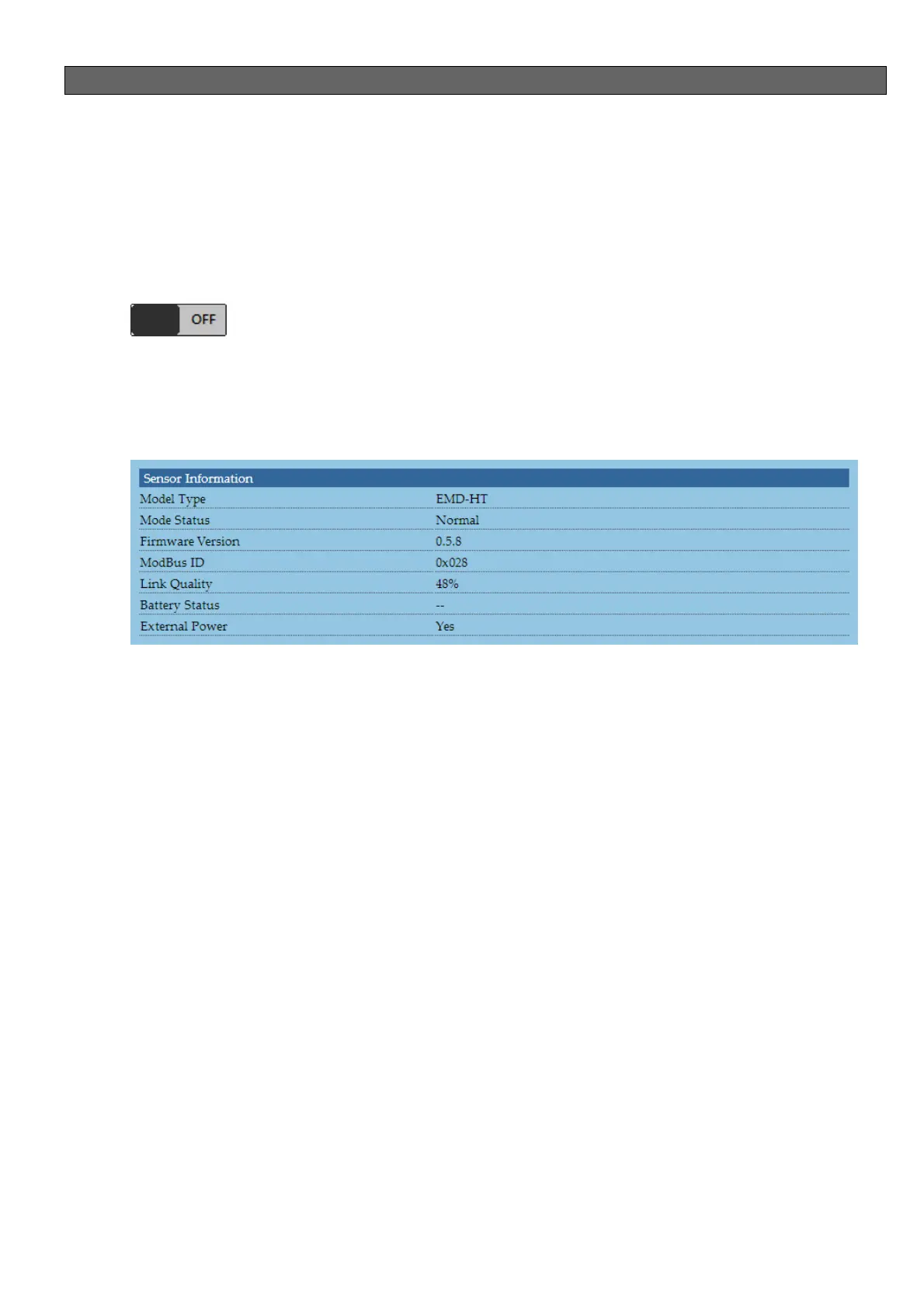
This field shows the Sensor Information.
Model Type
This field shows the present sensor’s mode type. For example, “Zigbee HT” or
“RS485 HT”.
Model Type
This field shows the present sensor’s status.
Firmware Version
This field shows the present sensor’s firmware version.
Modbus ID
This field shows the present this sensor’s Modbus ID.
Link Quality (Zigbee HT Sensor Only)
This field shows the present link quality between iED N-002 and Sensor.
Battery Status (Zigbee HT Sensor Only)
This field shows the present battery capacity. Once battery capacity was too low, it
will show “Low Battery”.


 To Next Page
 Loading...