Programming the SmartLink-GP 37
Programming manual
3.10.3 Send event-triggered SMS text
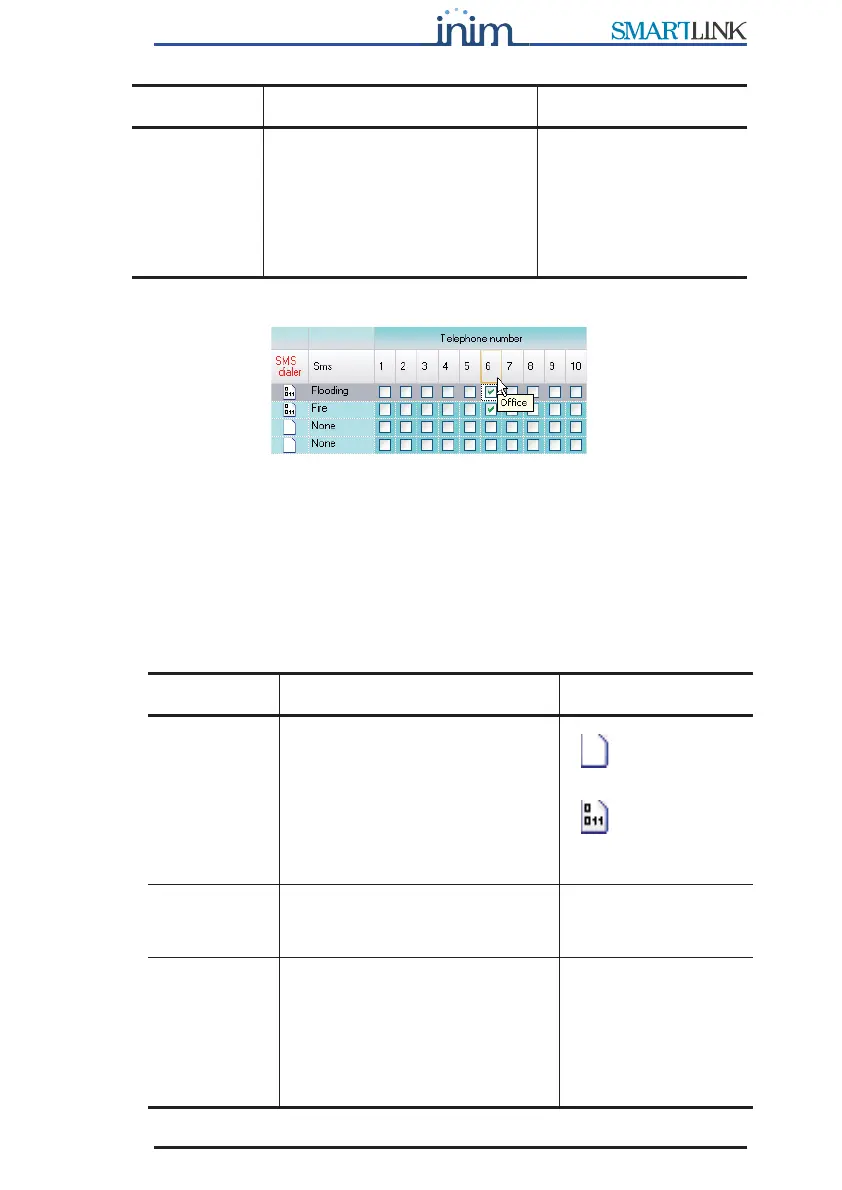
Figure 10 - Events table - SMS
Each event can trigger and send an SMS text message to a specific phone
number.
To allow this, the SMS text messages must be defined as per the instructions
in paragraph 3.5.2 Setting up the SMS dialler messages. In this way, the
description of the SMS text to-be-sent will appear in the SMS menu.
For example, to warn the service technician about low battery status.
Phone
numbers
Check boxes corresponding to
the phone numbers for outgoing
calls set up in the Phonebook.
The phone number description
appears when you mouse over
the respective number on the
tooltip bar.
See the Call all voice
numbers option to
choose whether the
message must reach
only one of the dialed
phone numbers or all of
them successfully.
Parameter Description Note
SMS dialler Folder containing 'send SMS text
message' parameters. Double
click to open: columns containing
the successive parameters will
appear. Double click to close.
=no parameter
has been set
=some
parameters have
been set.
SMS text List of SMS text messages (pre-
set in the SMS table) available
for the event.
Phone
numbers
Check boxes corresponding to
the phone numbers for outgoing
calls set up in the Phonebook.
The phone number description
appears when you mouse over
the respective number on the
tooltip bar.
Parameter Description Note



 To Next Page