page20
Adjust the quality of the sound through the following audio settings.
Press the TV/DVD/AUX/PC button to select various signal modes.
Press TV MENU to enter LCD menu.
Press / to select "Audio", and then press to enter "Audio" menu.
BASIC ADJUSTMENT SETTINGS
SOUND ADJUSTMENT
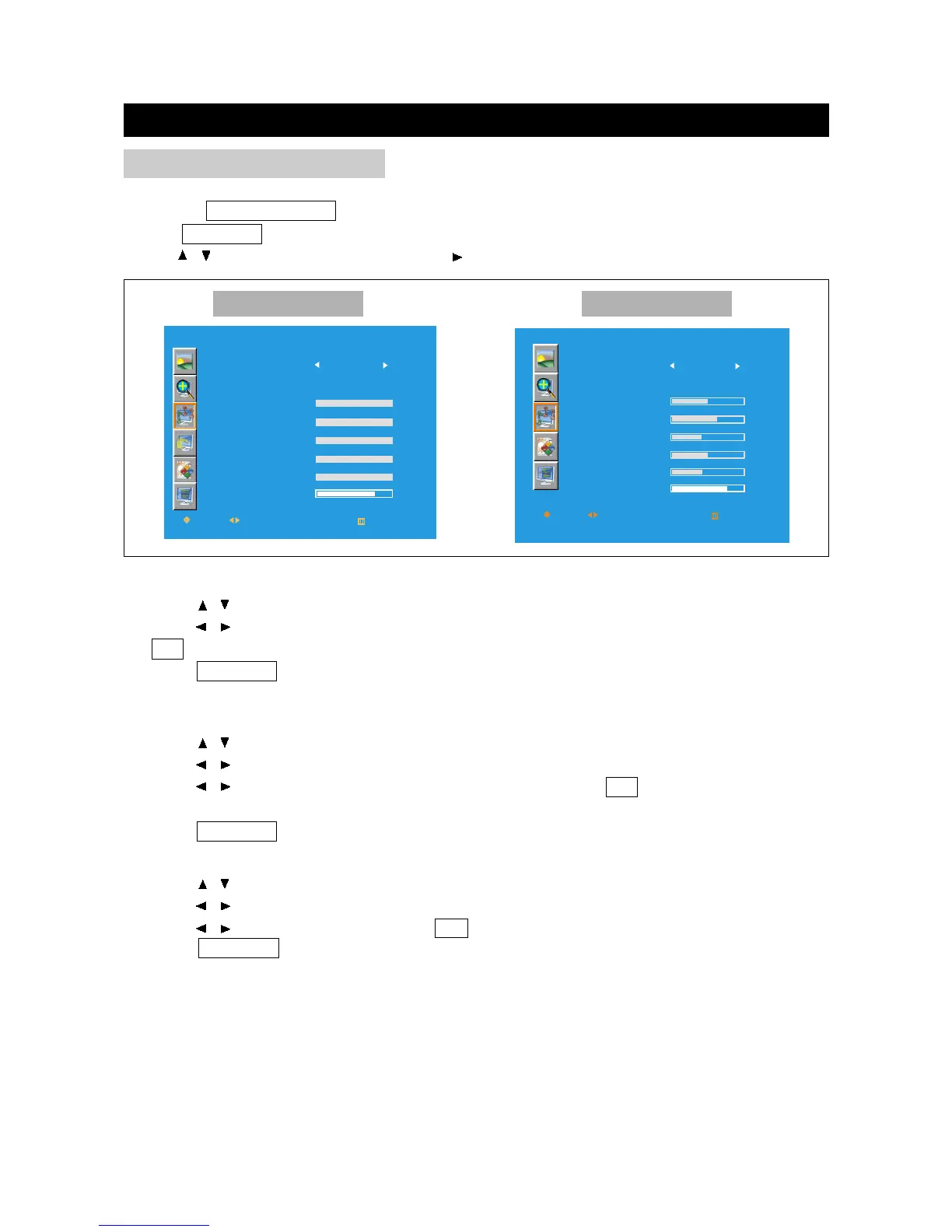
SOUND
SOUND
120HZ
500HZ
1K5HZ
5KHZ
10KHZ
BALANCE
MOVE
SELECT
RETURN
NORMAL
EXIT
OK
MODE
EQUALIZER:
SOUND
SOUND
120HZ
500HZ
1K5HZ
5KHZ
10KHZ
BALANCE
MOVE
SELECT
RETURN
NORMAL
EXIT
OK
MODE
EQUALIZER:
Equalizer
1. Press / to select the items under the equalizer menu.
2. Press / to enter the equalizer menu.
3. Press / to adjust the items under the equalizer menu; press OK to return to the "Sound"
menu.
4. Press TV MENU to exit.
Sound Mode
1. Press / to select "Sound Mode" in "Audio" menu.
2. Press / to select an Sound Mode among: Personal, Normal, News and Music; press
OK to return to the "Sound" menu.
3. Press TV MENU to exit.
Note: "Equalizer" is available when the "Sound Mode" is set to "personal".
Other Mode PC Mode
Balance
1. Press / to select "Balance" in "Sound" menu.
2. Press / to enter the balance menu.
3. Press / to adjust the balance; press OK to return to the "Sound" menu.
4. Press TV MENU to exit.



 To Next Page