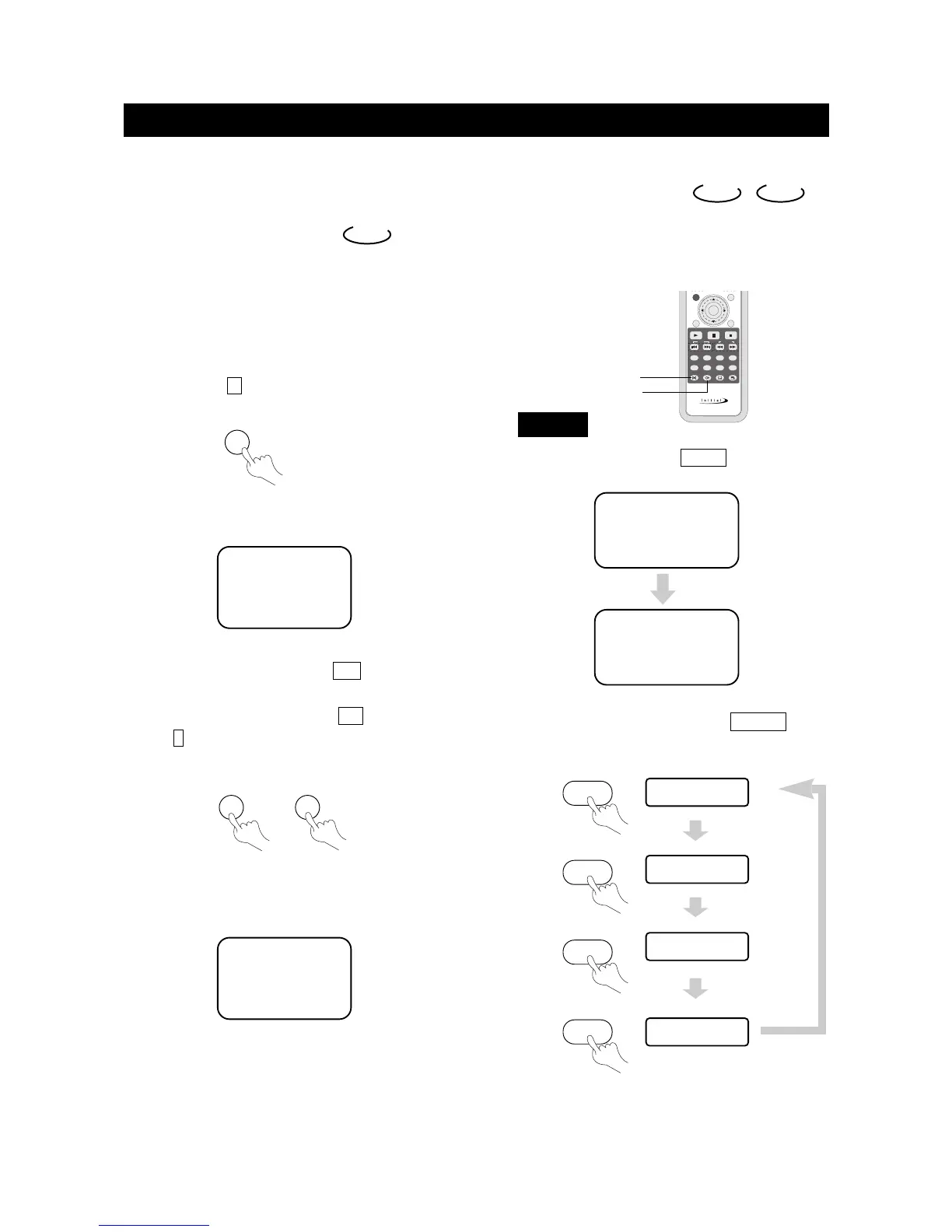
Audio Mode
●
You may select a language from a multi-language DVD.
●
You may select the right channel, left channel, or stereo
options from a multi-channel CD.
●
To select a language, press AUDIO .
The screen will show the following in order:
Different discs may differ in languages available.
●
To select audio channel option, press A.MODE ,
the screen shows the following in order:
Load a disc. Press number buttons to select tracks after
the unit finishes reading the disc.
1. If the track number isn't over 10, just
push buttons 1-10.
Example: push 8 to select track 8.
The screen shows:
2. If the track number is over 10, press + 10 once and a
button between 1-10.
Example: if you select track 12, press +10 once and
button 2 .
The screen shows:
Select with Number
Buttons
CD
TRACK08/20 00:00
TRACK12/20 00:00
AUDIO 1/2:AC-3 5.1CH
AUDIO 2/2:AC-3 5.1CH
DVD
CD
、
DVD
MONO LEFT
MONO RIGHT
MIXED MONO
STEREO
8
AUDIO
A.MODE
A.MODE
page35
BASIC OPERATIONS
PLAY DISCS IN VARIOUS WAYS
+10
2
+
A.MODE
A.MODE
A.MODE



 To Next Page