Language
1. Press / to select "Language" in " OSD" menu .
2. Press / to select a kind of language among: English, French and Spanish.
3. Press OK to return; press TV MENU to exit.
BASIC ADJUSTMENT SETTINGS
page26
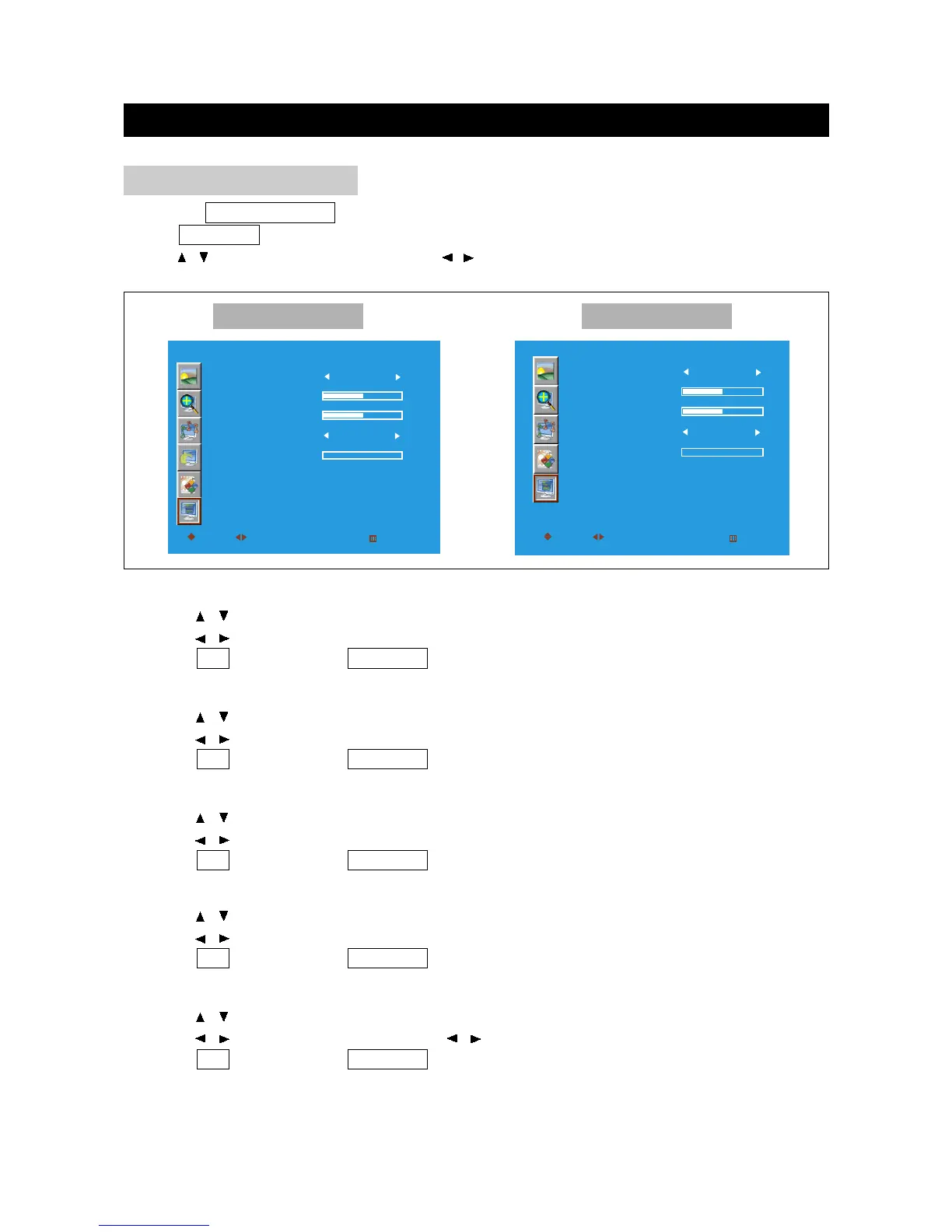
OSD ADJUSTMENT
Press the TV/DVD/AUX/PC button to select various signal modes.
Press TV MENU to enter LCD menu.
Press / to select "OSD", and then press / to enter "OSD" menu.
OSD
LANGUAGE
H-POSITION
V-POSITION
DURATION
HALFTONE
MOVE
SELECT
RETURN
ALWAYS
ENGLISH
EXIT
OK
SOD
LANGUAGE
H-POSITION
V-POSITION
DURATION
HALFTONE
MOVE
SELECT
RETURN
ALWAYS
ENGLISH
EXIT
OK
Other Mode PC Mode
Duration
1. Press / to select "Duration" in " OSD" menu .
2. Press / to select duration among: Always, 15S, 30S, 45S, 60S.
3. Press OK to return; press TV MENU to exit.
Halftone
1. Press / to select "Halftone" in " OSD" menu .
2. Press / to enter halftone menu; press / to adjust the halftone.
3. Press OK to return; press TV MENU to exit.
H-Position
1. Press / to select "H-Position" in " OSD" menu .
2. Press / to move the OSD menu to left or right on the screen.
3. Press OK to return; press TV MENU to exit.
V-Position
1. Press / to select "V-Position" in " OSD" menu .
2. Press / to move the OSD menu to up or down on the screen.
3. Press OK to return; press TV MENU to exit.



 To Next Page