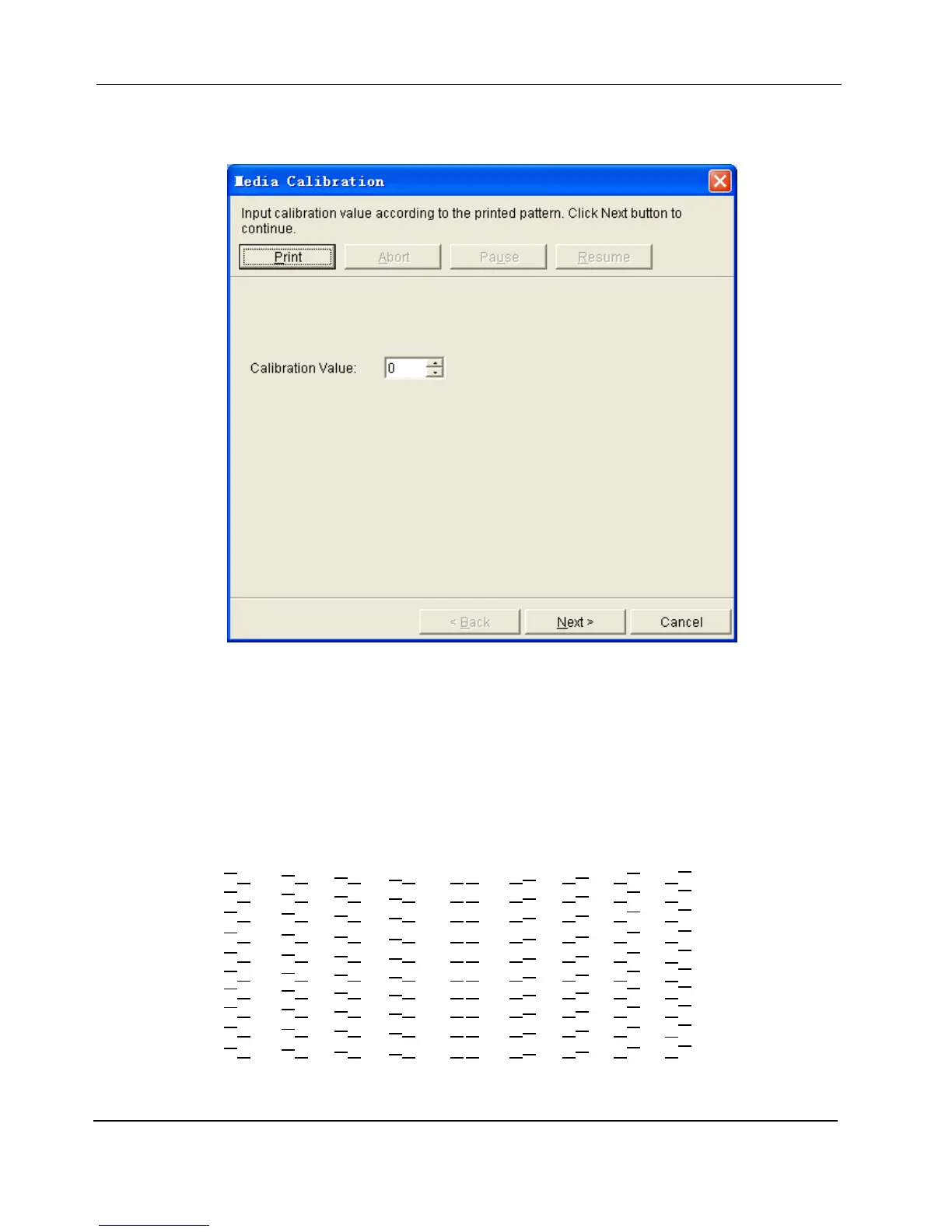
2. Clicking button Calibrate will pop up the Media Calibration dialogue. With the options in the dialogue, users
can print a test pattern and enter the calibration value according to the pattern.
Click button Print to print the test pattern, which has 41 groups of lines labeled with numbers from 20 to -20.
Each group has two rows of lines. Check the pattern thoroughly; find out the group in which the two rows of
lines are best aligned. For example in the following image group “0” is best aligned.
Enter the number below the group into the numeric box of Calibration Value in the dialogue. Take the
following image as an example. The number you should enter into the Calibration Value box is 0, because
the group labeled “0” is best aligned.
Click button Next to continue.
…
2


 To Next Page