846.
7. Click button Apply at the bottom left of the dialogue to apply the modification.
Note: Long-range Calibration function is not applicable to TL series printer.
8. Click button Finish to end the calibration and close the dialogue; click button Back to go back the last step;
and click button Cancel to close the dialogue without saving any setting.
7-9-6 HORIZONTAL ALIGNMENT
Horizontal alignment can help to make sure the print heads print at precise horizontal position. This is mostly
related to the print head Scan direction from left to right. If printed image looks blurred in uni-directional printing,
you should consider doing a horizontal alignment to the print heads.
Bi-direction alignment is also included in horizontal alignment. If printed image is good in uni-directional
printing, but looks blurred in bi-directional printing, you should do a bi-direction alignment.
This option also allows users to calibrate the mechanical error of the platen; the platen may not be completely
even. Follow these steps to do the horizontal alignment:
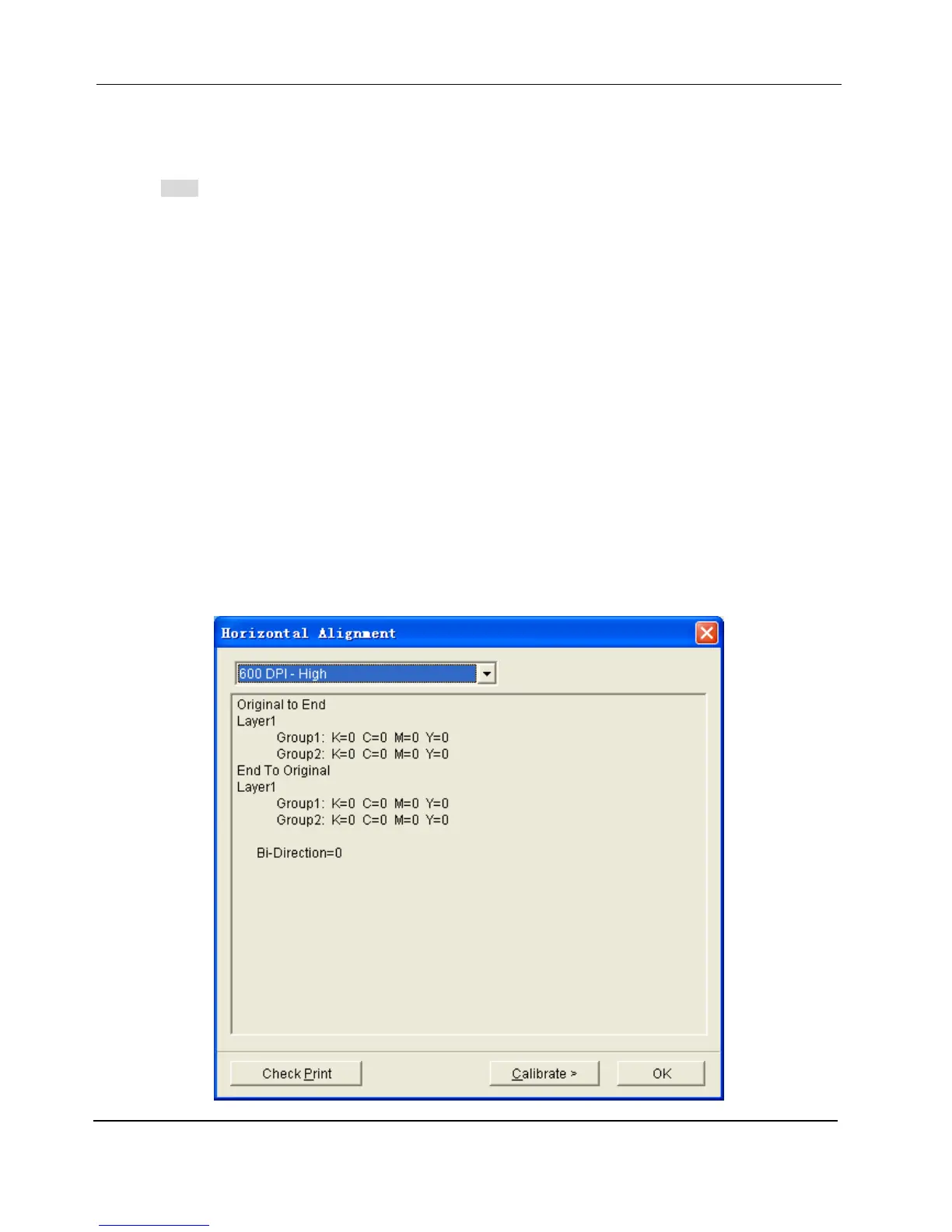
1. Choose the Horizontal Alignment command from the Adjust menu, the Horizontal Alignment dialog
;
appears


 To Next Page