Enter the value below the group into the numeric box of Calibration Value in the dialogue. Take the image
above as an example. The number you should enter into the Calibration Value box is 0, because the group
labeled “0” is best aligned.
Click button Next to continue.
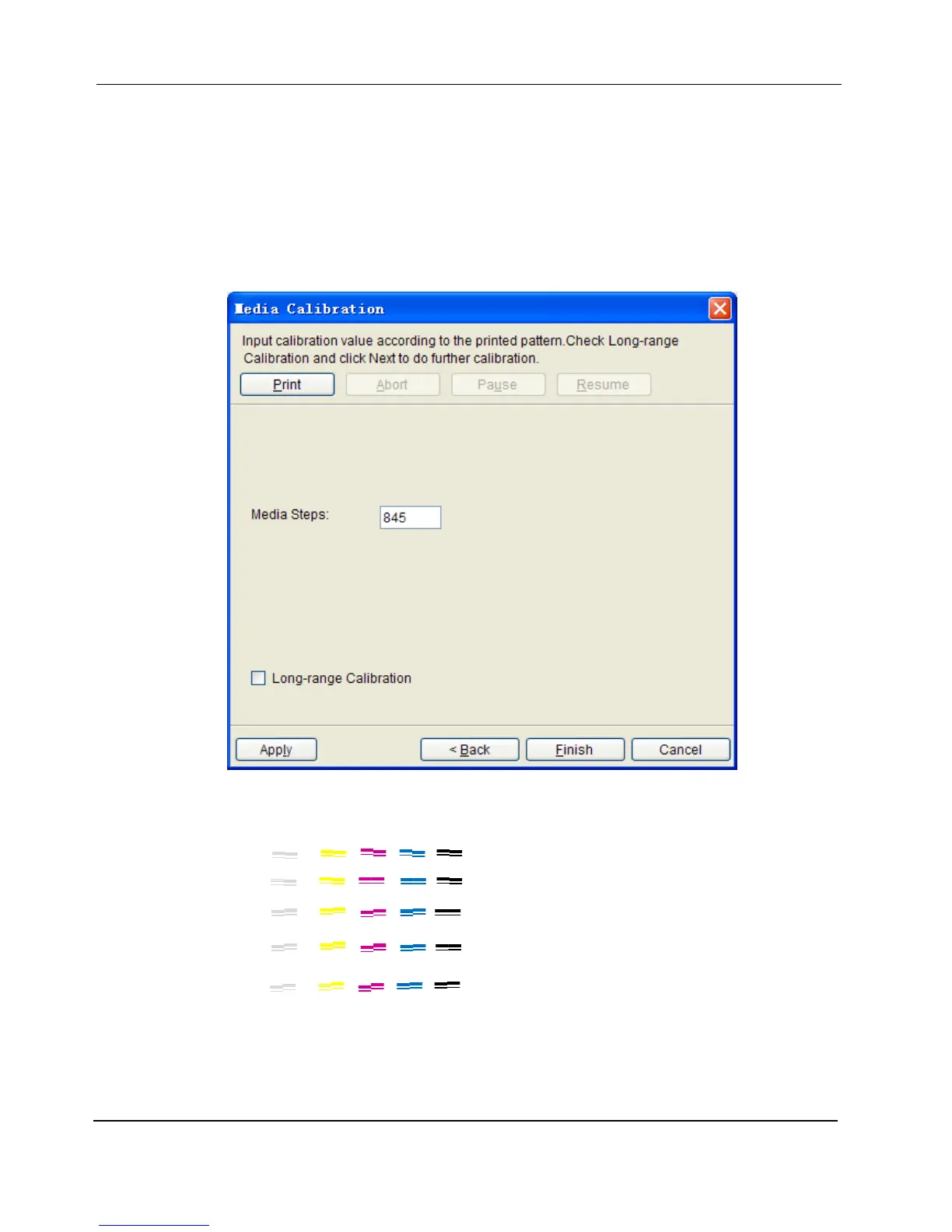
3. The dialogue updated will show the present Media Step value after calibration and provides options for
further calibration.
4. Click button Print, the test chart will be sent to the printer to print as a job automatically. The following image
will be printed:
5. Check the test chart and select the best aligned group; for example, in the chart above, the best aligned
group for all the colors in general is group “1”.
6. Add the value of best-aligned group number to the current value in the dialog box, e.g., if the value is 845
and the best-aligned group number in the test chart printed is 1, you should update the value from 845 to
0
1
2
‐1
‐2


 To Next Page