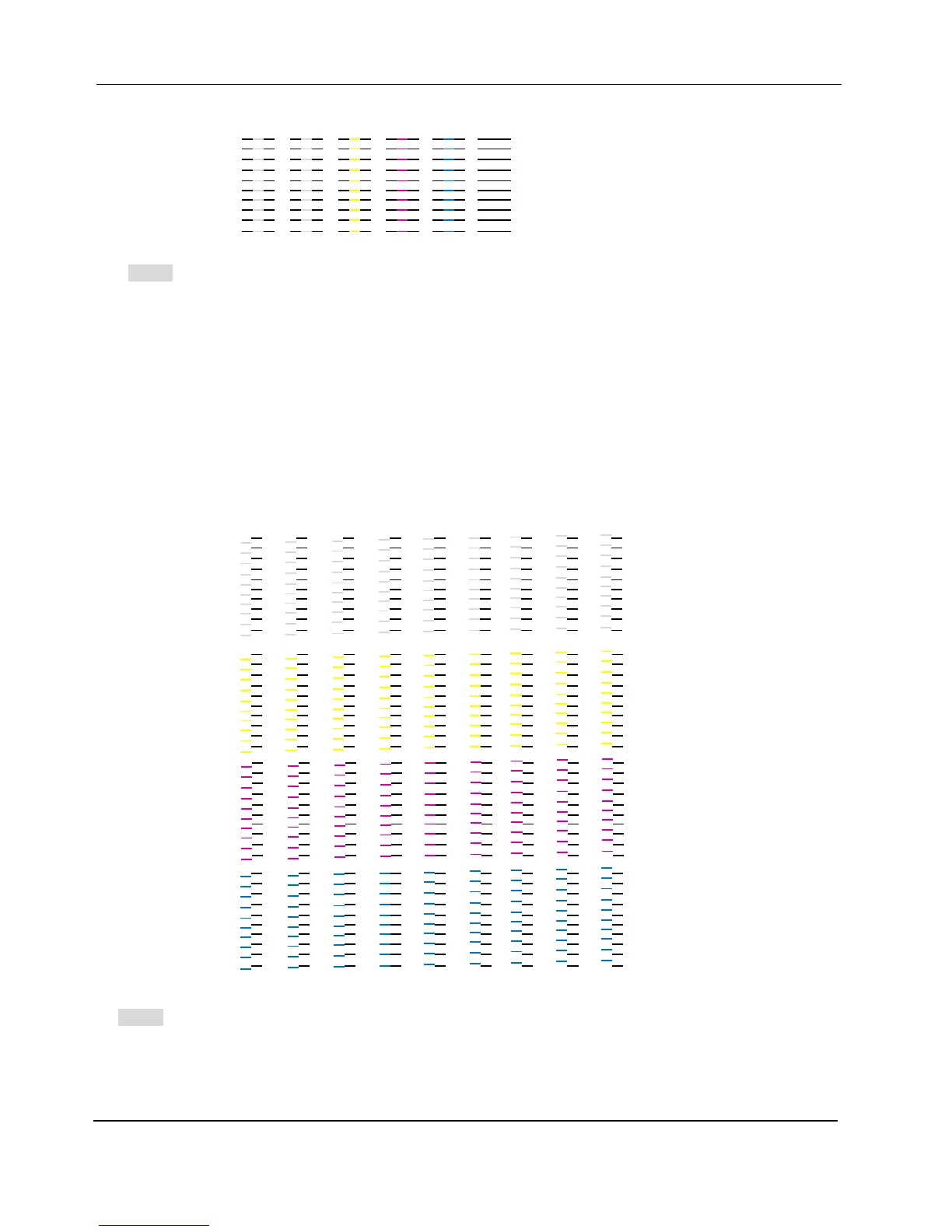
2. Click the button CheckPrint to see the current printheads’ status. Following test pattern will be printed:
Note:
When all the printheads are well aligned, the lines of C, M and Y will be printed in the same line of K as
the above image shows; otherwise lines of C, M and Y will stagger with lines of K.
You should print the check print after alignment to make sure the result is good; otherwise you have to
do the calibration (physical or by software) again.
3. Click the Calibration button to calibration the printheads if the test pattern in step 2 does not look good.
4. Click the Print button, the following test chart will be printed. Enter the CMYK value of the best-aligned
groups in the Group1 and Group 2 fields.
Note:
For each printhead of C, M, Y amd W, 41 groups of lines labeled with numbers from -20 to 20 will be
printed.
To the left of the lines printed by each printhead there are labels telling you the printhead that prints
G1C4D1
G1C3D1
G1C2D1


 To Next Page