Live Data Mode
VIEWING LIVE DATA
104 3140d
The scan tool is a special diagnostic tool that communicates with the
vehicle's computer. The scan tool lets you view and/or "capture" (record)
"real-time" Live Data. This information includes values (volts, rpm,
temperature, speed etc.) and system status information (open loop,
closed loop, fuel system status, etc.) generated by the various vehicle
sensors, switches and actuators.
In effect the scan tool lets you view, in "real time", the same signal
values generated by the sensors, actuators, switches and/or vehicle
system status information used by the vehicle's computer when
calculating and conducting system adjustments and corrections.
The real time (Live Data) vehicle operating information (values/status)
that the computer supplies to the scan tool for each sensor, actuator,
switch, etc. is called Parameter Identification (PID) Data.
Each PID (sensor, actuator switch, status, etc.) has a set of operating
characteristics and features (parameters) that serve to identify it. The
scan tool displays this information for each sensor, actuator, switch or
status that is supported by the vehicle under test.
WARNING: If the vehicle must be driven in order to perform a
troubleshooting procedure, ALWAYS have a second person
help you. One person should drive the vehicle while the other
person observes the scan tool data. Trying to drive and
operate the scan tool at the same time is dangerous, and
could cause a serious traffic accident.
VIEWING LIVE DATA
1. While linked to the vehicle, start the
engine, then press and release the LD
button.
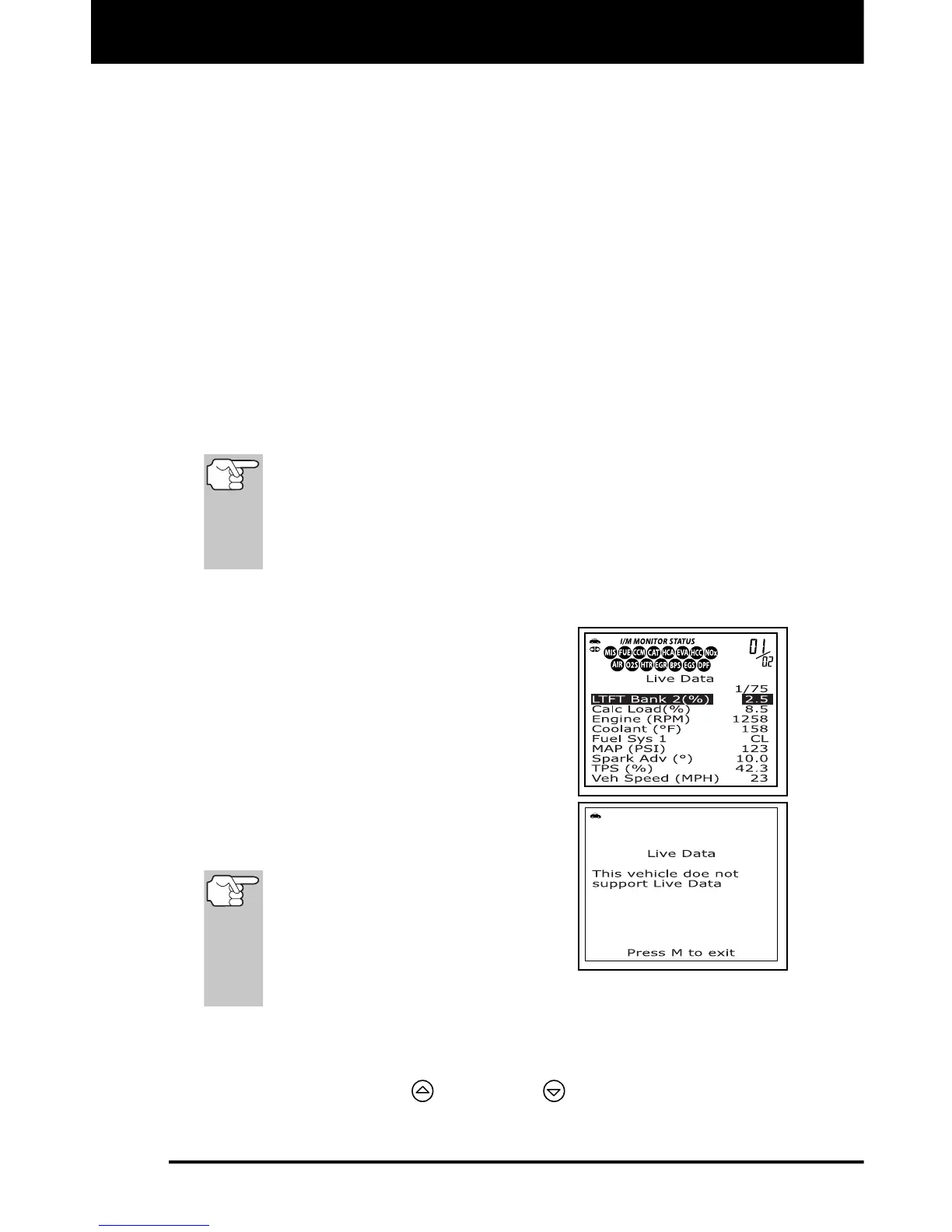
2. Real-time Live Data (PID) information
supported by the vehicle under test
displays.
If Live Data is not supported by the
vehicle under test, an advisory
message displays. Press the M
button to exit. Live Data is not
available for your vehicle.
Remember, what you are viewing
is "real-time" Live Data. The
values (volts, rpm, temperature,
vehicle speed, system status etc)
for the various PIDS displayed
may change as the vehicle's
operating conditions change.
3. A vehicle usually supports several PIDs, however, only a limited
amount of PID data can be displayed on the screen at one time. If
additional PID data is available, a small arrow will be shown on the
display. Use the UP
and DOWN buttons, as necessary, to
scroll up or down to view all available PID data.



 To Next Page