Using the Scan Tool
THE SYSTEM MENU
38 3140d
11. When the last retrieved DTC has been displayed and the DTC/FF
button is pressed, the scan tool returns to the “Priority” Code.
12. Determine engine system(s) condition by viewing the scan tool’s
display for any retrieved Diagnostic Trouble Codes, code definitions and
Freeze Frame data, interpreting the green, yellow and red LEDs.
If DTC’s were retrieved and you are going to perform the repairs
yourself, proceed by consulting the Vehicle’s Service Repair
Manual for testing instructions, testing procedures, and flow
charts related to retrieved code(s).
If you plan to take the vehicle to a professional to have it
serviced, complete the PRELIMINARY VEHICLE DIAGNOSTIC
WORKSHEET on page 28 and take it together with the retrieved
codes, freeze frame data and LED information to aid in the
troubleshooting procedure.
To prolong battery life, the scan tool automatically shuts “Off”
approximately three minutes after it is disconnected from the
vehicle. The DTCs retrieved, Monitor Status and Freeze Frame
data (if any) will remain in the scan tool’s memory, and may be
viewed at any time by turning the unit “On”. If the scan tool’s
batteries are removed, or if the scan tool is re-linked to a vehicle
to retrieve codes/data, any prior codes/data in its memory are
automatically cleared.
THE SYSTEM MENU
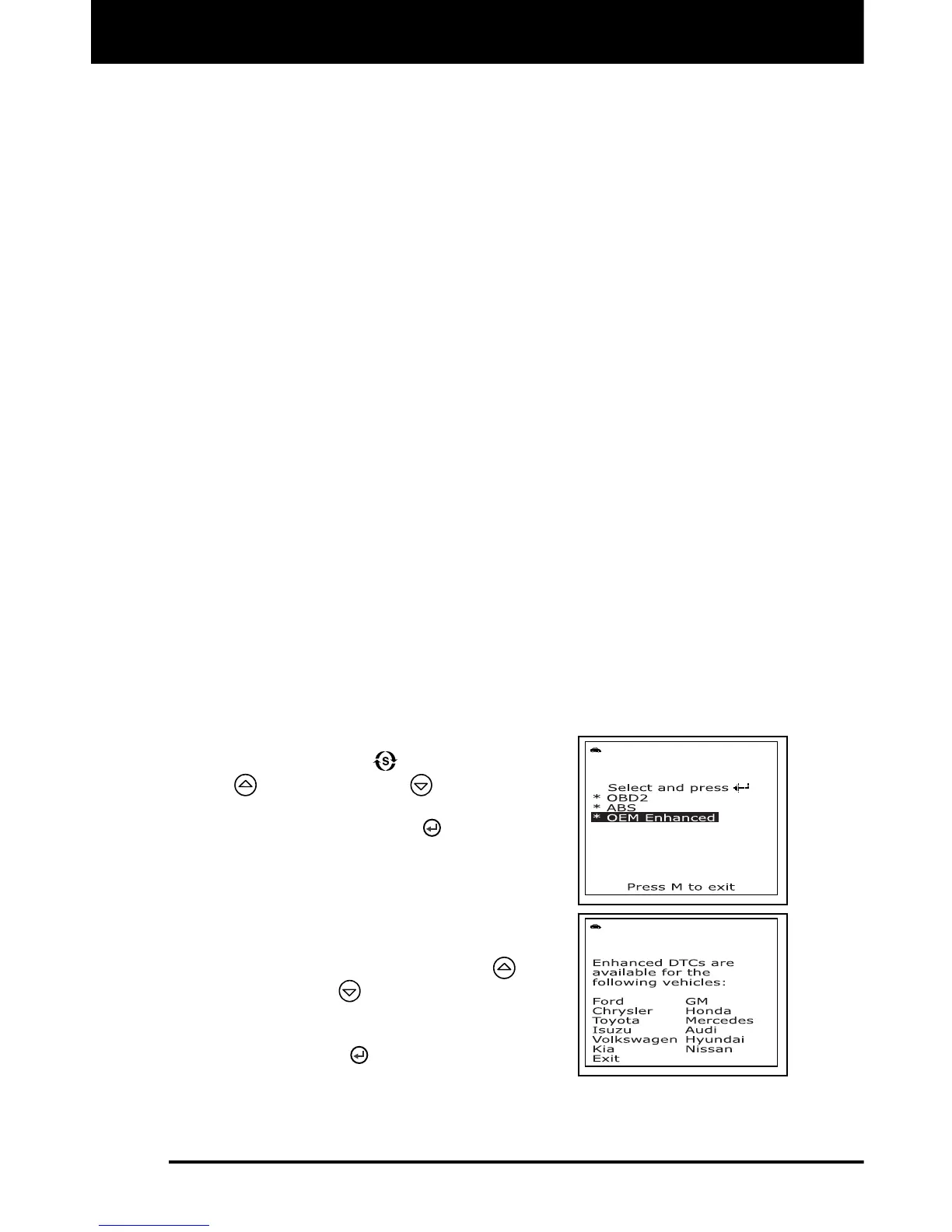
The System Menu provides the ability to retrieve OEM Enhanced DTCs and
Anti-Lock Brake System (ABS) DTCs from most Audi, BMW, Chrysler/Jeep,
Ford/Mazda, GM/Isuzu, Hyundai, Kia, Mercedes Benz, Toyota/Lexus and
Volkswagen vehicles. The types of enhanced data available depends on the
vehicle make.
To access the System Menu, press the
SYSTEM MENU
button. Use the UP
and DOWN buttons, as
necessary, to highlight the desired option,
then press the ENTER
button to view
the selected information.
- If no DTCs were retrieved, or only
generic DTCs were retrieved, and
OEM Enhanced or ABS is selected,
the Select Manufacturer screen
displays. Use the UP
and
DOWN
buttons, as necessary,
to highlight the appropriate
manufacturer, then press the
ENTER button to view the
selected information.



 To Next Page