Additional Tests
ADJUSTMENTS AND SETTINGS
3140d 123
ADJUSTMENTS AND SETTINGS
The scan tool lets you make several adjustments and settings to
configure the scan tool to your particular needs. It also contains an
OBD2 DTC Library that allows you to search for DTC definitions. The
following functions, adjustments and settings can be performed when
the scan tool is in Tool Setting mode:
Adjust Brightness: Adjusts the brightness of the display screen.
Audible Tone: Turns the scan tool’s audible tone “on” and “off.”
When turned “on,” a tone sounds each time a button is pressed.
Display Backlight: Turns the display backlight on and off.
Select Language: Sets the display language for the scan tool to
English, French or Spanish.
Unit of Measurement: Sets the Unit of Measurement for the scan
tool’s display to USA or metric.
Adjustments and settings can be made only when the scan
tool is NOT connected to a vehicle.
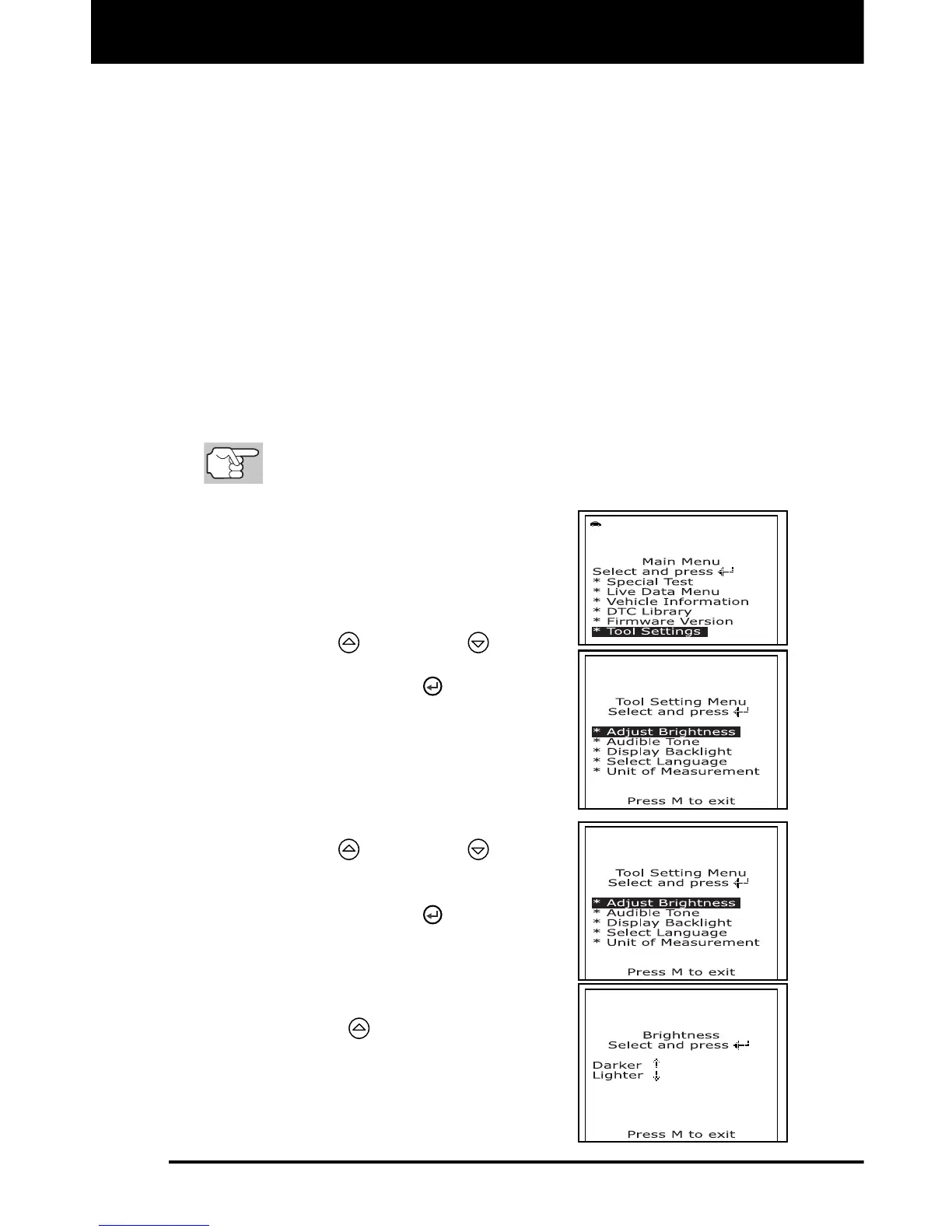
To enter the Tool Setting Mode:
1. With the scan tool in OBD2 mode, press
and release the M button.
The Main Menu displays.
2. Use the UP
and DOWN buttons,
as necessary, to highlight Tool Settings,
then press the ENTER
button.
The Tool Setting Menu displays.
3. Make adjustments and settings as
described in the following paragraphs.
Adjusting Display Brightness
1. Use the UP
and DOWN buttons,
as necessary, to highlight Adjust
Brightness in the Tool Setting Menu,
then press the ENTER
button.
The Adjust Brightness screen displays.
The Brightness field shows the
current brightness setting, from 1 to 4.
2. Press the UP
button to decrease the
brightness of the display (make the
display darker).



 To Next Page